
Notice: Regularly Updated Review
Updated: July 2026. This article is regularly reviewed and updated to reflect product changes, pricing updates, and newly released AI features.
Introduction: The AI Productivity Revolution in 2026
The professional landscape in 2026 has been completely reshaped by Generative AI. Artificial intelligence is no longer just a trend or a novel chatbot for casual queries. Instead, AI has become the core infrastructure of professional productivity. Across every sector—from software engineering and digital marketing to operational management, creative design, and remote education—AI productivity tools are changing how we structure our workdays, execute complex projects, and automate repetitive administrative tasks.
Today's AI tools are highly context-aware, integrated, and proactive. Rather than waiting for manual inputs, they read calendars, optimize project boards, draft client correspondence, and analyze data tables automatically. This allows professionals to offload hours of repetitive administrative overhead and focus entirely on high-value cognitive tasks and strategy. If you want to optimize specific areas of your communication, read our reviews of the Best AI Email Assistants in 2026 and the Best AI Meeting Assistants in 2026.
In this detailed, factual comparison guide, we review the 15 best AI productivity tools in 2026. We cut through the SaaS marketing jargon to evaluate each platform's AI features, ease of use, pricing, platform support, and real-world value. Whether you are a freelancer seeking a free calendar optimizer or an enterprise team manager building complex data automations, this review will help you choose the best tool stack for your daily operations.
Why You Can Trust NB Prompts
AI Prompt Box
At NB Prompts, our recommendations are built on a transparent, objective, and thorough review framework. We analyze official product specifications, compare core features, map pricing structures, synthesize user feedback from verified platforms (such as G2 and Capterra), and evaluate security and privacy policies. Our commitment is to provide direct, honest, and updated SaaS insights to help you make informed decisions. We do not invent fake experiences or make unverified claims, ensuring you receive reliable recommendations.
How We Evaluated the Tools
To evaluate the best AI productivity tools, we defined a testing framework focused on seven key parameters: productivity impact (how much time is saved), ease of use (the learning curve of the UI), AI capabilities (accuracy and reasoning of outputs), integrations (compatibility with existing apps), pricing/value (cost vs. benefits), platform availability (web, desktop, mobile), and privacy considerations (data encryption and training opt-outs). By testing these tools in real-world scenarios across different departments, we assigned objective ratings to help you find the best tool.
Quick Answer: Which AI Productivity Tools Are Best?
If you are looking for a quick recommendation, the best AI productivity tool depends entirely on your workflow. ChatGPT and Claude are the best all-around reasoning and writing assistants, with ChatGPT leading in data calculation and voice tools, while Claude excels in natural copywriting and frontend programming. For live web research and citation finding, Perplexity is the clear winner.
If you need to automate workflows and sync multiple applications, Zapier is the top automation choice. For scheduling, Motion and Reclaim offer the best automated calendar blocking. Finally, if you manage teams and docs, Notion AI and ClickUp Brain are the best workspace platforms. We recommend starting with free tiers to see which tools integrate best with your habits.
Quick Picks: Top AI Productivity Tools by Category
To simplify your search, here are our top editor recommendations for the best AI productivity tools in 2026:
- Best Overall & Reasoning Assistant: ChatGPT — Powerful o1 logic and advanced data processing.
- Best for Professional Copywriting & Coding: Claude — Unmatched human writing tone and Side-by-side Artifacts panel.
- Best for Web Research with Citations: Perplexity — Synthesizes live sources with high accuracy.
- Best for Calendar Planning & Time Blocking: Reclaim — Automatically blocks task time on Google Calendar.
- Best for Design Decks & Slides: Gamma — Generates professional slide presentations instantly.
Main Comparison Table
Here is a quick look at how the top AI productivity tools compare across key features, platforms, and starting prices:
| Tool | Best For | Free Plan | Starting Price | Platforms |
|---|---|---|---|---|
| ChatGPT | All-around reasoning & data | Yes | $20/mo | Web, iOS, Android, macOS |
| Claude | Writing, coding & research | Yes | $20/mo | Web, iOS, Android, Desktop |
| Gemini | Web search & massive files | Yes | $20/mo | Web, iOS, Android, Workspace |
| Microsoft Copilot | Office 365 integration | Yes | $20/mo | Web, Windows, iOS, Android |
| Perplexity | Citation-backed search | Yes | $20/mo | Web, iOS, Android |
| Notion AI | Workspace search & docs | Trial | $8/mo | Web, Desktop, iOS, Android |
| Grammarly | Writing correction & tone | Yes | $12/mo | Web, Desktop extension |
| Zapier | App workflow automation | Yes | $19.99/mo | Web |
| Otter.ai | Real-time meeting notes | Yes | $10/mo | Web, iOS, Android |
| ClickUp | Team project management | Yes | $7/mo + $5 add-on | Web, Desktop, Mobile |
| Motion | AI schedule optimization | No | $19/mo | Web, iOS, Android |
| Reclaim | Google calendar time blocks | Yes | $8/mo | Web, Calendar add-on |
| Gamma | Slide decks & webpages | Yes | $8/mo | Web |
| Canva AI | Visual graphic design | Yes | $15/mo | Web, Mobile, Desktop |
| Todoist AI | Clean task breakdown | Yes | $4/mo | Web, Mobile, Desktop |
1. ChatGPT
Overview: ChatGPT, developed by OpenAI, remains the industry benchmark for general-purpose conversational AI in 2026. Backed by the GPT-4o multimodal model and the o1 reasoning series, ChatGPT acts as an all-in-one productivity engine that reads data tables, writes code, translates text, and runs vocal study sessions.
| Metric | Rating | Metric | Rating |
|---|---|---|---|
| Ease of Use | 9.5/10 | Security | 8.9/10 |
| AI Quality | 9.6/10 | Integrations | 9.0/10 |
| Features | 9.5/10 | Value | 9.2/10 |
| Pricing | 8.8/10 | Overall Rating | 9.3/10 |
What it does: It processes text, images, and raw data to solve complex mathematical formulas, write functional software scripts, draft articles, and generate visual graphics via DALL-E 3.
Key AI features: o1 reasoning model, Custom GPT Store, Advanced Voice Mode, and Advanced Data Analysis for Excel files.
Best use cases: Coding support, calculating complex statistics, brainstorming content marketing structures, and hands-free language practice.
Pros: Exceptional step-by-step logical reasoning, powerful voice-to-voice communication, huge library of custom chatbots, and clean mobile apps.
Cons: Usage caps on high-speed reasoning models, and web search can occasionally refer to outdated or unverified links.
Pricing: Free plan available. ChatGPT Plus costs $20/month, providing 5x higher message counts and priority access to o1.
Free plan/trial information: Permanent free tier provides basic access to GPT-4o with standard speeds.
Best for: Developers, data analysts, students, and professionals seeking a highly intelligent, general-purpose reasoning assistant.
Official website: https://chatgpt.com
2. Claude
Overview: Claude, created by Anthropic, has earned a stellar reputation for its premium writing tone and outstanding programming capabilities. In 2026, Claude 3.5 Sonnet is widely considered the most human-like large language model, making it the preferred choice for copywriters, editors, and web developers.
| Metric | Rating | Metric | Rating |
|---|---|---|---|
| Ease of Use | 9.4/10 | Security | 9.2/10 |
| AI Quality | 9.7/10 | Integrations | 8.9/10 |
| Features | 9.3/10 | Value | 9.4/10 |
| Pricing | 8.7/10 | Overall Rating | 9.4/10 |
What it does: It analyzes documents, writes clean programming scripts, edits long essays, and displays interactive web applications side-by-side inside the browser.
Key AI features: Artifacts panel (separates code/document previews from the main chat), Projects workspace, and highly secure document parsing.
Best use cases: Drafting long-form marketing copy, debugging Python/JavaScript loops, reviewing research PDFs, and building interactive web mockups.
Pros: Writes in a natural, non-robotic tone, excellent Artifacts visual editor, and leading programming accuracy.
Cons: Free tier limits are highly restrictive, and it lacks a native real-time internet search engine.
Pricing: Free plan available. Claude Pro costs $20/month, offering 5x higher usage limits and custom Projects folders.
Free plan/trial information: Permanent free tier with basic access to Claude 3.5 Sonnet, subject to active traffic limits.
Best for: Creative writers, technical copywriters, frontend developers, and researchers who need high logical reasoning. If you are preparing professional materials, read our guide on the Best Free AI Resume Builders in 2026.
Official website: https://claude.ai
3. Gemini
Overview: Gemini is Google's natively multimodal assistant, and it stands out as the best research companion for massive files. By leveraging Google's web index, Gemini provides real-time information with direct search citations, while its massive context window allows users to upload entire textbooks at once.
| Metric | Rating | Metric | Rating |
|---|---|---|---|
| Ease of Use | 9.1/10 | Security | 9.0/10 |
| AI Quality | 9.2/10 | Integrations | 9.3/10 |
| Features | 9.4/10 | Value | 9.0/10 |
| Pricing | 8.9/10 | Overall Rating | 9.1/10 |
What it does: It summarizes long recorded videos, answers questions based on massive PDF uploads, translates documents, and connects directly with your Google Workspace.
Key AI features: 2-million-token context window, Google Scholar integration, Google Workspace extensions (Gmail, Docs, Drive).
Best use cases: Literature reviews, extracting insights from recorded video lectures, drafting outline summaries, and syncing workspace docs.
Pros: Connected directly to live Google Search for citations, huge file upload capacity, and seamless exports to Google Docs.
Cons: Math equations and coding logic can occasionally be less accurate than ChatGPT or Claude, and writing tone is sometimes dry.
Pricing: Free plan available. Gemini Advanced costs $20/month, providing access to Google's largest 1.5 Ultra model.
Free plan/trial information: Permanent free plan includes web searching, citations, and standard file uploads.
Best for: Researchers, students, and office workers who operate heavily within Google Workspace and require large file analysis.
Official website: https://gemini.google.com
4. Microsoft Copilot
Overview: Microsoft Copilot is a native productivity assistant built directly into the Windows OS and Microsoft 365 applications. It utilizes OpenAI's GPT models to bring generative text, calculations, and slide drafting directly into your office workflow.
| Metric | Rating | Metric | Rating |
|---|---|---|---|
| Ease of Use | 9.0/10 | Security | 9.7/10 |
| AI Quality | 9.1/10 | Integrations | 9.5/10 |
| Features | 9.2/10 | Value | 8.5/10 |
| Pricing | 8.0/10 | Overall Rating | 8.9/10 |
What it does: It drafts emails, summaries spreadsheet rows, generates PowerPoint layouts, and runs desktop web searches.
Key AI features: Native Office 365 sidebar, Windows OS shortcuts, automated slide creation, and enterprise security compliance.
Best use cases: Drafting business emails, summarizing corporate reports, compiling Excel formulas, and preparing presentation outlines.
Pros: Enterprise-grade security compliance, free access to web search, and direct integration into Word and Teams.
Cons: Windows sidebar can feel cluttered with news, and M365 integrations require active corporate license bundles.
Pricing: Free plan available on Web and Windows. Copilot Pro costs $20/month per user; Enterprise costs $30/user/month.
Free plan/trial information: Free version is accessible via Windows 11 taskbars, Edge browsers, and mobile apps.
Best for: Corporate employees, managers, and administrative staff fully committed to the Microsoft 365 ecosystem.
Official website: https://copilot.microsoft.com
5. Perplexity
Overview: Perplexity is an AI-powered conversational search engine designed to replace traditional search queries with direct, citation-backed answers. By scanning the web in real-time, it compiles summaries with clickable references, minimizing the time spent scanning page links.
| Metric | Rating | Metric | Rating |
|---|---|---|---|
| Ease of Use | 9.4/10 | Security | 9.0/10 |
| AI Quality | 9.3/10 | Integrations | 8.8/10 |
| Features | 9.2/10 | Value | 9.2/10 |
| Pricing | 8.8/10 | Overall Rating | 9.1/10 |
What it does: It answers complex questions, summarizes news, pulls academic publications, and synthesizes multi-source facts.
Key AI features: Focus search modes (Academic, Writing, Reddit, YouTube), multi-model selection (GPT, Claude, Gemini), Pro Search.
Best use cases: Fact-checking claims, finding scientific papers, research research bibliographies, and technical coding lookups.
Pros: Clear source citations, excellent search focus filters, fast response times, and multi-model versatility.
Cons: Lacks document formatting or task management tools, and free tier limits high-speed Pro searches.
Pricing: Free plan available. Perplexity Pro costs $20/month.
Free plan/trial information: Permanent free tier with basic search queries and limited Pro Search uses per day.
Best for: Researchers, writers, marketers, and curious professionals who need quick, verified web answers.
Official website: https://perplexity.ai
6. Notion AI
Overview: Notion AI integrates generative AI directly into Notion's popular workspace app. It acts as an editor and knowledge manager, allowing users to query their entire workspace database to find information and write documents.
| Metric | Rating | Metric | Rating |
|---|---|---|---|
| Ease of Use | 9.2/10 | Security | 9.1/10 |
| AI Quality | 9.0/10 | Integrations | 9.4/10 |
| Features | 9.2/10 | Value | 8.9/10 |
| Pricing | 8.5/10 | Overall Rating | 9.0/10 |
What it does: It summaries meeting notes, drafts content, translates documents, autofills database columns, and searches workspace pages.
Key AI features: Notion Q&A (workspace search), database properties autofill, in-line text editor commands.
Best use cases: Summarizing meeting minutes, extracting action items, formatting project boards, and searching company wikis.
Pros: Embedded directly inside your existing notes, excellent database automation, and fast workspace-wide search.
Cons: Requires an active Notion workspace, and the AI features are billed as an add-on even for paid users.
Pricing: Notion AI is a $10/month add-on per user ($8/month if billed annually).
Free plan/trial information: Offers a limited free trial of 20 AI responses before prompting to subscribe.
Best for: Remote teams, agency managers, and freelancers who already use Notion to manage their projects and wikis.
Official website: https://www.notion.so/product/ai
7. Grammarly
Overview: Grammarly has evolved from a simple spell-check plugin into a comprehensive AI-powered writing assistant. In 2026, it helps professionals adjust their writing tone, rephrase awkward sentences, and write drafts directly inside their favorite desktop and web apps.
| Metric | Rating | Metric | Rating |
|---|---|---|---|
| Ease of Use | 9.6/10 | Security | 9.3/10 |
| AI Quality | 9.1/10 | Integrations | 9.5/10 |
| Features | 9.0/10 | Value | 8.8/10 |
| Pricing | 8.3/10 | Overall Rating | 9.0/10 |
What it does: It corrects grammar, adjusts writing style, suggests vocabulary improvements, and generates text drafts.
Key AI features: GrammarlyGO (generative writing assistant), custom voice profiles, sentence-level rewrites.
Best use cases: Polishing emails, checking essay drafts for grammatical errors, editing reports, and aligning brand voice.
Pros: Works across almost all desktop apps and websites, intuitive suggestion interface, and reliable corporate security.
Cons: Generative AI features have monthly limits, and premium pricing is relatively high for individual users.
Pricing: Free plan available. Premium starts at $12/month (billed annually) or $30/month.
Free plan/trial information: Free tier is available, providing basic spelling, grammar, and punctuation checks.
Best for: Professionals, students, marketers, and writers who need error-free writing across multiple digital platforms.
Official website: https://www.grammarly.com
8. Zapier
Overview: Zapier is the industry leader in app automation, and it has integrated generative AI to allow users to build automated workflows using simple English commands. It connects over 6,000 web applications to automate data transfer and repetitive tasks.
| Metric | Rating | Metric | Rating |
|---|---|---|---|
| Ease of Use | 8.8/10 | Security | 9.2/10 |
| AI Quality | 9.0/10 | Integrations | 9.8/10 |
| Features | 9.4/10 | Value | 8.9/10 |
| Pricing | 8.2/10 | Overall Rating | 8.9/10 |
What it does: It syncs lead databases, triggers automated email alerts, schedules follow-ups, and passes data between apps.
Key AI features: Natural language Zap builder, AI-powered formatting steps, Zapier Central (AI chatbot automation agents).
Best use cases: Syncing client leads to CRMs, sending automated slack alerts for new sales, and automating invoice notifications.
Pros: Connects with over 6,000 applications, extremely easy to build Zaps with plain English, and high reliability.
Cons: Multi-step automations require paid plans, and costs can escalate quickly with high transaction volumes.
Pricing: Free plan available. Professional starts at $19.99/month per user (billed annually).
Free plan/trial information: Free plan allows 100 tasks per month; offers a 14-day free trial of paid features.
Best for: Marketers, developers, and small business owners who want to automate operations and save time.
Official website: https://zapier.com
9. Otter.ai
Overview: Otter.ai is a leading transcription and summary tool that records online meetings and generates action items in real-time. By connecting directly to your Google or Outlook calendar, its automated bot, OtterPilot, joins your calls to record and transcribe speech.
| Metric | Rating | Metric | Rating |
|---|---|---|---|
| Ease of Use | 9.2/10 | Security | 8.8/10 |
| AI Quality | 9.0/10 | Integrations | 9.0/10 |
| Features | 9.1/10 | Value | 8.7/10 |
| Pricing | 8.5/10 | Overall Rating | 9.0/10 |
What it does: It transcribes virtual meetings, generates summaries, highlights key talking points, and extracts follow-up tasks.
Key AI features: OtterPilot (calendar bot), Otter Chat (real-time meeting queries), automated action item extraction.
Best use cases: Summarizing weekly standups, recording interviews, transcribing team brainstorming sessions.
Pros: Excellent real-time transcription editor, strong mobile apps, useful chat interface for instant queries.
Cons: Focuses primarily on English language, free plan limits are strict, and pricing has increased recently.
Pricing: Free plan available. Pro starts at $10/month per user; Business is $20/month per user.
Free plan/trial information: Free plan provides 300 monthly minutes (limit of 30 minutes per call).
Best for: Remote teams, managers, and consultants who need instant, searchable meeting summaries.
Official website: https://otter.ai
10. ClickUp
Overview: ClickUp is an all-in-one project management platform that features ClickUp Brain to manage tasks, docs, and team wikis. It acts as an organizational hub that connects tasks with AI-driven documentation search.
| Metric | Rating | Metric | Rating |
|---|---|---|---|
| Ease of Use | 8.9/10 | Security | 9.0/10 |
| AI Quality | 9.1/10 | Integrations | 9.2/10 |
| Features | 9.3/10 | Value | 8.8/10 |
| Pricing | 8.5/10 | Overall Rating | 8.9/10 |
What it does: It tracks project schedules, writes status updates, generates project subtasks, and searches team folders.
Key AI features: ClickUp Brain (neural network query assistant), automated task generators, project update writer.
Best use cases: Drafting project summaries, generating task lists from outlines, writing product briefs, and searching wiki docs.
Pros: Highly customizable layouts, powerful task linking, and answers questions across all company docs.
Cons: The massive feature set can feel overwhelming to new users, and the mobile app is slower than desktop.
Pricing: Free plan available. Unlimited starts at $7/month per user; ClickUp Brain is a $5/user/month add-on.
Free plan/trial information: Free plan is available for personal tasks; offers a 14-day trial of paid tiers.
Best for: Agile engineering teams, creative agencies, and project managers who want a centralized coordination workspace.
Official website: https://clickup.com
11. Motion
Overview: Motion (usemotion.com) is an AI-powered calendar and task scheduler that automatically builds your daily schedule based on task priorities. It removes the mental friction of calendar blocking by dynamically rescheduling tasks if you miss deadlines.
| Metric | Rating | Metric | Rating |
|---|---|---|---|
| Ease of Use | 9.0/10 | Security | 8.8/10 |
| AI Quality | 9.2/10 | Integrations | 8.9/10 |
| Features | 9.1/10 | Value | 8.5/10 |
| Pricing | 8.0/10 | Overall Rating | 8.8/10 |
What it does: It manages calendar schedules, schedules task lists, blocks focus time, and organizes client booking links.
Key AI features: AI auto-scheduler, automated task rescheduling, meeting booking optimizer.
Best use cases: Scheduling complex workweeks, auto-rescheduling missed deadlines, managing team task queues.
Pros: Removes the mental friction of daily planning, updates schedules dynamically in real-time, great booking links.
Cons: Expensive compared to standard calendars, lacks advanced note-taking or database features, no free plan.
Pricing: Individual is $19/month (billed annually) or $34/month. Team is $12/user/month (billed annually).
Free plan/trial information: Does not offer a permanent free plan; offers a 7-day free trial.
Best for: Busy professionals, freelancers, and managers with hectic schedules who struggle with time blocking.
Official website: https://www.usemotion.com
12. Reclaim
Overview: Reclaim (reclaim.ai) is an AI calendar assistant built specifically for Google Calendar that optimizes your workweek by time-blocking tasks and habits. It protects your focus time and adapts your schedule as new meeting invitations arrive.
| Metric | Rating | Metric | Rating |
|---|---|---|---|
| Ease of Use | 9.1/10 | Security | 9.0/10 |
| AI Quality | 9.0/10 | Integrations | 9.2/10 |
| Features | 9.0/10 | Value | 9.3/10 |
| Pricing | 9.2/10 | Overall Rating | 9.2/10 |
What it does: It blocks time for tasks, schedules regular habits (e.g., lunch, exercise), syncs calendars, and protects focus time.
Key AI features: Adaptive time blocking, habit auto-scheduler, multi-calendar sync, focus time protector.
Best use cases: Scheduling regular exercise habits, time-blocking task lists, protecting focus time from meetings.
Pros: Highly customizable task priorities, outstanding Google Calendar integration, protects focus blocks.
Cons: Currently only supports Google Calendar (no native Outlook client support yet), limited analytics.
Pricing: Free plan available. Starter starts at $8/month (billed annually); Pro is $12/month (billed annually).
Free plan/trial information: Yes, permanent free tier for up to 3 habits and basic time blocking.
Best for: Remote employees, designers, and developers who need to protect their focus time from meeting overlaps.
Official website: https://reclaim.ai
13. Gamma
Overview: Gamma is an AI-powered design platform that allows users to create stunning presentations, webpages, and documents in seconds using text prompts. It uses fluid layout structures that render beautifully across devices.
| Metric | Rating | Metric | Rating |
|---|---|---|---|
| Ease of Use | 9.3/10 | Security | 8.9/10 |
| AI Quality | 9.2/10 | Integrations | 8.5/10 |
| Features | 9.0/10 | Value | 9.0/10 |
| Pricing | 8.8/10 | Overall Rating | 8.9/10 |
What it does: It generates presentation slides, document outlines, visual project briefs, and webpage designs from text.
Key AI features: Text-to-presentation AI generator, fluid layout editor, automated theme templates.
Best use cases: Pitch deck preparation, creating visual project briefs, drafting landing pages.
Pros: Generates beautiful visual structures instantly, extremely easy to edit, interactive embeds (forms, videos).
Cons: Formatting options can feel restrictive compared to PowerPoint, exporting options on free tiers are limited.
Pricing: Free plan available. Plus starts at $8/month; Pro is $15/month per user (billed annually).
Free plan/trial information: Yes, free plan with 400 credits upon sign-up.
Best for: Marketers, educators, startup founders, and sales reps who need to build high-quality visual decks quickly.
Official website: https://gamma.app
14. Canva AI
Overview: Canva has integrated advanced visual generative AI tools (Magic Studio) directly into its popular drag-and-drop graphic design platform. It helps professionals design social posts, presentations, and branding material.
| Metric | Rating | Metric | Rating |
|---|---|---|---|
| Ease of Use | 9.5/10 | Security | 9.1/10 |
| AI Quality | 9.0/10 | Integrations | 9.3/10 |
| Features | 9.4/10 | Value | 9.1/10 |
| Pricing | 8.8/10 | Overall Rating | 9.1/10 |
What it does: It designs graphic templates, edits photos, generates marketing copy, and creates social media layouts.
Key AI features: Magic Write (copywriting), Magic Media (text-to-image/video), Magic Eraser, and Magic Translate.
Best use cases: Designing social posts, editing product photos, generating quick banners, translating presentations.
Pros: Highly intuitive visual editing, massive template library, Magic Studio tools are directly integrated.
Cons: Advanced Magic tools require a Canva Pro subscription, and image generator quality can vary.
Pricing: Free plan available. Canva Pro costs $120/year for one person (billed annually) or $15/month.
Free plan/trial information: Yes, generous free plan with basic tools; offers a 30-day free trial of Canva Pro.
Best for: Marketers, small business owners, social media managers, and creators who need fast graphic layouts.
Official website: https://www.canva.com
15. Todoist AI
Overview: Todoist is a leading task manager that has integrated AI features to help users break down tasks and achieve daily goals. It parses natural language inputs to schedule tasks and suggests next steps.
| Metric | Rating | Metric | Rating |
|---|---|---|---|
| Ease of Use | 9.4/10 | Security | 9.0/10 |
| AI Quality | 8.8/10 | Integrations | 9.2/10 |
| Features | 9.0/10 | Value | 9.3/10 |
| Pricing | 9.2/10 | Overall Rating | 9.1/10 |
What it does: It schedules tasks, tracks projects, manages habits, and breaks down complex goals into subtasks.
Key AI features: AI assistant (breaks tasks into subtasks), smart natural language input, next-step recommendations.
Best use cases: Breaking down massive projects, writing daily schedules, tracking personal habits.
Pros: Super clean task lists, outstanding natural language parsing (e.g., 'every Monday at 9am'), cross-platform sync.
Cons: Advanced reminders require a paid subscription, and AI features require a bit of manual trigger.
Pricing: Free plan available. Pro starts at $4/month (billed annually); Business is $6/user/month (billed annually).
Free plan/trial information: Yes, permanent free tier for up to 5 active projects and basic natural language tasks.
Best for: Freelancers, students, and remote workers who want a simple, cross-platform task manager.
Official website: https://todoist.com
Best Free AI Productivity Tools
For professionals operating on a budget, several AI tools offer generous free tiers. ChatGPT Free and Claude Free provide access to industry-leading language models, making them perfect for drafting copy and coding scripts. Gemini Free is the best option for real-time web research, offering live citations and large PDF uploads at no cost.
For calendar management and task tracking, Reclaim's free plan allows basic time-blocking for up to 3 habits. Todoist's free tier supports up to 5 projects and offers smart natural language inputs. These free tools are more than sufficient for students, freelancers, and remote workers looking to test AI workflows.
Best AI Productivity Tools for Professionals
If you are a corporate professional, software engineer, or manager, investing in paid plans can significantly optimize your workweek. Claude Pro ($20/mo) and ChatGPT Plus ($20/mo) provide priority access to advanced reasoning models and data features, making them invaluable for technical content and programming.
For scheduling, upgrading to Motion ($19/mo) or Reclaim Pro ($12/mo) saves hours of calendar management by dynamically scheduling task blocks around meetings. If you run a sales team or work with customer pipelines, check our reviews of the Best AI CRM Software in 2026 to evaluate pipeline automation.
Best AI Productivity Tools for Small Businesses
Small businesses benefit from tools that automate repetitive communication and coordination. Zapier ($19.99/mo) is the top paid automation tool, allowing businesses to sync lead forms, calendars, and customer data across different systems. ClickUp ($7/mo) combined with ClickUp Brain ($5/mo) offers small teams a central wiki to query tasks and files.
To manage team meetings, Otter.ai joins video calls to transcribe discussions and send summaries directly to Slack. If you manage a small team, read our comprehensive checklist of the Best AI Tools for Small Businesses in 2026 to learn about marketing and accounting automations.
How to Choose an AI Productivity Tool
To choose the right AI assistant, start by mapping your weekly work habits. If you spend most of your time writing, coding, or compiling research summaries, general text models like Claude and ChatGPT are essential. If you manage a busy calendar with multiple meeting coordinates, scheduling assistants like Motion or Reclaim are the best fit.
Next, evaluate compatibility. Ensure the AI tool integrates with your existing software stack, such as Google Drive, Slack, or Microsoft Outlook. Finally, start with free trials or free tiers before upgrading to paid packages to verify that the tool's interface fits your personal habits.
Benefits of AI Productivity Tools
The primary benefit of integrating AI into your workflow is the reduction of cognitive load and administrative overhead. By automating tasks like meeting transcription, scheduling, and email drafting, professionals can focus their energy on strategy and creativity.
Additionally, AI tools create structured records of team knowledge. Search features like ClickUp Brain or Notion Q&A allow employees to search company wikis and project boards instantly, improving onboarding speeds and team alignment.
Limitations and Privacy Considerations
Despite their rapid development, AI tools still have limitations. Language models can occasionally hallucinate incorrect facts, requiring manual verification before publishing client-facing materials. Transcription tools can struggle with technical terms and accents, meaning transcripts may require quick edits.
Data privacy is another critical concern. Sensitive client data or proprietary code should not be uploaded to free AI tools, as inputs may be used to train public models. Check the security compliance (SOC 2, ISO 27001) of your tool stack and confirm whether they offer strict training opt-outs. For writing and editing tasks, look at our guide on the Best AI Writing Tools to evaluate content safety.
Frequently Asked Questions (FAQs)
Here are detailed, expert answers to the most common questions about using AI productivity tools in 2026:
Q1: What is the best all-around AI productivity tool?
A: ChatGPT is widely considered the best all-around AI productivity tool due to its advanced o1 reasoning models, Custom GPT Store, and powerful voice features.
A: ChatGPT is widely considered the best all-around AI productivity tool due to its advanced o1 reasoning models, Custom GPT Store, and powerful voice features.
Q2: Are there completely free AI productivity tools?
A: Yes. ChatGPT, Gemini, and Perplexity offer generous free plans that cover standard web search, copywriting, and file summarization.
A: Yes. ChatGPT, Gemini, and Perplexity offer generous free plans that cover standard web search, copywriting, and file summarization.
Q3: How does Motion compare to Reclaim?
A: Motion is a full project scheduler that builds your entire daily task list, while Reclaim is focused on Google Calendar time-blocking and habit scheduling.
A: Motion is a full project scheduler that builds your entire daily task list, while Reclaim is focused on Google Calendar time-blocking and habit scheduling.
Q4: Do AI calendar assistants support Microsoft Outlook?
A: Yes, Motion supports both Outlook and Google Calendar, while Reclaim currently only supports Google Calendar integration.
A: Yes, Motion supports both Outlook and Google Calendar, while Reclaim currently only supports Google Calendar integration.
Q5: Can AI write PowerPoint presentation slides?
A: Yes. Gamma is an AI design platform that generates beautiful presentations and documents in seconds based on a text prompt.
A: Yes. Gamma is an AI design platform that generates beautiful presentations and documents in seconds based on a text prompt.
Q6: Is it safe to upload confidential client data to ChatGPT?
A: No, unless you are using ChatGPT Enterprise or have opted out of data training in settings. Free plan inputs may be used to train future models.
A: No, unless you are using ChatGPT Enterprise or have opted out of data training in settings. Free plan inputs may be used to train future models.
Q7: Which AI tool is best for automating data transfer between apps?
A: Zapier is the top automation platform, allowing users to connect and pass data between over 6,000 applications using natural language.
A: Zapier is the top automation platform, allowing users to connect and pass data between over 6,000 applications using natural language.
Q8: Can I use AI to transcribe virtual meetings for free?
A: Yes. Otter.ai provides 300 free transcription minutes per month, and Fathom offers unlimited free recording and transcription for individual users.
A: Yes. Otter.ai provides 300 free transcription minutes per month, and Fathom offers unlimited free recording and transcription for individual users.
Q9: How accurate is Grammarly's AI writer?
A: It is highly accurate for spelling, grammar, and tone corrections, helping professionals align their writing with brand voice guidelines.
A: It is highly accurate for spelling, grammar, and tone corrections, helping professionals align their writing with brand voice guidelines.
Q10: What is Notion Q&A?
A: Notion Q&A is an AI assistant that searches your entire Notion workspace to answer questions about projects, docs, and wikis instantly.
A: Notion Q&A is an AI assistant that searches your entire Notion workspace to answer questions about projects, docs, and wikis instantly.
Q11: Will AI tools replace project managers in the future?
A: No. AI is a tool to automate scheduling and note-taking. It cannot replace human leadership, conflict resolution, and client management.
A: No. AI is a tool to automate scheduling and note-taking. It cannot replace human leadership, conflict resolution, and client management.
Q12: Can I translate transcripts into other languages?
A: Yes, tools like Gemini, Notta, and Otter.ai offer translation features, allowing you to translate summaries into multiple target languages.
A: Yes, tools like Gemini, Notta, and Otter.ai offer translation features, allowing you to translate summaries into multiple target languages.
Q13: Which AI tool is best for developers?
A: Claude 3.5 Sonnet is highly recommended for developers due to its superior coding logic and interactive coding preview panel.
A: Claude 3.5 Sonnet is highly recommended for developers due to its superior coding logic and interactive coding preview panel.
Q14: Do AI tools work on mobile apps?
A: Yes, tools like ChatGPT, Claude, and Gemini have dedicated mobile apps for iOS and Android, allowing you to work on the go.
A: Yes, tools like ChatGPT, Claude, and Gemini have dedicated mobile apps for iOS and Android, allowing you to work on the go.
Q15: How can I avoid AI hallucinations in my reports?
A: Use search engines like Perplexity to cross-check sources and always verify statistics and links manually before publishing.
A: Use search engines like Perplexity to cross-check sources and always verify statistics and links manually before publishing.
Final Verdict: Building Your 2026 AI Tool Stack
In 2026, building a productive workday is not about finding a single AI tool that does everything. Instead, it is about constructing a custom tool stack that aligns with your daily habits. For general reasoning and content editing, Claude and ChatGPT are the clear winners. For live web research and citation finding, Perplexity represents the best choice.
If you struggle with time-blocking, we recommend implementing Reclaim or Motion to automate task schedules. For team project coordination, combining ClickUp with Notion AI will streamline documentation search. No matter which tools you choose, starting with free trials allows you to verify their utility before subscribing. For email productivity, read our reviews of the Best AI Email Assistants in 2026.
Related Articles & Digital Tools Guides
Explore more helpful software guides and productivity recommendations from our team:
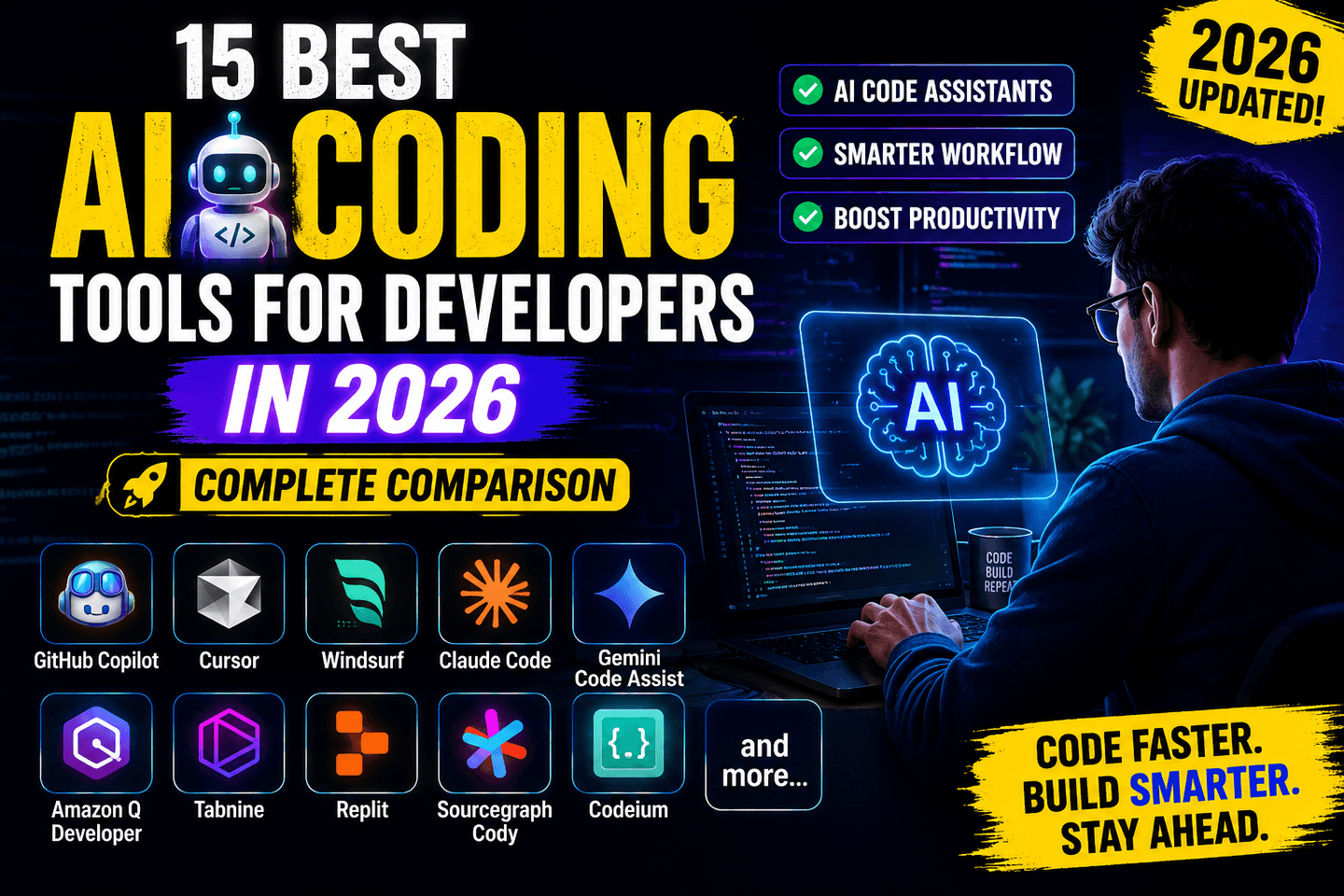
Developers comparing software engineering workflows should also read our pillar guide to the best AI coding tools for developers in 2026, which covers Copilot, Cursor, Claude Code, Windsurf, Tabnine, Cline, and other coding agents.