1. Introduction: The AI-Powered Freelance Revolution of 2026
The landscape of freelancing has undergone a dramatic transformation. We have moved past the initial excitement of artificial intelligence and entered a highly practical, implementation-driven era. Freelancing in 2026 is defined by leverage, speed, and output quality. Freelancers who have integrated AI tools into their daily workflows are commanding higher rates, delivering projects faster, and scaling their solo operations into full-fledged digital agencies.
This shift is driven by the mature capabilities of advanced AI models. Large Language Models (LLMs) like GPT-4o and Claude 3.5 Sonnet, combined with hyper-realistic image generators and automated video editing suites, have democratized creative and technical capabilities. A single designer, content writer, or developer can now manage the output volume of an entire 5-person agency. As businesses seek agile talent, the competitive edge belongs to the 'human-in-the-loop' freelancer who uses AI for 80% of drafting, automation, and research, and focuses their energy on quality assurance, custom strategy, and client relationships.
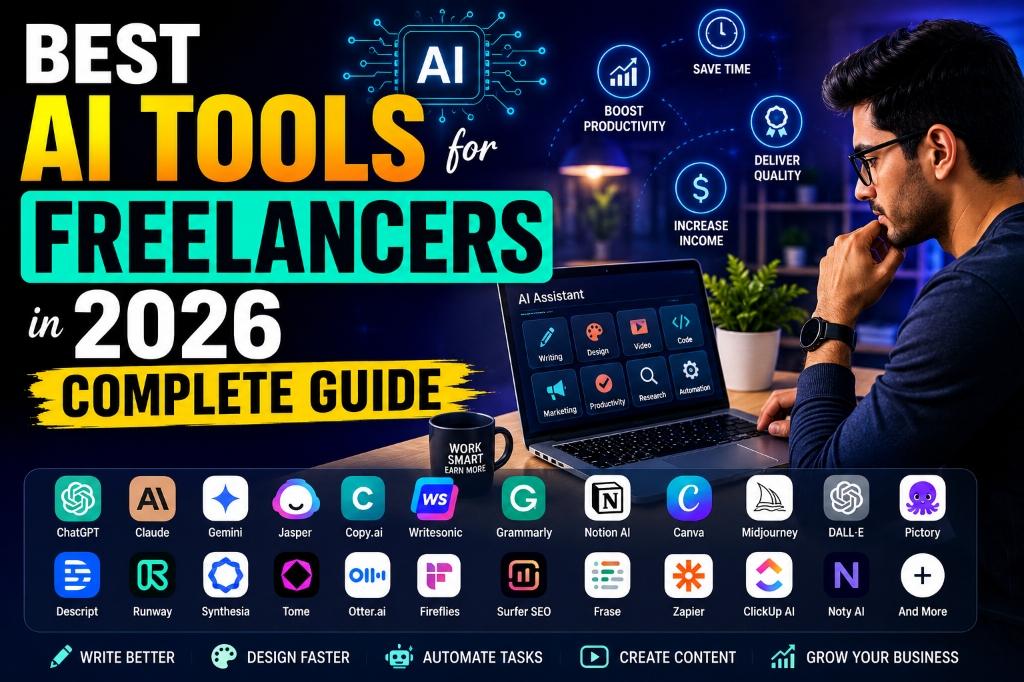
If you are still working without AI assistance, you are competing against professionals who operate at five times your speed. This comprehensive guide reviews the top 25 AI tools for freelancers, comparing their core features, pricing structures, real use cases, and productivity impacts. Whether you write code, design graphics, manage social campaigns, edit videos, or consult on SEO, this review will help you build a premium tech stack to maximize your income.
2. Clickable Table of Contents
Navigate directly to any section of this comprehensive freelance AI tools guide using the index links below:
- 3. Why Freelancers Need AI in 2026
- 4. Comparison Table: Best AI Tools at a Glance
- 5. Top 25 Best AI Tools for Freelancers (Detailed Profiles 1-25)
- 6. Best AI Tool Stack for Different Freelancers
- 7. How Freelancers Can Make More Money With AI
- 8. Real Income Examples: 3 Case Studies
- 9. Common Mistakes Freelancers Make
- 10. Future of Freelancing With AI
- 11. Frequently Asked Questions (25 FAQs)
- 12. Conclusion
- 13. Related Articles
3. Why Freelancers Need AI in 2026
Incorporating AI into your workflow is no longer an option; it is a necessity for financial growth and competitiveness. By delegating repetitive tasks to software, you can focus on high-value business development. Here is how AI transforms freelancing:
1. Unprecedented Time Savings: Admin work like drafting pitches, organizing notes, and writing emails can consume up to 30% of a freelancer's week. AI transcription and content engines reduce these admin tasks to minutes, giving you hours back each day. For a detailed guide on launch strategies, read How to Use ChatGPT to Start a Freelancing Business in 2026.
2. Multiplied Productivity: Draft writing, presentation layouts, and code structures can be completed using AI in a fraction of the time. Freelancers can write multiple articles or compile dozens of visual assets in a single day, increasing project capacity.
3. Improved Client Delivery: Automated proofreading, data analysis, and image enhancement tools keep your deliverables clean. AI allows you to present well-researched, high-quality projects, resulting in fewer revision rounds and higher client satisfaction.
4. Scaling Project Volume: With AI handling core drafting and formatting, you can pitch and manage multiple projects simultaneously. You can easily transition from a solo contractor to an agency owner managing a team of automated tools.
5. Higher Revenue Potential: Delivering quality work faster allows you to charge flat project rates rather than hourly fees. Your hourly earnings scale alongside your automation efficiency, unlocking premium income brackets.
4. Comparison Table: Best AI Tools at a Glance
This reference table summarizes the 25 best tools for freelancers, comparing their categories, free tier access, starting costs, ideal use cases, and ratings:
| Tool | Category | Free Plan | Starting Price | Best For | Rating |
|---|---|---|---|---|---|
| 1. ChatGPT | AI Assistant & Coding | Yes | $20/mo | General productivity, scripts | 4.9/5 |
| 2. Claude | Writing & Web UI Coding | Yes | $20/mo | Creative prose, web components | 4.9/5 |
| 3. Gemini | Research & Workspace | Yes | $19.99/mo | Long documents, Google ecosystem | 4.7/5 |
| 4. Perplexity | Search & Market Audits | Yes | $20/mo | Citing sources, fact check | 4.8/5 |
| 5. Jasper AI | Brand Marketing Copy | Trial | $39/mo | Brand voice consistency | 4.6/5 |
| 6. Copy.ai | Sales Copy & Workflows | Yes | $36/mo | Bulk ad copy, automated workflows | 4.6/5 |
| 7. Grammarly | Tone & Proofreading | Yes | $12/mo | Error-free writing inline | 4.8/5 |
| 8. Notion AI | Workspace Organizing | Trial | $8/mo | Note summaries, database auto | 4.7/5 |
| 9. Canva AI | Graphic Design Studio | Yes | $15/mo | Quick social media templates | 4.8/5 |
| 10. Midjourney | Art & Image Generation | No | $10/mo | High-end visual illustrations | 4.9/5 |
| 11. DALL-E | Conceptual Art & Text | No | $20/mo | Exact text in layouts, mockups | 4.7/5 |
| 12. Leonardo AI | Advanced Art Controls | Yes | $12/mo | Game asset designs, canvas drawing | 4.7/5 |
| 13. Runway | AI Video & Animating | Yes | $15/mo | Realistic cinematic video clips | 4.8/5 |
| 14. Descript | Audio & Video Editing | Yes | $15/mo | Edit audio by editing text transcript | 4.8/5 |
| 15. Pictory | Text to Social Clips | Trial | $19/mo | Blog to video social conversions | 4.6/5 |
| 16. Synthesia | Avatar Spokesperson | No | $22/mo | Explainer and training tutorials | 4.7/5 |
| 17. Tome | Slide Deck Creator | Yes | $16/mo | Quick proposals, visual briefs | 4.6/5 |
| 18. Otter AI | Call Transcription | Yes | $10/mo | Live meeting logs, notes tracking | 4.7/5 |
| 19. Fireflies AI | Meeting CRM Analytics | Yes | $10/mo | Search meeting terms, CRM update | 4.8/5 |
| 20. Frase | SEO Writing Research | No | $15/mo | Competitor research, outline build | 4.6/5 |
| 21. Surfer SEO | Content SEO Optimizer | No | $89/mo | Real-time keyword SEO editor | 4.8/5 |
| 22. Zapier AI | No-Code Workflow | Yes | $19.99/mo | Cross-app automation setup | 4.8/5 |
| 23. ClickUp AI | Project Management | No | $5/mo | Manage boards, build tasks inline | 4.7/5 |
| 24. Durable AI | 30s Website Creator | Yes | $12/mo | Quick portfolios, basic hosting | 4.6/5 |
| 25. Hostinger AI | E-commerce & Web Site | No | $2.99/mo | Cheap storefront design, layouts | 4.7/5 |
5.1 ChatGPT
Overview: ChatGPT, developed by OpenAI, remains the industry benchmark for conversational AI. Powered by the GPT-4o architecture, it provides an all-in-one assistant capable of text generation, advanced coding, data analysis, web search, and custom GPT building.
Key Features: (1) Custom GPT Store for specialized business bots. (2) Advanced Code Interpreter for running Python scripts and debugging code. (3) Multimodal Voice Mode for real-time speech translation. (4) Dynamic web crawling for search engine access.
Pricing: Free plan available. ChatGPT Plus is priced at $20/month, unlocking priority access, custom GPT creation, and advanced data capabilities.
Pros & Cons: Pros: High execution speed, strong developer tools, massive ecosystem. Cons: Formally styled writing by default, usage caps on peak models.
Best For: Coding, administrative automation, general brainstorming, and drafting emails.
Real Freelancer Use Cases: A freelance React developer uses ChatGPT to write starter scripts, debug API integration errors, and convert customer briefs into structured specs. Read more in How to Use ChatGPT to Start a Freelancing Business in 2026.
Productivity Impact: Shaves off 10 hours of repetitive coding work weekly, allowing the freelancer to take on 2 additional clients.
5.2 Claude
Overview: Developed by Anthropic, Claude (specifically Claude 3.5 Sonnet) is widely regarded as the most sophisticated writing and programming assistant, known for its natural prose style and interactive workspace feature called 'Artifacts'.
Key Features: (1) Claude Artifacts for running, visualizing, and live-editing web components and documents. (2) 200k token context window for reading extensive files. (3) Highly human-like tone, avoiding generic patterns.
Pricing: Free plan available. Claude Pro costs $20/month, providing 5x more usage capacity and early access to experimental models.
Pros & Cons: Pros: Highest quality coding output, excellent creative and technical writing. Cons: Lacks native web search in basic interface, strict message usage limits.
Best For: Long-form content creation, complex code building, visual layouts, and detailed project audits.
Real Freelancer Use Cases: A freelance content marketer uses Claude to draft 3,000-word blog posts and uses the Artifacts panel to review visual outlines side-by-side. For other writing aids, look at AI Tools for Bloggers.
Productivity Impact: Cuts drafting and editing time by 60%, delivering publication-ready text on the first attempt.
5.3 Gemini
Overview: Gemini is Google's flagship multimodal model. Built with an industry-leading context window, Gemini Advanced integrates directly with Google Workspace apps to process massive datasets.
Key Features: (1) 2-million-token context window for uploading books or large logs. (2) Deep Google Workspace Integration (Docs, Drive, Gmail). (3) Double-check button to verify facts using active Google Search indexes.
Pricing: Free tier available. Gemini Advanced is priced at $19.99/month, packaged under the Google One AI Premium Plan (includes 2TB cloud storage).
Pros & Cons: Pros: Massive memory capacity, direct access to Drive storage, high search speeds. Cons: Programming outputs can sometimes lack the precision of Claude.
Best For: Researching large documents, translating multi-language files, and workspace task coordination.
Real Freelancer Use Cases: A freelance technical writer uploads a 300-page API documentation PDF into Gemini to extract specific endpoints and write code tutorials for their clients.
Productivity Impact: Reduces research timelines for massive data logs from days to minutes, maximizing monthly project throughput.
5.4 Perplexity
Overview: Perplexity AI is an AI-powered conversational search engine. It searches the internet in real-time to answer questions, providing inline citations and verified source links.
Key Features: (1) Copilot search mode for multi-step reasoning. (2) Direct links to sources. (3) Custom collection folders to organize search sessions. (4) Model switching (choose GPT-4o, Claude 3.5 Sonnet, or Sonar).
Pricing: Free plan available. Perplexity Pro costs $20/month, unlocking unlimited Pro searches, file uploads, and model configuration options.
Pros & Cons: Pros: Highly accurate search results, eliminates search engine ad clutter, provides transparent source links. Cons: Lacks long-form creative writing templates.
Best For: Fact-checking, market research, competitor analysis, and compiling data lists.
Real Freelancer Use Cases: A freelance SEO strategist uses Perplexity to research market trends, compile statistics for client briefs, and audit competitor backlinks. Discover how this helps optimize websites in ChatGPT Search SEO Rank Blog in AI Search.
Productivity Impact: Accelerates search and source-compiling tasks by 75% compared to traditional search engines.
5.5 Jasper AI
Overview: Jasper is an marketing platform designed to maintain brand voice consistency across blogs, social media posts, and marketing campaigns.
Key Features: (1) Custom Brand Voice training using client style sheets. (2) Multi-channel Campaign Wizard. (3) Built-in SEO integrations with Surfer SEO.
Pricing: Creator plan starts at $39/month (billed annually). Jasper does not offer a free tier, but a short trial is available.
Pros & Cons: Pros: Excellent brand voice alignment, solid marketing templates, intuitive UI. Cons: Premium pricing model, minor learning curve for setting up voice styles.
Best For: Copywriting agencies and brand managers looking to maintain client-specific styling.
Real Freelancer Use Cases: A freelance social media marketer feeds a client's website URL and brand kit into Jasper to create a month's worth of on-brand LinkedIn and Instagram posts.
Productivity Impact: Generates highly aligned drafts 5x faster, minimizing revisions and accelerating client approvals.
5.6 Copy.ai
Overview: Copy.ai is a GTM (Go-To-Market) automation platform. It helps writers build custom workflows to automate ad copy, sales emails, and social media posts at scale.
Key Features: (1) Automated workflows to process spreadsheets using AI commands. (2) Extensive library of sales copywriting templates. (3) Automated cold email sequence builder.
Pricing: Free plan available (up to 2,000 words per month). Starter plan starts at $36/month, unlocking unlimited chat and basic workflow automation tools.
Pros & Cons: Pros: High efficiency for repetitive copywriting tasks, clean interface, robust workflow builder. Cons: Less suited for deep, creative long-form editorial pieces.
Best For: E-commerce product descriptions, ad copy, cold sales outreach, and batch copywriting.
Real Freelancer Use Cases: A freelance copywriter uses Copy.ai's workflow builder to generate 200 unique product descriptions from a spreadsheet containing raw feature lists.
Productivity Impact: Automates repetitive copywriting workflows, saving up to 15 hours of manual work on large e-commerce projects.
5.7 Grammarly
Overview: Grammarly is an AI-powered writing assistant. It integrates directly into web browsers and desktop applications to improve grammar, clarity, and writing tone in real time.
Key Features: (1) Real-time grammatical, spelling, and punctuation corrections. (2) Tone adjustment suggestions (professional, friendly, urgent). (3) Plagiarism detection with citations.
Pricing: Free basic plan. Premium plan is priced at $12/month (billed annually) or $30/month (monthly billing).
Pros & Cons: Pros: Integrates with most browsers, Google Docs, and Word; highly accurate suggestions. Cons: Tone adjustments can sometimes feel formulaic.
Best For: Proofreading and refining written work before final submission.
Real Freelancer Use Cases: A freelance writer drafts articles in Google Docs and uses Grammarly to eliminate typos and adjust tone to match client guidelines.
Productivity Impact: Eliminates the need for external proofreading services, saving hundreds of dollars a month and speeding up project delivery.
5.8 Notion AI
Overview: Notion AI is an assistant integrated directly into the Notion workspace. It helps organize projects, summarize documents, and automate databases.
Key Features: (1) Inline text generation and editing. (2) Workspace Q&A search to find information across all pages. (3) Automatic database property filler.
Pricing: Available as a $8/month add-on to paid Notion plans, or $10/month for free workspace plans.
Pros & Cons: Pros: Works directly within your existing documents; excellent database management. Cons: Lacks advanced coding and image tools; database access is limited to Notion.
Best For: Project managers, virtual assistants, and organizing notes.
Real Freelancer Use Cases: A freelance project manager uses Notion AI to summarize meeting transcripts into organized action items and project boards.
Productivity Impact: Saves 30 minutes after every meeting by automating note summarization and task updates.
5.9 Canva AI
Overview: Canva's Magic Studio integrates multiple generative AI tools into a user-friendly drag-and-drop graphic design ecosystem, making professional design accessible.
Key Features: (1) Magic Design to create template layouts from text prompts. (2) Magic Edit to add, replace, or alter image elements. (3) Magic Write for copy suggestions.
Pricing: Free plan available. Canva Pro costs $15/month (or $120/year), unlocking premium assets and advanced AI tools.
Pros & Cons: Pros: Low learning curve, massive templates library, fast branding updates. Cons: Lacks the advanced layer controls of Adobe Photoshop.
Best For: Social media graphics, client proposals, pitch decks, and basic branding assets.
Real Freelancer Use Cases: A freelance social media manager uses Canva's Magic Design to instantly create a pack of 10 matching Instagram posts from a text prompt.
Productivity Impact: Accelerates graphic template creation by 80%, allowing quick turnaround times for client reviews.
5.10 Midjourney
Overview: Midjourney is the industry leader for generating highly aesthetic, artistic, and photorealistic AI images. It is operated through Discord.
Key Features: (1) Consistent Character parameters for multi-pose assets. (2) Zoom and Pan tools to extend image borders. (3) Style Tuner to customize colors and styling.
Pricing: Paid plans start at $10/month. Midjourney does not offer a free tier.
Pros & Cons: Pros: Unmatched image quality, realistic lighting details, highly customizable. Cons: Discord interface can be confusing; lacks a native web editor.
Best For: Custom artwork, book covers, website layout designs, and high-end marketing visuals.
Real Freelancer Use Cases: A freelance illustrator uses Midjourney to generate high-resolution fantasy character concept art for a book author. Review prompting guidelines in our Nano Banana Prompts for Realistic AI Images.
Productivity Impact: Replaces days of manual sketching with minutes of prompting, shortening design discovery timelines.
5.11 DALL-E
Overview: DALL-E 3, developed by OpenAI, is integrated into ChatGPT Plus. It is known for its excellent prompt comprehension and ability to render text within images.
Key Features: (1) Conversational prompting within ChatGPT. (2) Legible text rendering. (3) Aspect ratio controls and inline editing.
Pricing: Included in the ChatGPT Plus subscription ($20/month).
Pros & Cons: Pros: Follows descriptive prompts precisely, renders clear text, allows simple conversational edits. Cons: Output can sometimes look cartoonish.
Best For: Illustrative graphics, UI mockups, and designs with text overlays.
Real Freelancer Use Cases: A freelance graphic designer uses DALL-E 3 within ChatGPT to generate mockups for packaging designs that include specific brand text.
Productivity Impact: Saves hours of graphic adjustment by rendering legible text directly in the initial generated output.
5.12 Leonardo AI
Overview: Leonardo AI is a creative suite that offers granular controls, custom model training, and real-time canvas editing for creators.
Key Features: (1) Real-Time Canvas to sketch and generate images instantly. (2) Custom Model Training to learn specific asset styles. (3) Character Reference tool for visual consistency.
Pricing: Free plan with daily credits. Premium plans start at $12/month.
Pros & Cons: Pros: Granular web UI, real-time drawing updates, custom model training. Cons: Cluttered interface can be overwhelming for beginners.
Best For: Game asset creation, character consistency, and custom marketing graphics.
Real Freelancer Use Cases: A freelance game artist trains a custom Leonardo model on their sketching style to generate matching isometric assets for an indie developer.
Productivity Impact: Allows solo creators to generate high volumes of consistent visual assets, keeping production pipelines moving quickly.
5.13 Runway
Overview: Runway is a pioneer in generative AI video, offering the Gen-3 Alpha model for creating hyper-realistic video clips from text or image prompts.
Key Features: (1) Text-to-video and image-to-video generation. (2) Advanced camera control parameters. (3) AI Green Screen for fast background removal.
Pricing: Limited free trial credits. Standard plan starts at $15/month, while Pro starts at $35/month.
Pros & Cons: Pros: Hyper-realistic B-roll, exceptional camera motion controls. Cons: High rendering time, premium is costly for massive clips.
Best For: Video overlays, B-roll, concept art animation, and social media video clips.
Real Freelancer Use Cases: A freelance video editor uses Runway Gen-3 to generate high-quality B-roll of a futuristic smart city to complete a corporate client video. Explore more video creation strategies in How to Create Viral AI Reel Videos Luma Runway.
Productivity Impact: Eliminates the need to buy stock footage, saving hundreds of dollars per video project.
5.14 Descript
Overview: Descript is a script-based audio and video editor. It automatically transcribes files and lets you edit the media by editing the text transcript.
Key Features: (1) Text-based editing interface. (2) Overdub voice cloning to fix audio mistakes. (3) One-click filler word removal ('ums', 'uhs').
Pricing: Free plan available with limited transcription hours. Creator plan is priced at $15/month.
Pros & Cons: Pros: Simplifies editing process, fast filler-word removal, automatic transcription. Cons: Heavy system resource requirements.
Best For: Podcasters, video editors, and speech transcription.
Real Freelancer Use Cases: A freelance podcast editor uploads a raw interview, deletes the filler words in the transcript, and automatically exports a polished audio file.
Productivity Impact: Reduces manual audio splicing and cleanup time by 70%, allowing you to edit more podcast episodes in less time.
5.15 Pictory
Overview: Pictory is an AI video generator that converts long-form text into short, highly engaging social media videos complete with stock footage, captions, and AI voiceovers.
Key Features: (1) Article-to-video conversion. (2) Automatic captioning. (3) Large stock media library.
Pricing: Starts at $19/month. Free trial available.
Pros & Cons: Pros: Fully automated video generation, massive stock library. Cons: Generated videos can feel generic if templates are not customized.
Best For: Social media managers and content repurposing.
Real Freelancer Use Cases: A freelance blogger uses Pictory to convert their top-performing articles into vertical YouTube Shorts, driving traffic to the main site. Review other YouTube aids in Best AI Tools for YouTube Automation.
Productivity Impact: Repurposes articles into ready-to-publish videos in under 15 minutes.
5.16 Synthesia
Overview: Synthesia is an AI video generator that uses realistic virtual avatars to speak script text in over 120 languages, ideal for training videos.
Key Features: (1) Over 140 AI avatars. (2) Custom voice cloning. (3) Multi-lingual support.
Pricing: Starts at $22/month.
Pros & Cons: Pros: Eliminates the need for cameras, actors, or microphones. Cons: Movements can feel slightly rigid for casual social media content; pricing structure can get high.
Best For: Training, corporate onboarding, and explainer videos.
Real Freelancer Use Cases: A freelance e-learning developer uses Synthesia to create multi-lingual software training videos for corporate clients without hiring voice actors.
Productivity Impact: Reduces production costs by up to 90%, allowing single freelancers to deliver enterprise training materials.
5.17 Tome
Overview: Tome is an AI-powered presentation builder that generates structured slide decks, outlines, and copy from a single prompt.
Key Features: (1) Prompt-to-deck generation. (2) Dynamic layouts. (3) AI writing and image integration.
Pricing: Free plan available; Pro starts at $16/month.
Pros & Cons: Pros: Beautiful modern design templates, very fast creation. Cons: Not fully compatible with traditional PowerPoint/Keynote layouts.
Best For: Freelance pitch decks, client proposals, and portfolio design.
Real Freelancer Use Cases: A freelance designer uses Tome to draft a 10-slide brand strategy proposal for a prospective client in 5 minutes.
Productivity Impact: Decreases pitch deck preparation time from an entire afternoon to 15 minutes.
5.18 Otter AI
Overview: Otter.ai is an automated meeting transcription tool that records audio, writes notes, and summarizes action items in real time.
Key Features: (1) Live transcription. (2) Automated meeting notes. (3) Otter pilot (auto-joins Zoom/Teams calls).
Pricing: Free plan; Pro starts at $10/month.
Pros & Cons: Pros: High transcription accuracy, integrates with Zoom/Teams. Cons: Struggles with heavy accents or bad audio quality.
Best For: Freelancers who attend frequent client calls and need to document instructions.
Real Freelancer Use Cases: A freelance virtual assistant sends the Otter pilot to a client kick-off call to transcribe instructions and generate a clean task list.
Productivity Impact: Saves hours of manual meeting minutes and ensures no client instruction is missed.
5.19 Fireflies AI
Overview: Fireflies.ai is an AI meeting recorder that transcribes, searches, and analyzes voice conversations, offering deep sentiment analysis.
Key Features: (1) Meeting recordings and transcripts. (2) Custom topic tracking. (3) CRM integrations.
Pricing: Free plan; Pro starts at $10/month.
Pros & Cons: Pros: Powerful search queries, integrations with HubSpot/Salesforce, great speaker breakdown. Cons: Requires linking to calendar feeds.
Best For: Freelancers handling sales calls, customer success, or complex project requirements.
Real Freelancer Use Cases: A freelance agency owner reviews fireflies.ai logs of a sales discovery call to find the exact budget constraints and goals discussed by the client.
Productivity Impact: Automates follow-up drafting and client data entry into project boards.
5.20 Frase
Overview: Frase is an SEO content optimization tool that helps writers research, outline, and write SEO-optimized content by analyzing SERP results.
Key Features: (1) SERP analysis. (2) AI content brief creator. (3) Content scoring system.
Pricing: Starts at $15/month.
Pros & Cons: Pros: Fast competitor content research, intuitive content scoring gauge, useful outline generator. Cons: Lacks advanced keyword index database.
Best For: Content writers and SEO consultants.
Real Freelancer Use Cases: A freelance writer uses Frase to analyze the top 10 search results for a keyword, generating a detailed sub-heading brief in 3 minutes.
Productivity Impact: Reduces SEO research and outlines generation time by 80%.
5.21 Surfer SEO
Overview: Surfer SEO is a premium content optimization platform that provides real-time, data-backed suggestions to improve search engine rankings.
Key Features: (1) Real-time Content Editor. (2) Audit tool. (3) Keyword Research.
Pricing: Starts at $89/month.
Pros & Cons: Pros: Very precise guidelines for word counts, headings; integrates with Google Docs. Cons: High price point for beginners.
Best For: Professional SEO copywriters and agencies.
Real Freelancer Use Cases: A freelance content strategist drafts a blog post directly inside the Surfer SEO editor to hit a content score of 85+ before submitting to the client.
Productivity Impact: Improves probability of ranking on Page 1, justifying higher freelance writing rates.
5.22 Zapier AI
Overview: Zapier AI brings natural language automation to integrations, allowing users to build complex cross-app workflows using plain English instructions.
Key Features: (1) Copilot editor (prompt-to-zap). (2) Zapier Central (AI bots). (3) Connections to 6,000+ apps.
Pricing: Free plan (limited); Premium starts at $19.99/month.
Pros & Cons: Pros: No coding required, massive integration ecosystem. Cons: Complex tasks can consume many tasks and drive up subscription costs.
Best For: Workflow automation and lead routing.
Real Freelancer Use Cases: A freelancer uses Zapier AI to build a workflow that drafts a reply using ChatGPT whenever a contact form is submitted, then posts it in Slack.
Productivity Impact: Completely automates administrative tasks, saving up to 15 hours a week.
5.23 ClickUp AI
Overview: ClickUp AI integrates generative tools directly into the project management workspace, summarizing tasks, writing emails, and creating project timelines.
Key Features: (1) Task summaries. (2) Comment replies. (3) Subtask generation.
Pricing: Add-on for $5/user/month.
Pros & Cons: Pros: In-context automation, helps keep project boards clean, very affordable add-on. Cons: Requires using ClickUp as your primary project management tool.
Best For: Task tracking and team collaboration.
Real Freelancer Use Cases: A freelance team leader uses ClickUp AI to auto-generate 10 subtasks and assign them to designers based on a single client request email.
Productivity Impact: Speeds up project kickoff and task delegation workflows by 50%.
5.24 Durable AI
Overview: Durable AI is an artificial intelligence-driven website builder that generates a complete website (with copy, images, and contact forms) in under 30 seconds.
Key Features: (1) 30-second website generation. (2) Integrated AI assistant. (3) Simple CRM tools.
Pricing: Free builder; paid plans start at $12/month.
Pros & Cons: Pros: Extremely fast initial setup, includes basic SEO and hosting. Cons: Limited customization options for advanced developers.
Best For: Local business websites and simple portfolio pages.
Real Freelancer Use Cases: A freelance consultant uses Durable to set up a portfolio landing page in under a minute, then edits the details to launch their consulting service.
Productivity Impact: Eliminates hours of WordPress setup, database config, and theme styling.
5.25 Hostinger AI Website Builder
Overview: A user-friendly website creator that uses AI to generate custom, modern website layouts, graphics, and text templates in minutes.
Key Features: (1) Drag-and-drop editor. (2) AI logo generator. (3) Heatmap analysis.
Pricing: Starts at around $2.99/month (usually packaged with hosting plans).
Pros & Cons: Pros: Cheap hosting + builder bundle, heatmap analytics to check user focus. Cons: Limited export capabilities.
Best For: E-commerce sites and budget-friendly small business websites.
Real Freelancer Use Cases: A freelance designer uses Hostinger AI to quickly generate a functional e-commerce storefront for a client, complete with product grids.
Productivity Impact: Reduces design-to-development pipeline from weeks to a single day.
6. Best AI Tool Stack for Different Freelancers
To help you build your custom toolkit, here are recommended free and premium stacks categorized by profession, showing how you can maximize output on any budget:
1. Content Writers:
• Free Stack: Claude (free tier), Grammarly (free tier), Notion.
• Premium Stack: Claude Pro ($20/mo), Grammarly Premium ($12/mo), Surfer SEO ($89/mo).
• Estimated Premium Monthly Cost: $121/month. Useful for ranking high-scoring web copy.
• Free Stack: Claude (free tier), Grammarly (free tier), Notion.
• Premium Stack: Claude Pro ($20/mo), Grammarly Premium ($12/mo), Surfer SEO ($89/mo).
• Estimated Premium Monthly Cost: $121/month. Useful for ranking high-scoring web copy.
2. Graphic Designers:
• Free Stack: Leonardo AI (free), Canva (free), Copilot (free).
• Premium Stack: Midjourney ($10/mo), Photoshop AI ($22.99/mo), Canva Pro ($15/mo).
• Estimated Premium Monthly Cost: $47.99/month. Ideal for building client branding guides.
• Free Stack: Leonardo AI (free), Canva (free), Copilot (free).
• Premium Stack: Midjourney ($10/mo), Photoshop AI ($22.99/mo), Canva Pro ($15/mo).
• Estimated Premium Monthly Cost: $47.99/month. Ideal for building client branding guides.
3. Developers:
• Free Stack: ChatGPT (free), VS Code, v0.dev (free credits).
• Premium Stack: ChatGPT Plus ($20/mo), Github Copilot ($10/mo), Cursor AI ($20/mo).
• Estimated Premium Monthly Cost: $50/month. Speeds up writing boilerplates and backend tests.
• Free Stack: ChatGPT (free), VS Code, v0.dev (free credits).
• Premium Stack: ChatGPT Plus ($20/mo), Github Copilot ($10/mo), Cursor AI ($20/mo).
• Estimated Premium Monthly Cost: $50/month. Speeds up writing boilerplates and backend tests.
4. Video Editors:
• Free Stack: CapCut, Descript (free), Runway (free).
• Premium Stack: Descript Creator ($15/mo), Runway Standard ($15/mo), Premiere Pro ($22.99/mo).
• Estimated Premium Monthly Cost: $52.99/month. Automates background cleaning and B-roll additions.
• Free Stack: CapCut, Descript (free), Runway (free).
• Premium Stack: Descript Creator ($15/mo), Runway Standard ($15/mo), Premiere Pro ($22.99/mo).
• Estimated Premium Monthly Cost: $52.99/month. Automates background cleaning and B-roll additions.
5. SEO Experts:
• Free Stack: Perplexity (free research), Google Search Console, Ahrefs Free Webmaster Tools.
• Premium Stack: Perplexity Pro ($20/mo), Surfer SEO ($89/mo), Semrush Pro ($129/mo).
• Estimated Premium Monthly Cost: $238/month. Conducts deep competitor analysis and keyword audit cycles.
• Free Stack: Perplexity (free research), Google Search Console, Ahrefs Free Webmaster Tools.
• Premium Stack: Perplexity Pro ($20/mo), Surfer SEO ($89/mo), Semrush Pro ($129/mo).
• Estimated Premium Monthly Cost: $238/month. Conducts deep competitor analysis and keyword audit cycles.
6. Social Media Managers:
• Free Stack: Canva (design), ChatGPT (captions), Buffer (free scheduling).
• Premium Stack: Canva Pro ($15/mo), ChatGPT Plus ($20/mo), Buffer Pro ($15/mo).
• Estimated Premium Monthly Cost: $50/month. Streamlines monthly social content scheduling.
• Free Stack: Canva (design), ChatGPT (captions), Buffer (free scheduling).
• Premium Stack: Canva Pro ($15/mo), ChatGPT Plus ($20/mo), Buffer Pro ($15/mo).
• Estimated Premium Monthly Cost: $50/month. Streamlines monthly social content scheduling.
7. Bloggers:
• Free Stack: WordPress, ChatGPT (free), Grammarly (free).
• Premium Stack: Hostinger AI ($2.99/mo), ChatGPT Plus ($20/mo), Surfer SEO ($89/mo).
• Estimated Premium Monthly Cost: $111.99/month. Increases keyword alignment to draw organic visitors.
• Free Stack: WordPress, ChatGPT (free), Grammarly (free).
• Premium Stack: Hostinger AI ($2.99/mo), ChatGPT Plus ($20/mo), Surfer SEO ($89/mo).
• Estimated Premium Monthly Cost: $111.99/month. Increases keyword alignment to draw organic visitors.
8. Students:
• Free Stack: Gemini (free), Notion, Grammarly (free).
• Premium Stack: Gemini Advanced ($19.99/mo), Notion AI ($8/mo).
• Estimated Premium Monthly Cost: $27.99/month. Speeds up thesis writing and exam prep workflows. For more details on student aids, consult the Best AI Tools for Students. For competitive exam prep, see Top 20 Free AI Tools for SSC, Banking & Railway Students.
• Free Stack: Gemini (free), Notion, Grammarly (free).
• Premium Stack: Gemini Advanced ($19.99/mo), Notion AI ($8/mo).
• Estimated Premium Monthly Cost: $27.99/month. Speeds up thesis writing and exam prep workflows. For more details on student aids, consult the Best AI Tools for Students. For competitive exam prep, see Top 20 Free AI Tools for SSC, Banking & Railway Students.
7. How Freelancers Can Make More Money With AI
Integrating AI tools into your business operations is the fastest way to increase your monthly income. Here is the exact strategy freelancers use to convert AI speed into higher earnings:
1. Accelerate Project Delivery: If you transition from charging hourly rates to flat project fees, your income scales based on execution speed. If a blog post typically takes 6 hours to write, and you use Claude to draft and edit it in 1.5 hours, your effective hourly rate increases by 4x. You can take on more client projects without working extra hours.
2. Deliver Premium Quality: Use tools like Surfer SEO to verify keyword density, or Grammarly to check tone before delivering work. This guarantees your project matches industry standards, resulting in fewer client revisions, faster payouts, and long-term retainer agreements.
3. Upsell Complementary Services: Use your expanded toolkit to offer additional services to existing clients. If you write web copy, upsell them on generating matching social media graphics via Canva AI. If you edit podcasts, offer to generate social video clips using Pictory. This increases your average project value with minimal extra effort.
4. Automate Client Onboarding: Use Zapier AI to automate your administrative tasks. When a prospective client fills out your contact form, set up a trigger to send a questionnaire, create a folder in Google Drive, and draft a response template in Gmail. This professional, instant follow-up increases your conversion rates and leaves a great impression.
8. Real Income Examples: 3 Case Studies
Here are three realistic case studies of freelancers using AI tools in 2026, showing their service offerings, tool expenses, and monthly incomes:
Case Study 1: The Beginner Freelancer (Student / Part-Time)
• Profile: Rohan, a college student offering basic copy editing and social media graphics.
• Tool Stack: Canva Pro ($15/mo), ChatGPT Plus ($20/mo). Total cost: $35/month.
• Strategy: Rohan finds local businesses and offers to design and schedule 15 Instagram posts a month. Using Canva AI and ChatGPT, he creates a month's content in a single weekend. He manages 4 clients on $400/month retainers.
• Realistic Monthly Earnings: $1,600/month.
• Profile: Rohan, a college student offering basic copy editing and social media graphics.
• Tool Stack: Canva Pro ($15/mo), ChatGPT Plus ($20/mo). Total cost: $35/month.
• Strategy: Rohan finds local businesses and offers to design and schedule 15 Instagram posts a month. Using Canva AI and ChatGPT, he creates a month's content in a single weekend. He manages 4 clients on $400/month retainers.
• Realistic Monthly Earnings: $1,600/month.
Case Study 2: The Intermediate Freelancer (Full-Time Specialist)
• Profile: Sarah, a full-time SEO content writer and blogger.
• Tool Stack: Claude Pro ($20/mo), Surfer SEO ($89/mo), Grammarly Premium ($12/mo). Total cost: $121/month.
• Strategy: Sarah writes optimized blog posts for SaaS companies. Using Claude to build article structures and Surfer to track keyword alignment, she delivers 12 comprehensive articles per month at $400 per post. She also runs a personal blog monetized with ads.
• Realistic Monthly Earnings: $5,200/month.
• Profile: Sarah, a full-time SEO content writer and blogger.
• Tool Stack: Claude Pro ($20/mo), Surfer SEO ($89/mo), Grammarly Premium ($12/mo). Total cost: $121/month.
• Strategy: Sarah writes optimized blog posts for SaaS companies. Using Claude to build article structures and Surfer to track keyword alignment, she delivers 12 comprehensive articles per month at $400 per post. She also runs a personal blog monetized with ads.
• Realistic Monthly Earnings: $5,200/month.
Case Study 3: The Agency Owner (Advanced Automation)
• Profile: Marcus, running a boutique digital agency providing lead generation and site building.
• Tool Stack: Zapier Premium ($49/mo), Durable AI ($12/mo), Perplexity Pro ($20/mo), Fireflies AI ($10/mo), ChatGPT Plus ($20/mo). Total cost: $111/month.
• Strategy: Marcus builds simple local service websites and sets up automated lead workflows. He uses Durable to generate landing pages in minutes, and Zapier to connect contact forms to automated email sequences. He charges a $1,500 setup fee and a $200/month maintenance fee. He currently manages 15 active client sites.
• Realistic Monthly Earnings: $11,500/month.
• Profile: Marcus, running a boutique digital agency providing lead generation and site building.
• Tool Stack: Zapier Premium ($49/mo), Durable AI ($12/mo), Perplexity Pro ($20/mo), Fireflies AI ($10/mo), ChatGPT Plus ($20/mo). Total cost: $111/month.
• Strategy: Marcus builds simple local service websites and sets up automated lead workflows. He uses Durable to generate landing pages in minutes, and Zapier to connect contact forms to automated email sequences. He charges a $1,500 setup fee and a $200/month maintenance fee. He currently manages 15 active client sites.
• Realistic Monthly Earnings: $11,500/month.
9. Common Mistakes Freelancers Make
While AI tools offer immense power, using them incorrectly can damage your professional reputation and cost you clients. Avoid these common traps:
1. Over-Reliance on Raw AI Output: Copying and pasting raw text directly from ChatGPT or Claude without editing is a recipe for failure. AI-written text often contains recognizable patterns (such as starting sentences with 'in today's digital landscape' or using words like 'delve' and 'testament'). Clients can easily spot unedited text and may view it as low-effort work. Always rewrite and humanize the draft.
2. Poor Prompting Habits: If you write simple, one-sentence prompts like 'write a blog post about SEO,' you will receive generic, low-value results. To get high-quality outputs, write detailed prompts that specify the target audience, tone guidelines, formatting rules, and structural boundaries. Define a clear role for the AI.
3. Neglecting Fact-Checking: AI models can hallucinate and present incorrect statistics or false facts with high confidence. Delivering unverified data to clients can ruin your credibility. Always cross-check dates, statistics, and references using search tools like Perplexity before finalizing any project.
4. Using Too Many Subscriptions: It is easy to accumulate dozens of software subscriptions, which eats into your profit margins. Stick to a core stack of 3 to 4 versatile tools (such as an LLM, an image generator, and an automation builder) and master their features before expanding.
10. Future of Freelancing With AI
The next phase of freelancing will transition from simple prompt-and-response interfaces to autonomous AI Agent networks. Rather than manually copying text from one tool to another, freelancers will design and direct agent teams to manage complex workflows from start to finish.
These personalized AI assistants will run in the background, autonomously monitoring client emails, drafting responses, creating invoices, and routing project tasks based on guidelines you define. This shift means the role of the freelancer will change from a manual executor to a systems director. Your value will lie in your ability to design workflows, manage client relationships, and perform final quality control. Learning to build and deploy these automated systems today is the best way to future-proof your freelance business.
11. Frequently Asked Questions (FAQs)
Q1: How do I choose the best AI tool stack for my freelancing business?
A: Start by identifying the most time-consuming manual tasks in your daily workflow. If you spend hours drafting content, choose Claude Pro. If you spend time editing client calls, prioritize Descript. Stick to 3 core tools to keep your software expenses low.
A: Start by identifying the most time-consuming manual tasks in your daily workflow. If you spend hours drafting content, choose Claude Pro. If you spend time editing client calls, prioritize Descript. Stick to 3 core tools to keep your software expenses low.
Q2: Are AI-generated outputs copyright-protected for commercial use?
A: Yes, paid subscriptions for major platforms like Midjourney, ChatGPT Plus, and Leonardo AI grant you full commercial usage rights for the generated outputs. Always review the terms of service of each tool.
A: Yes, paid subscriptions for major platforms like Midjourney, ChatGPT Plus, and Leonardo AI grant you full commercial usage rights for the generated outputs. Always review the terms of service of each tool.
Q3: Will using AI tools get my freelance account banned on Upwork or Fiverr?
A: Platforms like Upwork and Fiverr do not ban users for using AI. However, you must deliver original, high-quality work. Submitting low-effort, raw AI outputs will result in negative reviews.
A: Platforms like Upwork and Fiverr do not ban users for using AI. However, you must deliver original, high-quality work. Submitting low-effort, raw AI outputs will result in negative reviews.
Q4: Does Google penalize AI-generated content in blog posts?
A: No, Google's search guidelines state that they rank high-quality, helpful content regardless of how it is created. However, if your articles are generated as low-effort spam, they will not rank. Focus on editing and formatting.
A: No, Google's search guidelines state that they rank high-quality, helpful content regardless of how it is created. However, if your articles are generated as low-effort spam, they will not rank. Focus on editing and formatting.
Q5: How do I ensure my AI-assisted writing sounds natural?
A: Avoid copying raw drafts. Outline the text manually, add real-life case studies, use your own voice, and edit the final output. Instruct the model to write in a conversational, simple tone, avoiding robotic words.
A: Avoid copying raw drafts. Outline the text manually, add real-life case studies, use your own voice, and edit the final output. Instruct the model to write in a conversational, simple tone, avoiding robotic words.
Q6: Can I use free AI tools to run a professional freelancing business?
A: Yes, you can start with free plans for tools like ChatGPT, Claude, Canva, and Otter.ai. As you sign clients and increase your income, upgrade to premium subscriptions to unlock higher limits and advanced features.
A: Yes, you can start with free plans for tools like ChatGPT, Claude, Canva, and Otter.ai. As you sign clients and increase your income, upgrade to premium subscriptions to unlock higher limits and advanced features.
Q7: What is the learning curve for mastering Midjourney?
A: The basic mechanics can be learned in 2 to 3 hours of testing. However, mastering advanced prompt structures, style parameters, and consistent character tools requires regular experimentation.
A: The basic mechanics can be learned in 2 to 3 hours of testing. However, mastering advanced prompt structures, style parameters, and consistent character tools requires regular experimentation.
Q8: How can I use ChatGPT to find and pitch freelance clients?
A: Use ChatGPT to write personalized cold emails and proposals. Input a client's website description and prompt: 'Write a professional, 150-word pitch highlighting how I can improve their social media graphics, maintaining a friendly tone.'
A: Use ChatGPT to write personalized cold emails and proposals. Input a client's website description and prompt: 'Write a professional, 150-word pitch highlighting how I can improve their social media graphics, maintaining a friendly tone.'
Q9: Do I need coding skills to integrate Zapier AI workflows?
A: No, Zapier AI features a conversational interface where you can describe your automated workflow in plain English, and the AI sets up the integration steps automatically.
A: No, Zapier AI features a conversational interface where you can describe your automated workflow in plain English, and the AI sets up the integration steps automatically.
Q10: What is the difference between ChatGPT, Claude, and Gemini?
A: ChatGPT is highly versatile and excellent for code. Claude provides the most natural, human-like writing style for long-form blog posts. Gemini excels at summarizing massive files due to its context window.
A: ChatGPT is highly versatile and excellent for code. Claude provides the most natural, human-like writing style for long-form blog posts. Gemini excels at summarizing massive files due to its context window.
Q11: How do AI video editors like Descript save time?
A: Descript automatically transcribes your video, allowing you to edit the timeline by simply editing the text script. It also deletes filler words ('um', 'uh') in one click.
A: Descript automatically transcribes your video, allowing you to edit the timeline by simply editing the text script. It also deletes filler words ('um', 'uh') in one click.
Q12: Can AI tools replace the need for professional graphic designers?
A: AI tools can generate images quickly, but they cannot replace a designer's understanding of brand strategy. Successful designers use AI to speed up brainstorming and asset generation, delivering projects faster.
A: AI tools can generate images quickly, but they cannot replace a designer's understanding of brand strategy. Successful designers use AI to speed up brainstorming and asset generation, delivering projects faster.
Q13: How do I price my freelance services when using AI to deliver faster?
A: Switch from hourly rates to project-based pricing. If a project typically takes 10 hours and you charge $50/hour, quote a flat fee of $500. If you complete it in 3 hours using AI, your effective hourly rate increases.
A: Switch from hourly rates to project-based pricing. If a project typically takes 10 hours and you charge $50/hour, quote a flat fee of $500. If you complete it in 3 hours using AI, your effective hourly rate increases.
Q14: Is it ethical to use AI tools for client work without disclosing it?
A: This depends on client guidelines. Some agreements explicitly forbid AI-generated assets. It is best to be transparent about your use of AI as an efficiency tool rather than a replacement for your work.
A: This depends on client guidelines. Some agreements explicitly forbid AI-generated assets. It is best to be transparent about your use of AI as an efficiency tool rather than a replacement for your work.
Q15: What are the best AI tools for freelance virtual assistants?
A: Otter.ai is excellent for transcribing client meetings, ChatGPT handles email drafting, Zapier automates admin tasks, and Notion AI organizes projects and client schedules.
A: Otter.ai is excellent for transcribing client meetings, ChatGPT handles email drafting, Zapier automates admin tasks, and Notion AI organizes projects and client schedules.
Q16: How do SEO tools like Surfer SEO and Frase improve ranking chances?
A: These tools analyze the top-ranking pages on Google for your target keyword. They provide a checklist of exact terms, headings, and word counts needed to rank, giving you a clear guide for optimizing.
A: These tools analyze the top-ranking pages on Google for your target keyword. They provide a checklist of exact terms, headings, and word counts needed to rank, giving you a clear guide for optimizing.
Q17: Can I build functional client websites using Durable?
A: Yes, website builders like Durable and Hostinger are perfect for local businesses who need a simple web presence. However, complex web apps still require developer input.
A: Yes, website builders like Durable and Hostinger are perfect for local businesses who need a simple web presence. However, complex web apps still require developer input.
Q18: What is prompt engineering, and why is it a high-income skill?
A: Prompt engineering is the practice of structuring text instructions so AI models generate accurate results. Businesses pay prompt engineers to build custom GPTs and automate workflows, saving time and money.
A: Prompt engineering is the practice of structuring text instructions so AI models generate accurate results. Businesses pay prompt engineers to build custom GPTs and automate workflows, saving time and money.
Q19: How do transcription tools like Otter.ai improve client retention?
A: These tools auto-join your calls and create transcripts and meeting minutes. Delivering professional summary notes and action items immediately after a call demonstrates organization.
A: These tools auto-join your calls and create transcripts and meeting minutes. Delivering professional summary notes and action items immediately after a call demonstrates organization.
Q20: What are the risks of over-relying on AI tools?
A: Over-reliance can lead to generic deliverables, undetected errors, and a loss of your personal style. Always review every output to maintain a high level of quality control and add your own voice.
A: Over-reliance can lead to generic deliverables, undetected errors, and a loss of your personal style. Always review every output to maintain a high level of quality control and add your own voice.
Q21: Can students balance academics and freelancing using AI?
A: Yes, AI tools can help students write outlines, research topics, and edit videos much faster. This efficiency makes it easier to manage freelance projects alongside a full study schedule. For exam preparation assistance, check out our guide on Top 20 Free AI Tools for SSC, Banking & Railway Students in 2026.
A: Yes, AI tools can help students write outlines, research topics, and edit videos much faster. This efficiency makes it easier to manage freelance projects alongside a full study schedule. For exam preparation assistance, check out our guide on Top 20 Free AI Tools for SSC, Banking & Railway Students in 2026.
Q22: How can I create realistic stock photos for client marketing?
A: Use Midjourney or Leonardo AI with detailed rendering prompts. For examples of visual styles, read our guide on Nano Banana Prompts for Realistic AI Images.
A: Use Midjourney or Leonardo AI with detailed rendering prompts. For examples of visual styles, read our guide on Nano Banana Prompts for Realistic AI Images.
Q23: How do AI agents differ from standard AI tools like chatbots?
A: Standard chatbots respond to individual prompts one step at a time. AI agents are designed to execute multi-step workflows autonomously, making decisions without needing constant user input.
A: Standard chatbots respond to individual prompts one step at a time. AI agents are designed to execute multi-step workflows autonomously, making decisions without needing constant user input.
Q24: What is the estimated starting budget for a premium AI tool stack?
A: A basic premium stack (e.g., ChatGPT Plus and Canva Pro) costs around $35/month. A comprehensive stack for writing and SEO (e.g., Claude Pro, Grammarly, and Surfer SEO) costs around $121/month.
A: A basic premium stack (e.g., ChatGPT Plus and Canva Pro) costs around $35/month. A comprehensive stack for writing and SEO (e.g., Claude Pro, Grammarly, and Surfer SEO) costs around $121/month.
Q25: How will the freelance economy change beyond 2026 due to AI?
A: The demand for manual data entry and generic writing will decrease. However, the demand for freelancers who can build automated workflows, direct AI tools, and manage client strategies will grow significantly.
A: The demand for manual data entry and generic writing will decrease. However, the demand for freelancers who can build automated workflows, direct AI tools, and manage client strategies will grow significantly.
12. Conclusion
The freelance economy of 2026 belongs to the automated, leveraged professional. By mastering tools like ChatGPT, Claude, Midjourney, and Zapier, you can build a highly efficient solo business that matches the output volume of traditional agencies. The key to success is maintaining high standards of quality, adding human editing to every draft, and focusing on client relationships.
Choose a core stack of tools that fit your niche, study their capabilities, and begin automating your repetitive tasks. As you deliver better work faster, you can transition from hourly billing to high-value project fees, unlocking your full earning potential. Start building your freelance AI toolkit today.
13. Related Articles
Explore more guides to supercharge your digital creation and monetization workflows:
- Top 25 AI Business Ideas That Can Make Money in 2026
- 10 Real Ways to Make Money with AI in 2026
- Top AI Side Hustles That Actually Work
- Best Free AI Resume Builders for Freshers
- Best AI Tools for Students
- Best AI Tools for YouTube Automation
- ChatGPT vs Gemini vs Claude
- 25 Best ChatGPT Prompts to Make Money Online
- AI Tools for Bloggers
- Nano Banana Prompts for Realistic AI Images
- Top 20 Free AI Tools for SSC, Banking & Railway Students in 2026