
Why Students Need AI Websites in 2026 (Introduction & BLUF)
The academic landscape in 2026 is faster and more demanding than ever before. Students are expected to balance research papers, detailed essays, visual presentations, heavy textbook readings, and complex exam schedules. Standard passive learning and study methods often lead to burnout. Fortunately, artificial intelligence has stepped in to help. By using the right free AI websites, you can study smarter, not harder.
Using AI doesn't mean letting a chatbot do all your work. Instead, it means using smart tools to automate repetitive tasks—like summarizing 100-page textbooks, organizing study plans, structuring essay outlines, and formatting presentations. This frees up your cognitive energy to focus on actual conceptual understanding and learning.
BLUF (Bottom Line Up Front): You can completely customize your student workflow using a 100% free AI website stack. By combining ChatGPT for quick conceptual explanations, Google Gemini for long document analysis and research, Canva AI for fast slide designs, Copy.ai for structuring essay drafts, Notion AI for clean notes organization, and PDFgear for unlimited free chatting with textbooks, you can save 10+ hours every week and study far more effectively.
To understand how these tools compare or apply to professional exam preparation, read our detailed guide on AI for SSC Preparation 2026.
The Ultimate Free Student AI Tool Matrix
Different academic tasks require different AI capabilities. Here is a comparative breakdown of the top free AI websites for students, highlighting their primary functions, target outputs, and cost structures:
| AI Website | Primary Student Function | Best Academic Use Case | Cost Structure |
|---|---|---|---|
| ChatGPT | Concept explanations, coding help, mathematical step solving | Personal tutor for math, science, and programming logic | Free (GPT-4o mini) |
| Google Gemini | Large-context search, transcript summarization, research helper | Synthesizing long PDF studies and analyzing YouTube lectures | Free (Gemini 1.5 Flash) |
| Canva AI | Magic slides designer, graphic generator, presentation templates | Generating beautiful classroom presentations and visual posters | Free basic tier |
| Copy.ai | Essay outlines, content drafting, brainstorming titles & hooks | Breaking writer's block and structuring complex paper outlines | Free basic tier |
| Notion AI | Notes summarization, custom study planners, grammar edits | Organizing lecture notes, agendas, and study timetables | Free basic tier / Student discount |
| PDFgear | Chatting with PDFs, extracting text, summarizing thick textbooks | Reading, editing, and querying long syllabus PDFs with no limits | 100% Free (No limits) |
Integrating these websites into a cohesive study stack allows you to handle any assignment efficiently. Now let's explore how to get the best out of each website with targeted prompts.
ChatGPT & Google Gemini: Your Academic Research Team
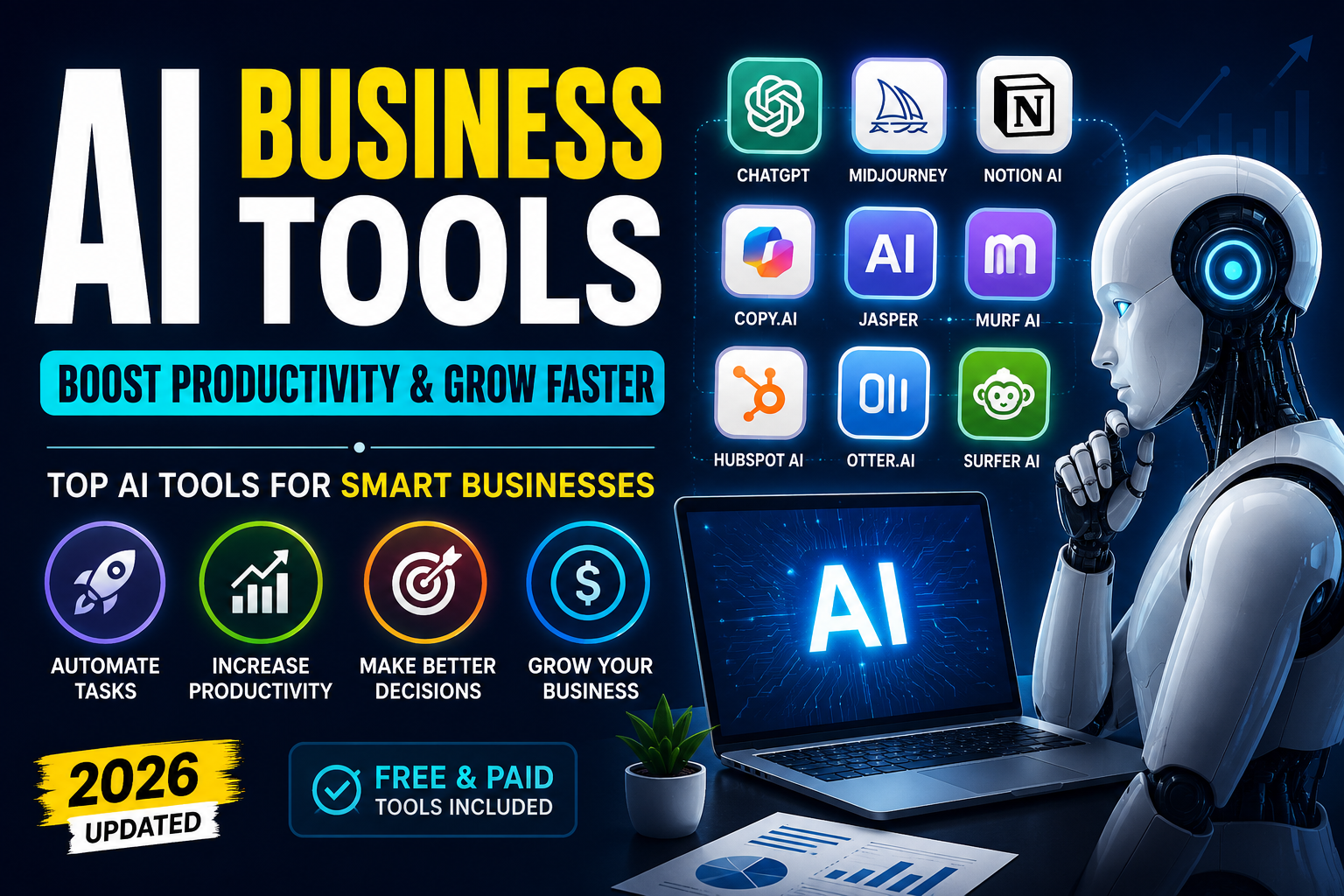
As highlighted in our featured thumbnail, ChatGPT and Gemini form the core of your student research team. However, they excel in different tasks:
1. ChatGPT (Answers & Calculations): Excellent for step-by-step math breakdowns, coding logic, and answering direct conceptual queries. It acts as an active conversation partner that explains things simply.
2. Google Gemini (Research & Transcripts): Powered by Google's massive context window, Gemini is the perfect tool for reading long research PDFs or video transcripts. Paste in a 1-hour lecture transcript and ask it to extract key topics in seconds.
Use the copy-ready prompt below in ChatGPT or Gemini to clear up complex academic concepts:
Student Conceptual Explainer Prompt
AI Prompt Box
Act as a world-class university professor in [Insert Subject, e.g., Organic Chemistry or Macroeconomics]. I am struggling to understand the concept of: [Insert Concept, e.g., Resonance Structures or Keynesian Multiplier]. Explain it to me using the following structure:
1. **Plain English Analogy:** Explain the concept using a simple real-life analogy that a 10-year-old would understand.
2. **Academic Definition:** Provide the formal definition, key equations, and core parameters.
3. **Step-by-Step Example:** Solve or outline a common exam-style question step-by-step.
4. **Quick Check Quiz:** Provide 2 simple multiple-choice questions to test my understanding, and show the explanations at the very end.
Canva AI & Copy.ai: Automation for Writing & Presentations
Classroom presentations and essays are major time-consumers. Combining Canva AI and Copy.ai can speed up these tasks by 5x:
• Canva AI (Design): Canva's 'Magic Design' allows you to input a single text prompt and automatically generates a fully themed, 8-slide presentation draft complete with images and structures. You only need to touch up the wording.
• Copy.ai (Writing & Outlines): If you struggle with writer's block, use Copy.ai to generate structured outlines, introduction paragraphs, and transitions. It helps you organize your thoughts so you write faster.
Feed this prompt into Copy.ai to design a structured outline for your next essay or project:
Student Essay Outline Prompt
AI Prompt Box
Act as an academic writing assistant. I need to write an argumentative essay on the topic: [Insert Essay Topic, e.g., The Impact of Social Media on Teen Mental Health]. Generate a detailed outline that includes:
1. **Catchy Title Options:** 3 engaging title suggestions.
2. **Introduction Framework:** Outline the hook, background context, and a strong thesis statement.
3. **Body Paragraphs Outline:** Structure 3 main body paragraphs (Point, Evidence, Analysis for each) and 1 counter-argument/refutation paragraph.
4. **Conclusion Framework:** How to restate the thesis and summarize the points.
5. **Research Sources:** Suggest what types of academic sources or databases (e.g., PubMed, Google Scholar keywords) I should look for to support this essay.
Notion AI & PDFgear: The Organization & Textbook Stack
Keeping your study materials organized is half the battle. Notion AI and PDFgear form a powerful stack for managing notes and textbooks:
• Notion AI: Acts as a database helper. You can write messy, unstructured notes during lectures, and Notion AI can format them into clean bullet summaries, action items, and flashcards with a single click.
• PDFgear: Unlike other PDF editors that charge subscriptions for AI features, PDFgear is completely free. You can open a 500-page textbook, activate the PDFgear Copilot, and ask: 'Summarize Chapter 4 in 10 bullet points' or 'What are the main formulas on page 112?' without any limits.
Copy this prompt to query your textbook PDFs or summarize notes:
Student Notes Summarizer Prompt
AI Prompt Box
Act as a professional study notes compiler. I will paste my raw lecture notes below. Extract the key details and organize them into a structured revision sheet. Use this format:
1. **BLUF Summary:** A 2-sentence summary of the main lecture topic.
2. **Key Definitions Table:** A table with Term, Definition, and Example for all core concepts mentioned.
3. **Exam Action Items:** Bullet points of facts or methods most likely to appear on a test.
4. **Active Recall Flashcards:** Draft 5 question-and-answer pairs based on this material to test myself later.
Here are the raw notes: [Insert Raw Lecture Notes]
The 30-Day Student AI Mastery Routine
To integrate these free AI websites into your daily study routine, follow this actionable 30-day week-by-week planner:
| Phase / Week | Syllabus Focus | AI Website Integration | Weekly Academic Goal |
|---|---|---|---|
| Week 1 (Days 1-7) | Study planning & notes organization | Use **ChatGPT** to build a weekly calendar; set up **Notion** templates for class notes | Clean up study schedule and create a central revision dashboard |
| Week 2 (Days 8-15) | Textbook reading & research papers | Open textbooks in **PDFgear** for AI summaries; use **Gemini** for literature review parsing | Read 3+ heavy chapters and extract high-yield conceptual summaries |
| Week 3 (Days 16-22) | Essay drafting & presentation design | Draft outlines in **Copy.ai**; generate slide drafts using **Canva AI** templates | Complete essay drafts and prepare classroom presentations ahead of time |
| Week 4 (Days 23-30) | Active recall & mock exam preparation | Create practice quizzes in **ChatGPT**; upload test mistakes into **Gemini** for feedback | Run revision mock loops and achieve 90%+ accuracy on difficult topics |
Following this progressive roadmap builds strong study habits. For more details on using AI to fast-track your learning journey, check out our guide on The Ultimate Student AI Guide.
5 Academic Mistakes to Avoid When Using AI
While AI websites are highly productive, using them incorrectly can harm your academic progress and lead to penalties. Avoid these 5 common mistakes:
1. Academic Plagiarism (Direct Copy-Pasting): Copying essays directly from AI websites is plagiarism. AI detectors and professors easily spot AI-generated patterns. Use AI for outlines, revision, and feedback, but always write the final content yourself.
2. Ignoring Hallucinations: LLMs are prone to making up facts, statistics, and citations. Always double-check historical dates, scientific facts, and citations before finalizing papers.
3. Failing to Practice Calculations Manually: Reading step-by-step math solutions from ChatGPT is helpful, but you must solve problems manually on paper to build problem-solving speed and muscle memory.
4. Using Generic Prompts: Standard prompts like 'write about biology' return generic, shallow answers. Use targeted, roleplay prompts (like the ones detailed above) to get rich, academic-level responses.
5. Relying on Outdated Data: Many AI models do not search the web in real-time. For current affairs, economic indexes, or recent scientific updates, verify the facts using Google Gemini or Perplexity AI.
Frequently Asked Questions (FAQs)
Q: Is PDFgear really free to use? - A: Yes, PDFgear is 100% free. Unlike other PDF editors, it provides unlimited editing, page merging, and AI chat features without requiring subscriptions or accounts.
Q: How do I make sure my essay doesn't look AI-generated? - A: Use AI websites to brainstorm ideas and build structured outlines. Write the paragraphs yourself using your own voice and personal examples, then use AI only to proofread grammar.
Q: Which is better for coding homework: ChatGPT or Google Gemini? - A: ChatGPT (GPT-4o mini) is generally better for writing, formatting, and explaining programming logic. Gemini is excellent for analyzing large code bases or video tutorials.
Q: Can Notion AI summarize my hand-written notes? - A: Yes. If you scan your hand-written pages into a PDF and upload them into Notion (or Google NotebookLM), the OCR reads the text and allows the AI to summarize it.
Q: Are there student discounts for Notion AI? - A: Yes, Notion offers a free Plus plan for students using school email addresses, and you can get discounted add-ons for AI features.
Final Verdict & Call to Action (CTA)
Studying smarter in 2026 is about using artificial intelligence as a personalized learning assistant. Free websites like ChatGPT, Gemini, Canva AI, Copy.ai, Notion, and PDFgear provide premium coaching and design capabilities at zero cost. Avoid passive reliance—always write your own drafts, check facts, and practice math concepts manually.
Your Next Step: Open Notion, set up a notes dashboard, drag a difficult class syllabus PDF into PDFgear, and ask the AI chatbot to break down the first topic today. Take control of your study productivity!
For more ways to use AI for learning and productivity, read our guide on How to Improve English Speaking with AI to expand your skill set.