Introduction: AI-Powered Product Photography in 2026
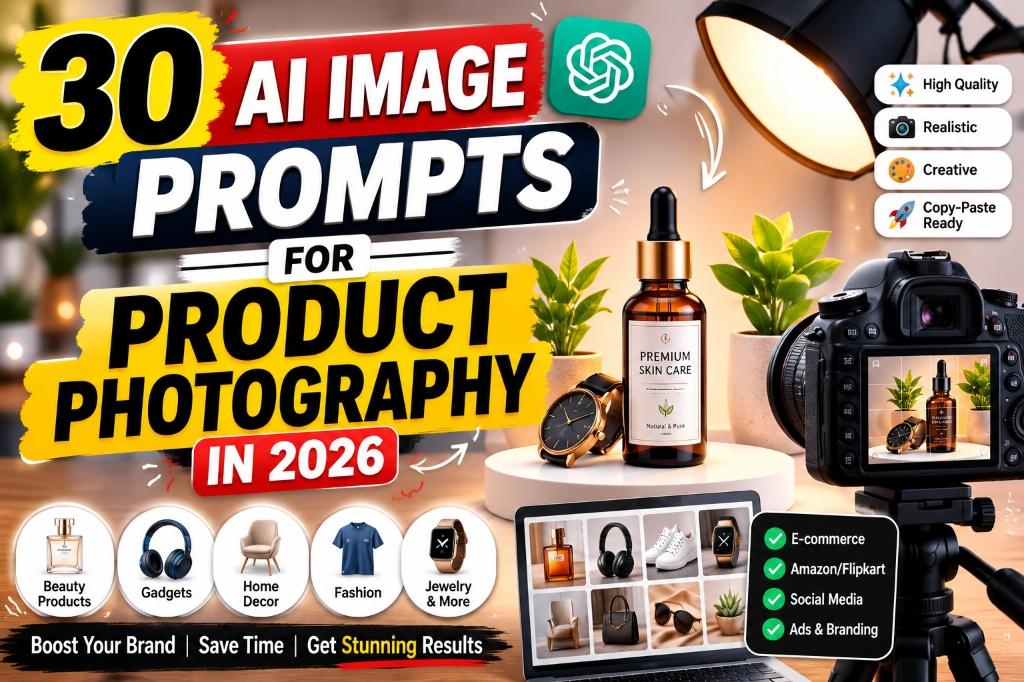
Professional product photography used to require expensive equipment, studio rentals, and skilled photographers. In 2026, AI image prompts for product photography have changed the game for online sellers. Whether you sell on Amazon, Flipkart, Meesho, Shopify, Etsy, or Instagram, AI image generators can now help you create stunning product visuals, lifestyle images, ad creatives, and social-media assets in minutes instead of days.
AI is not here to replace real product photography entirely. Instead, it helps sellers rapidly prototype visual concepts, generate premium-looking backgrounds, create ad mockups, design social-media carousels, and produce lifestyle scenes that would otherwise require expensive photo shoots. This is especially powerful for small brands, solo sellers, and new businesses operating on tight budgets.
In this guide, you will find 30 detailed, copy-paste-ready AI image prompts covering every major product category — from skincare and fashion to electronics, home décor, and food packaging. Each prompt includes customizable placeholders in [square brackets] so you can adapt it to your exact product.
Important: AI-generated product images should support your product presentation, not mislead customers. Always ensure that generated visuals accurately represent your real product's color, size, material, features, labels, and packaging. Marketplace image rules vary across platforms, so check the latest policies of your selling platform before uploading AI-generated images.
| Use Case | What AI Image Prompts Can Help With |
|---|---|
| Marketplace Listings | Clean white-background product images for Amazon, Flipkart, Meesho |
| Online Store | Premium studio-quality product photos for Shopify, Etsy, WooCommerce |
| Social Media | Eye-catching product visuals for Instagram, Facebook, Pinterest ads |
| Ad Creatives | Sale banners, promotional graphics, carousel images |
| Lifestyle Scenes | Products shown in real-life settings to build emotional connection |
| Brand Catalogs | Consistent, professional product photography across entire catalog |
What Are AI Product Photography Prompts?
AI Prompt Box
An AI image prompt is a detailed text instruction that you give to an AI image generator to create a specific visual. Think of it as a creative brief for a photographer — except the photographer is an AI model that creates the image based on your description.
The more detailed your prompt, the better the result. A vague prompt like "product photo" will produce a generic, unusable image. But a detailed prompt like "a premium skincare serum bottle on a beige marble surface, surrounded by fresh green leaves, warm morning sunlight from the left, shallow depth of field, 4K resolution, commercial product photography style" will produce a professional-looking visual that you can actually use.
Every prompt in this guide follows this principle. Each one is packed with specific visual directions — product placement, lighting, background, camera angle, style, and quality settings — so you get usable results on your first try.
The key elements that make an AI product photography prompt effective are:
- Product description: What the product looks like, its material, color, and shape
- Background and surface: What the product sits on and what surrounds it
- Lighting: The direction, quality, and mood of the light
- Camera angle: How the product is photographed (front, 45-degree, overhead, etc.)
- Style: The overall mood (luxury, minimal, natural, dramatic, etc.)
- Technical specs: Resolution, aspect ratio, depth of field
How to Write Better AI Prompts for Product Photos
AI Prompt Box
Use this simple formula to write effective AI product photography prompts every time:
[Product] + [Material/Color] + [Background] + [Lighting] + [Camera Angle] + [Style] + [Aspect Ratio] + [Quality Details]
Example using a skincare serum bottle:
Product: A 30ml amber glass dropper bottle of Vitamin C serum with a gold cap
Material/Color: Amber glass, gold accents, white label with minimal text
Background: Beige stone surface with fresh green leaves and small water droplets
Lighting: Warm golden morning sunlight coming from the left side
Camera Angle: 45-degree front-facing angle, slightly low to make the product look tall
Style: Premium, natural, minimal, clean beauty aesthetic
Aspect Ratio: 4:5 (ideal for Instagram and e-commerce)
Quality Details: Ultra-realistic, 4K, sharp focus on product, soft bokeh background, no watermark
Material/Color: Amber glass, gold accents, white label with minimal text
Background: Beige stone surface with fresh green leaves and small water droplets
Lighting: Warm golden morning sunlight coming from the left side
Camera Angle: 45-degree front-facing angle, slightly low to make the product look tall
Style: Premium, natural, minimal, clean beauty aesthetic
Aspect Ratio: 4:5 (ideal for Instagram and e-commerce)
Quality Details: Ultra-realistic, 4K, sharp focus on product, soft bokeh background, no watermark
Final combined prompt:
"A 30ml amber glass dropper bottle of Vitamin C serum with a gold cap and white minimal label, placed on a beige stone surface surrounded by fresh green leaves and small water droplets. Warm golden morning sunlight from the left side. 45-degree front-facing camera angle, slightly low perspective. Premium, natural, minimal clean beauty aesthetic. Ultra-realistic commercial product photography, 4K, sharp focus on product, soft bokeh background, no watermark, no text distortion. Aspect ratio 4:5."
This formula works for any product category. Simply swap out each element to match your specific product and brand aesthetic.
Important Rules Before Using AI Product Images
Before you start generating and uploading AI product images, follow these critical rules to protect your brand and stay compliant with marketplace policies:
- Keep product details accurate. The generated image should match your real product's color, shape, size, material, and appearance as closely as possible. Customers expect to receive what they see.
- Do not alter logos, labels, size, ingredients, or product claims. If your product has specific branding, make sure the AI-generated image does not change, distort, or misrepresent it.
- Use clean backgrounds for marketplace listings where required. Platforms like Amazon require a pure white background for the main product image. Use lifestyle images only in secondary image slots or for ads.
- Use lifestyle visuals for ads and social media. Creative backgrounds, lifestyle settings, and artistic compositions work best for Instagram, Facebook, Pinterest, and ad campaigns — not for main marketplace listings.
- Check marketplace image policies before uploading. Amazon, Flipkart, Meesho, Shopify, Etsy, and other platforms each have their own image guidelines. These policies update regularly, so verify before each upload.
- Review every generated image before publishing. AI can sometimes produce distorted text, incorrect proportions, extra objects, or unnatural shadows. Always inspect the final output carefully.
- Use high-resolution output. Most marketplaces require images of at least 1000×1000 pixels. Generate at the highest resolution your tool supports.
30 Copy-Paste AI Image Prompts for Product Photography
AI Prompt Box
Below are 30 detailed, ready-to-use AI image prompts organized by product category. Each prompt is designed to produce realistic, commercial-quality product visuals. Replace the text inside [square brackets] with your specific product details.
Prompt 1 – Clean White-Background Product Image for Marketplace Listing
AI Prompt Box
"A [your product name] placed centered on a pure white background. The product is a [describe shape, size, color, material]. The label reads [your product name or brand name] in clean, legible text. Studio lighting from above and both sides for even illumination with no harsh shadows. Front-facing camera angle at eye level. Ultra-realistic commercial product photography, 8K resolution, sharp focus on every detail, no watermark, no extra objects, no reflections, clean and professional. Aspect ratio 1:1."
Best for: Amazon, Flipkart, Meesho, or any marketplace that requires a white-background main product image.
How to customize: Replace [your product name] with your actual product (e.g., "500ml stainless steel water bottle"), [describe shape, size, color, material] with specific details (e.g., "cylindrical, matte black, brushed stainless steel"), and [your product name or brand name] with your label text.
Recommended format: 1:1 for marketplace listings, 3:4 for vertical product pages.
Prompt 2 – Premium Studio Product Photo with Softbox Lighting
AI Prompt Box
"A [your product name] placed on a [surface color, e.g., matte gray] seamless studio backdrop. Professional softbox lighting from the upper left creates soft, natural shadows on the right side. The product is a [describe material, color, and key visual features]. Shot from a 30-degree elevated angle. Ultra-realistic studio product photography, 4K resolution, sharp focus, subtle reflection on surface, clean composition, no background distractions, no watermark. Aspect ratio 4:5."
Best for: Shopify product pages, Etsy listings, brand websites, and product catalogs that need a premium studio look.
How to customize: Replace [your product name] with the actual product, [surface color] with your preferred backdrop (gray, black, cream, wood), and add specific material details for accuracy.
Recommended format: 4:5 for product pages, 1:1 for catalog grids.
Prompt 3 – Luxury Perfume Bottle Photography
AI Prompt Box
"A luxury [perfume/cologne] bottle named [your brand name] placed on a polished black marble surface. The bottle is [describe shape, color, cap design — e.g., rectangular, deep blue glass with a silver magnetic cap]. Dramatic side lighting from the right creates elegant reflections and highlights on the glass. Small scattered gold flakes on the surface around the bottle. Dark, moody studio background with a subtle gradient from black to deep navy. Shot from a slight low angle to make the bottle look powerful and tall. Ultra-realistic luxury fragrance commercial photography, 8K, sharp glass reflections, accurate label text, no distortion, no extra objects, no watermark. Aspect ratio 4:5."
Best for: Perfume and fragrance brands, luxury product ads, Instagram and Pinterest product promotions.
How to customize: Replace [perfume/cologne] with your product type, [your brand name] with your brand, and describe your actual bottle shape, color, and cap design accurately.
Recommended format: 4:5 for social media, 3:4 for online store, 1:1 for marketplace.
Prompt 4 – Skincare Serum Bottle with Natural Elements
AI Prompt Box
"A [size, e.g., 30ml] amber glass dropper bottle of [your product name — e.g., Vitamin C Serum] with a [cap color] cap and a clean white label. Placed on a beige stone slab surrounded by fresh green leaves, small water droplets on the surface, and a thin slice of orange in the background. Warm golden morning sunlight streaming from the left side, creating soft natural shadows. Shallow depth of field with the product in sharp focus and the background gently blurred. Premium, natural, clean beauty aesthetic. Ultra-realistic commercial product photography, 4K resolution, accurate label placement, no text distortion, no watermark. Aspect ratio 4:5."
Best for: Skincare brands, beauty product listings, clean beauty marketing visuals, Instagram product posts.
How to customize: Replace [size] with your bottle size, [your product name] with the actual serum name, [cap color] with gold/silver/black, and adjust the natural elements (leaves, flowers, citrus) to match your ingredient story.
Recommended format: 4:5 for Instagram and ads, 1:1 for marketplace listings.
Prompt 5 – Cosmetic Makeup Product Flat-Lay Image
AI Prompt Box
"A flat-lay overhead product photography of [list 3 to 5 makeup products — e.g., a compact powder, lipstick, mascara, beauty blender, and eyeshadow palette] arranged aesthetically on a [surface — e.g., soft pink velvet fabric]. Each product is spaced evenly with small decorative elements like dried rose petals, a small gold mirror, and a silk ribbon scattered between them. Soft, even overhead lighting with minimal shadows. The color palette is [describe — e.g., rose gold, blush pink, and champagne]. Bird's-eye view camera angle. Ultra-realistic beauty product photography, 4K, sharp details on each product, accurate colors, no overlapping products, clean composition, no watermark. Aspect ratio 1:1."
Best for: Beauty brands, makeup kit promotions, Instagram flat-lay posts, Pinterest beauty boards, and gift set product photography.
How to customize: Replace the product list with your actual products, choose a surface that matches your brand aesthetic (marble, velvet, linen, wood), and adjust decorative elements to your brand colors.
Recommended format: 1:1 for Instagram and Pinterest, 16:9 for website banners.
Prompt 6 – Fashion Clothing Product on a Realistic Model
AI Prompt Box
"A [gender — male/female] model wearing a [describe clothing item — e.g., navy blue linen shirt with rolled-up sleeves] standing in a [setting — e.g., sunlit urban rooftop with city skyline in the background]. The model has a natural, relaxed pose with one hand in pocket. Warm afternoon golden-hour lighting creating soft highlights on the fabric. The clothing fits naturally with realistic fabric folds and wrinkles. Medium shot from waist up, 45-degree angle. Ultra-realistic fashion product photography, 4K, accurate fabric texture and color, natural skin tones, no distorted fingers or hands, no extra limbs, sharp focus on clothing details, soft bokeh background, no watermark. Aspect ratio 3:4."
Best for: Fashion e-commerce stores, clothing brand catalogs, Myntra/Ajio style listings, Instagram fashion posts.
How to customize: Replace [gender] with the model type, [describe clothing item] with your exact garment details (fabric, color, style), and [setting] with a location that matches your brand vibe (studio, outdoor, café, beach).
Recommended format: 3:4 for product pages, 4:5 for Instagram, 1:1 for marketplace.
Prompt 7 – T-Shirt Product Mockup with Clean Background
AI Prompt Box
"A [color — e.g., charcoal gray] round-neck cotton t-shirt neatly laid flat on a [surface — e.g., clean white surface] or displayed on an invisible mannequin form. The t-shirt has a [describe any print or design — e.g., small embroidered logo on the left chest]. The fabric shows natural texture and subtle folds. Soft overhead studio lighting with even illumination and minimal shadows. Front-facing camera angle, straight-on view. Ultra-realistic apparel product photography, 4K, accurate fabric color and texture, clean edges, no wrinkles that distort the design, no background distractions, no watermark. Aspect ratio 1:1."
Best for: T-shirt brands, print-on-demand stores, Amazon and Flipkart apparel listings, Shopify clothing stores.
How to customize: Replace [color] with your t-shirt color, describe the neckline (V-neck, crew neck, polo), and add any print or logo details. Choose between flat-lay and invisible mannequin based on your listing style.
Recommended format: 1:1 for marketplace, 3:4 for product pages, 4:5 for social media.
Prompt 8 – Shoes Product Photography with Dramatic Lighting
AI Prompt Box
"A pair of [describe shoes — e.g., white leather sneakers with a chunky sole and subtle blue accent stitching] placed on a reflective dark surface. One shoe is positioned upright facing forward, the other is angled slightly to the side to show the sole pattern. Dramatic studio lighting with a strong key light from the upper right and a subtle blue rim light on the left edge. Dark gradient background fading from charcoal to black. Shot from a low 20-degree angle to make the shoes look bold and dynamic. Ultra-realistic footwear product photography, 8K, sharp texture on leather and sole, accurate stitching details, natural shadows, no duplicate shoes, no floating objects, no watermark. Aspect ratio 4:5."
Best for: Footwear brands, sneaker launches, shoe e-commerce listings, Instagram product reveals.
How to customize: Replace [describe shoes] with your exact shoe details — material (leather, canvas, mesh), color, sole design, and any unique features like logos or patterns.
Recommended format: 4:5 for Instagram and ads, 1:1 for marketplace, 16:9 for website hero banners.
Prompt 9 – Watch Photography with Luxury Black Background
AI Prompt Box
"A [describe watch — e.g., men's analog wristwatch with a black dial, rose gold case, and brown genuine leather strap] displayed standing upright on a polished black obsidian surface. The watch crown faces the 3 o'clock position and the time reads 10:10. A single focused spotlight from the upper left creates dramatic highlights on the rose gold case and subtle reflections on the glass. Deep black studio background. Shot from a 45-degree elevated front angle. Ultra-realistic luxury watch commercial photography, 8K, razor-sharp dial details, accurate hour markers and hands, realistic leather texture, elegant reflections, no floating elements, no extra watches, no watermark. Aspect ratio 1:1."
Best for: Watch brands, luxury accessories listings, Amazon and Flipkart watch products, Instagram luxury product posts.
How to customize: Replace [describe watch] with your actual watch details — dial color, case material (gold, silver, black), strap type (leather, metal, silicone), and any specific complications or features.
Recommended format: 1:1 for marketplace, 4:5 for Instagram, 16:9 for banners.
Prompt 10 – Jewelry Product Photography with Elegant Reflections
AI Prompt Box
"A [describe jewelry piece — e.g., delicate gold chain necklace with a small diamond pendant] displayed on a [surface — e.g., cream-colored silk fabric draped softly]. The jewelry catches soft studio light from the upper right, creating gentle sparkle on the gemstone and warm golden reflections on the chain. A small decorative element like a single white rose petal is placed nearby. Soft, warm-toned lighting with a clean, neutral background. Shot from a slightly overhead 60-degree angle to capture the full layout of the chain. Ultra-realistic fine jewelry product photography, 8K, razor-sharp gemstone facets, accurate gold color, realistic chain links, delicate shadows on fabric, no extra jewelry pieces, no watermark. Aspect ratio 1:1."
Best for: Jewelry brands, gold and diamond product listings, Etsy handmade jewelry shops, bridal jewelry marketing.
How to customize: Replace [describe jewelry piece] with your specific item (earrings, ring, bracelet, necklace), describe the metal (gold, silver, platinum, rose gold), and specify any gemstones or design details.
Recommended format: 1:1 for marketplace, 4:5 for Instagram, 3:4 for Etsy.
Prompt 11 – Handbag Product Image for Online Store
AI Prompt Box
"A [describe handbag — e.g., medium-sized tan leather tote bag with gold hardware and a detachable crossbody strap] placed on a clean white marble surface. The bag is slightly open to show the interior lining color. A small wallet and sunglasses are placed next to the bag as styling props. Soft natural window light from the left side with gentle shadows. Shot from a 45-degree elevated angle. Ultra-realistic fashion accessory product photography, 4K, accurate leather grain texture, correct hardware color, clean stitching details, realistic proportions, no distorted handles, no watermark. Aspect ratio 3:4."
Best for: Handbag and accessories brands, fashion e-commerce stores, Instagram product showcases.
How to customize: Replace [describe handbag] with your bag's exact details — type (tote, clutch, crossbody, backpack), material, color, hardware finish, and any unique design elements.
Recommended format: 3:4 for product pages, 1:1 for marketplace, 4:5 for Instagram.
Prompt 12 – Mobile Phone Accessory Product Photography
AI Prompt Box
"A [describe phone accessory — e.g., transparent silicone phone case with a floral design] fitted on a [phone model — e.g., latest iPhone model] placed on a light wooden desk. A small potted succulent plant and a cup of coffee are arranged in the soft-focus background. Warm afternoon indoor lighting from a nearby window. Shot from a 45-degree overhead angle showing the case design clearly. Ultra-realistic tech accessory product photography, 4K, accurate phone proportions, clear case design details, realistic material texture, no fingerprints on screen, no duplicate phones, no watermark. Aspect ratio 1:1."
Best for: Phone case sellers, mobile accessories brands, Amazon and Flipkart tech accessory listings.
How to customize: Replace [describe phone accessory] with your specific product (case, screen protector, charger, stand), [phone model] with the compatible device, and adjust the background props to your brand style.
Recommended format: 1:1 for marketplace, 4:5 for Instagram, 16:9 for website banners.
Prompt 13 – Electronics Gadget Product Image with Futuristic Setup
AI Prompt Box
"A [describe gadget — e.g., matte black wireless noise-canceling headphones] placed on a sleek dark gray desk with subtle blue LED ambient lighting in the background. The gadget is the hero of the frame, centered and in sharp focus. A futuristic, minimalist setup with a blurred laptop and a small smart speaker visible in the background. Cool-toned studio lighting with a soft blue rim light on the edges of the product. Shot from a 30-degree front angle. Ultra-realistic consumer electronics product photography, 8K, accurate material finish, realistic button and port details, no floating elements, no extra gadgets in the foreground, no watermark. Aspect ratio 16:9."
Best for: Electronics brands, tech product launches, Amazon gadget listings, tech blog featured images, YouTube thumbnail concepts.
How to customize: Replace [describe gadget] with your product (earbuds, speaker, smartwatch, mouse, keyboard), describe its exact color and material finish, and adjust the ambient lighting color to match your brand.
Recommended format: 16:9 for website and YouTube, 1:1 for marketplace, 4:5 for Instagram.
Prompt 14 – Home Décor Product in a Modern Living Room
AI Prompt Box
"A [describe home décor item — e.g., handwoven macramé wall hanging in natural cotton] displayed in a modern, minimalist living room. The item is hung on a clean white wall above a light oak wooden sideboard with a small potted monstera plant and a ceramic vase nearby. Warm, soft natural daylight streaming through a large window on the left side. The overall room aesthetic is Scandinavian-inspired with neutral tones. Shot from a straight-on medium distance to show the décor item in context. Ultra-realistic interior product photography, 4K, accurate textile texture, natural material colors, clean room composition, no clutter, no watermark. Aspect ratio 4:5."
Best for: Home décor sellers, handmade goods on Etsy, Meesho home products, Pinterest home aesthetic content.
How to customize: Replace [describe home décor item] with your product (wall art, candle, vase, cushion, lamp), and adjust the room style to match your target audience's aesthetic (modern, bohemian, rustic, contemporary).
Recommended format: 4:5 for Instagram and Pinterest, 1:1 for marketplace, 16:9 for website.
Prompt 15 – Furniture Product Lifestyle Image
AI Prompt Box
"A [describe furniture — e.g., mid-century modern walnut wood coffee table with tapered legs] placed in a cozy, well-decorated living room. A white textured rug is underneath, and the table has a small stack of books, a ceramic mug, and a small succulent plant on top as styling elements. A comfortable gray linen sofa is partially visible in the background. Warm, inviting indoor lighting with soft afternoon sunlight from a side window. Shot from a 30-degree angle at seated height to show the table in a natural living context. Ultra-realistic furniture lifestyle photography, 4K, accurate wood grain and finish, correct proportions, natural shadows on the rug, no extra furniture crowding the frame, no watermark. Aspect ratio 16:9."
Best for: Furniture sellers, home and living brands on Amazon, Shopify furniture stores, interior design content.
How to customize: Replace [describe furniture] with your exact item (table, chair, shelf, bed frame), specify the material and finish (oak, teak, metal, glass), and set up a room style that appeals to your target buyer.
Recommended format: 16:9 for website hero images, 4:5 for Instagram, 1:1 for marketplace.
Prompt 16 – Kitchen Product Image in a Clean Kitchen Environment
AI Prompt Box
"A [describe kitchen product — e.g., stainless steel electric kettle with a digital temperature display] placed on a clean white quartz kitchen countertop. The background shows a modern kitchen with white subway tile backsplash and light wood open shelving with neatly arranged jars. A small cutting board with fresh lemons and a linen napkin are placed beside the product as natural props. Bright, clean morning kitchen lighting from overhead and a side window. Shot from a 45-degree angle at counter height. Ultra-realistic kitchen product photography, 4K, accurate stainless steel reflections, readable display details, clean and inviting composition, no clutter, no watermark. Aspect ratio 4:5."
Best for: Kitchen appliance sellers, home and kitchen product listings on Amazon and Flipkart, Shopify kitchenware stores.
How to customize: Replace [describe kitchen product] with your item (blender, toaster, air fryer, utensil set), and adjust the kitchen style and props to match your product's use case.
Recommended format: 4:5 for product pages, 1:1 for marketplace, 16:9 for banners.
Prompt 17 – Food Product Packaging Photography
AI Prompt Box
"A [describe food product packaging — e.g., premium kraft paper pouch of organic granola with a clear window showing the granola inside] standing upright on a rustic wooden table. Scattered oats, dried cranberries, almonds, and honey in a small glass bowl are arranged around the pouch as ingredient props. Warm, cozy kitchen background with soft natural backlighting creating a golden glow. Shot from a slight 30-degree overhead angle. Ultra-realistic food product packaging photography, 4K, accurate label text and design, realistic food textures, warm color grading, appetizing presentation, no distorted text on packaging, no watermark. Aspect ratio 4:5."
Best for: Food and snack brands, organic product sellers, Amazon grocery listings, gourmet food stores on Shopify.
How to customize: Replace [describe food product packaging] with your actual packaging (jar, pouch, box, bottle), describe the label design, and scatter the actual ingredients of your product as props for authenticity.
Recommended format: 4:5 for product listings, 1:1 for marketplace, 16:9 for website and ads.
Prompt 18 – Coffee Product Advertisement Visual
AI Prompt Box
"A [describe coffee product — e.g., matte black bag of premium single-origin Arabica coffee beans with a gold foil label] placed on a dark walnut wood table. A steaming white ceramic cup of freshly brewed black coffee is placed beside it. Scattered roasted coffee beans on the table surface. Dramatic warm side lighting from the right creating rich shadows and highlighting the steam rising from the cup. Dark, moody café-inspired background. Shot from a 45-degree angle at table height. Ultra-realistic coffee product commercial photography, 4K, accurate bag design, realistic steam effect, warm color palette, appetizing mood, no text distortion on label, no watermark. Aspect ratio 4:5."
Best for: Coffee brands, chai and beverage sellers, food and drink advertising, Instagram café-style product posts.
How to customize: Replace [describe coffee product] with your specific product (beans, grounds, instant, pods), describe your packaging material and design, and adjust the mood (bright and airy vs. dark and moody) to match your brand.
Recommended format: 4:5 for social media, 1:1 for marketplace, 16:9 for ads and banners.
Prompt 19 – Organic Product Photography with Natural Background
AI Prompt Box
"A [describe organic product — e.g., glass jar of cold-pressed organic coconut oil with a bamboo lid and a brown kraft label] placed on a natural linen cloth on a light wooden surface. Fresh coconut halves, green tropical leaves, and small white flowers are arranged naturally around the jar. Soft, diffused natural daylight with a warm tone, creating gentle shadows. The overall aesthetic is earthy, clean, and natural. Shot from a 45-degree overhead angle. Ultra-realistic organic product photography, 4K, accurate glass jar reflections, readable label text, natural material textures, no artificial-looking elements, no watermark. Aspect ratio 4:5."
Best for: Organic and natural product brands, Ayurvedic product sellers, health food stores, eco-friendly brand marketing.
How to customize: Replace [describe organic product] with your product (oil, honey, tea, soap), describe your packaging type, and use natural props that relate to your product's key ingredients.
Recommended format: 4:5 for Instagram and product pages, 1:1 for marketplace, 16:9 for website.
Prompt 20 – Handmade Craft Product Image
AI Prompt Box
"A [describe handmade product — e.g., hand-poured soy wax candle in a reusable ceramic container with a cork lid] placed on a raw linen fabric surface. Beside the candle are dried lavender sprigs, a small wooden matchbox, and a coiled cotton wick. The background is a soft, out-of-focus shelf with books and small plants. Warm, intimate lighting as if from a nearby lamp, creating a cozy ambiance. Shot from a 45-degree front angle at table height. Ultra-realistic artisan product photography, 4K, accurate ceramic texture and glaze color, realistic wax surface, warm and inviting mood, no extra candles, no watermark. Aspect ratio 1:1."
Best for: Etsy sellers, handmade product brands, artisan craft shops, Instagram small-business marketing.
How to customize: Replace [describe handmade product] with your item (candle, soap, pottery, knitted scarf, resin art), describe the materials and colors, and use props that tell the story of how the product is made or used.
Recommended format: 1:1 for Etsy and marketplace, 4:5 for Instagram, 3:4 for Pinterest.
Prompt 21 – Baby Product Photography with Soft Pastel Setup
AI Prompt Box
"A [describe baby product — e.g., set of 3 organic cotton baby rompers in pastel pink, mint green, and cream] neatly folded and stacked on a soft white muslin blanket. Small plush toys (a bunny and a star) and a wooden teething ring are placed beside the rompers as styling props. The background is a soft, blurred nursery setting with a white crib rail and fairy lights. Gentle, warm pastel-toned lighting creating a dreamy, soft atmosphere. Shot from a slightly overhead 60-degree angle. Ultra-realistic baby product photography, 4K, accurate fabric colors and textures, soft and warm color palette, no harsh shadows, clean and safe-feeling composition, no watermark. Aspect ratio 4:5."
Best for: Baby product brands, kids clothing sellers on Amazon and Meesho, baby shower gift shops, Instagram mom-and-baby content.
How to customize: Replace [describe baby product] with your item (onesies, bibs, bottles, blankets, toys), use pastel colors that match your brand, and include safe, soft props that parents associate with baby care.
Recommended format: 4:5 for Instagram and product pages, 1:1 for marketplace, 3:4 for Pinterest.
Prompt 22 – Pet Product Lifestyle Image
AI Prompt Box
"A [describe pet product — e.g., adjustable nylon dog collar in bright red with a silver buckle] displayed on a happy [dog breed — e.g., golden retriever] sitting on green grass in an outdoor park setting. The dog is looking at the camera with a friendly expression. Warm, bright afternoon sunlight creating natural highlights on the collar and the dog's fur. The background is a blurred grassy park with trees. Shot from eye level, front-facing. Ultra-realistic pet product lifestyle photography, 4K, accurate collar color and buckle details, realistic fur texture, natural outdoor lighting, no extra pets, no distorted animal features, no watermark. Aspect ratio 4:5."
Best for: Pet product sellers, dog and cat accessory brands, Amazon pet supplies listings, Instagram pet brand marketing.
How to customize: Replace [describe pet product] with your item (collar, leash, bed, bowl, toy), [dog breed] with the appropriate pet, and adjust the setting (indoor, outdoor, beach) based on how your product is used.
Recommended format: 4:5 for Instagram, 1:1 for marketplace, 16:9 for website banners.
Prompt 23 – Fitness Product Photography
AI Prompt Box
"A [describe fitness product — e.g., pair of adjustable dumbbells with a black rubber grip and chrome weight plates] placed on a textured black rubber gym floor. A rolled-up gray yoga mat, a white gym towel, and a water bottle are arranged in the soft-focus background. Dramatic overhead gym lighting with strong contrast and bold shadows. The overall mood is powerful, energetic, and motivational. Shot from a low 20-degree angle to make the dumbbells look imposing. Ultra-realistic fitness equipment product photography, 8K, accurate metal and rubber textures, correct weight markings, bold lighting, no extra equipment in the foreground, no watermark. Aspect ratio 16:9."
Best for: Fitness equipment sellers, gym accessory brands, sports e-commerce stores, health and fitness marketing.
How to customize: Replace [describe fitness product] with your product (resistance bands, yoga mat, kettlebell, protein shaker), describe materials and colors accurately, and adjust the setting (home gym, commercial gym, outdoor) to match your target customer.
Recommended format: 16:9 for website and ads, 1:1 for marketplace, 4:5 for Instagram.
Prompt 24 – Beauty Product Social-Media Ad Creative
AI Prompt Box
"A close-up hero shot of a [describe beauty product — e.g., nude matte lipstick in a sleek rose-gold tube] with a creamy swatch stroke of the lipstick color across a clean white surface beside the product. Soft pink and gold tones throughout the image. The lipstick bullet is twisted up to show the shade clearly. A subtle scattering of gold dust particles floating in the background. Glamorous, soft studio lighting with highlights on the metallic tube. Shot from a 30-degree angle, slightly low to make the product look premium. Ultra-realistic beauty ad product photography, 8K, accurate shade color, realistic metallic finish, smooth texture on the swatch, clean and luxurious composition, no extra products, no watermark. Aspect ratio 4:5."
Best for: Beauty brands running Instagram and Facebook ads, cosmetic product launches, social-media marketing campaigns. [Internal Link: AI Prompts for Social Media Marketing]
How to customize: Replace [describe beauty product] with your product (foundation, serum, eyeshadow, moisturizer), match the color palette to your shade range, and adjust the decorative elements (glitter, petals, water droplets) to your brand aesthetic.
Recommended format: 4:5 for Instagram and Facebook ads, 9:16 for Stories and Reels, 1:1 for feed posts.
Prompt 25 – Product Before-and-After Comparison Visual
AI Prompt Box
"A split-image comparison visual. LEFT SIDE labeled 'Before': a [describe the problem scenario — e.g., dull, tangled, dry hair on a person's shoulder, muted colors, flat lighting]. RIGHT SIDE labeled 'After': the same scene but showing [describe the result — e.g., shiny, smooth, healthy-looking hair flowing naturally, vibrant colors, warm glowing lighting]. The [your product — e.g., a bottle of hair serum] is placed at the center dividing line between the two halves. A clean diagonal or vertical dividing line separates the two sides. Professional studio lighting on both sides. Ultra-realistic before-and-after comparison product photography, 4K, accurate product placement, realistic skin and hair textures, no exaggerated claims in the image, no distorted features, no watermark. Aspect ratio 1:1."
Best for: Skincare, haircare, cleaning products, paint, renovation products — any product that shows a visible transformation.
How to customize: Replace the before and after descriptions to match your product's use case. Be careful not to make exaggerated or misleading visual claims — the image should represent realistic expectations.
Recommended format: 1:1 for Instagram and marketplace, 16:9 for website and YouTube thumbnails, 4:5 for ads.
Prompt 26 – Seasonal Festival Product Visual for Diwali
AI Prompt Box
"A [your product name] placed on a decorated surface for Diwali celebrations. The product is surrounded by traditional Indian festive elements: lit clay diyas with warm flames, marigold flower garlands in orange and yellow, colorful rangoli patterns on the floor, small brass lamps, and scattered rose petals. The background has a warm golden bokeh glow with fairy lights. Rich, warm, and celebratory lighting creating a festive Indian ambiance. Shot from a 45-degree overhead angle showing the festive arrangement. Ultra-realistic Diwali festival product photography, 4K, accurate product details, vibrant festive colors, warm and inviting mood, no distorted product labels, no watermark. Aspect ratio 1:1."
Best for: Diwali gift hampers, festive product launches, seasonal ad campaigns for Indian marketplaces, Instagram festive marketing.
How to customize: Replace [your product name] with your product. This template can be adapted for other festivals too — replace Diwali elements with Christmas, Eid, Holi, Raksha Bandhan, or any regional festive décor.
Recommended format: 1:1 for social media and marketplace, 4:5 for Instagram ads, 16:9 for banners.
Prompt 27 – Sale Banner Product Photography for E-commerce Campaign
AI Prompt Box
"A dynamic e-commerce sale banner featuring [your product name] as the hero product, placed slightly off-center on the right side. The background is a bold gradient from [color 1 — e.g., deep purple] to [color 2 — e.g., hot pink] with abstract geometric shapes, confetti particles, and a subtle starburst pattern. Large empty space on the left side for text overlay. The product has dramatic studio lighting with a white rim light creating a glow around the edges. Shot from a 30-degree front angle. Ultra-realistic e-commerce banner product photography, 4K, accurate product details, vibrant and energetic color palette, clean space for text placement, no existing text on the banner, no watermark. Aspect ratio 16:9."
Best for: E-commerce sale campaigns (Big Billion Days, Great Indian Festival, Black Friday), website hero banners, email marketing headers.
How to customize: Replace [your product name] with your featured product, choose gradient colors that match your brand, and leave the text space empty so you can add your own sale text (e.g., "Flat 50% Off") in Canva or your design tool.
Recommended format: 16:9 for website banners, 1:1 for social media, 9:16 for mobile app banners.
Prompt 28 – Instagram Carousel Product Image Concept
AI Prompt Box
"Create a product image of [your product name] for slide [number] of an Instagram carousel. This slide shows the [specific angle or feature — e.g., back of the product showing the ingredient list / close-up of the texture / product being used by a hand]. The product is placed on a [surface] with a [background color] background. Consistent studio lighting matching the other slides: soft key light from the upper left, fill light from the right. Same color temperature and mood across all slides. Ultra-realistic product photography for Instagram carousel, 4K, consistent visual style, accurate product details, clean composition, no watermark. Aspect ratio 1:1."
Best for: Instagram carousel posts showing multiple product angles, features, or benefits. Helps maintain visual consistency across all slides. [Internal Link: AI Prompts for E-commerce]
How to customize: Generate multiple images using this prompt, changing the [specific angle or feature] for each carousel slide (Slide 1: front view, Slide 2: side angle, Slide 3: close-up detail, Slide 4: lifestyle use, Slide 5: size comparison).
Recommended format: 1:1 for Instagram feed carousels, 4:5 for maximum feed space.
Prompt 29 – Product Unboxing Scene
AI Prompt Box
"A top-down view of a product unboxing scene. A [describe packaging — e.g., premium matte black box with gold embossed logo] is open, revealing [your product name] nestled inside on [packing material — e.g., white tissue paper with a branded sticker seal]. The box lid is placed to the side at an angle. A branded thank-you card, a small product guide booklet, and [any included accessories] are laid out neatly beside the box. The surface is a clean [light wood / marble / white desk]. Warm, inviting overhead lighting creating soft shadows inside the box. Shot from directly overhead, bird's-eye view. Ultra-realistic unboxing product photography, 4K, accurate packaging design, readable text on cards, realistic paper and material textures, organized and aesthetic composition, no extra items, no watermark. Aspect ratio 1:1."
Best for: Premium brands showcasing packaging quality, subscription box sellers, gift product marketing, Instagram unboxing content.
How to customize: Replace [describe packaging] with your actual box design, [your product name] with the item inside, and list all the real items included in the box (cards, samples, accessories) for an accurate representation.
Recommended format: 1:1 for Instagram and marketplace, 4:5 for ads, 16:9 for website features.
Prompt 30 – High-End Commercial Advertising Product Shot
AI Prompt Box
"A cinematic, high-end commercial product shot of [your product name]. The product is a [describe in detail — material, color, shape, key visual features]. Placed on a [surface — e.g., polished black acrylic platform] with a dynamic studio lighting setup: a strong key light from the upper left creating dramatic highlights, a soft fill light from the right, and a subtle colored rim light ([choose color — e.g., warm amber or cool blue]) outlining the product edges. The background is a seamless gradient from [dark color] to [slightly lighter tone] with subtle atmospheric haze. A very shallow depth of field keeps only the product in razor-sharp focus. Shot from a [angle] perspective. Ultra-realistic high-end commercial advertising photography, 8K resolution, magazine-quality composition, accurate product details, premium lighting, cinematic color grading, no text overlays, no extra objects, no watermark. Aspect ratio 16:9."
Best for: Premium brand campaigns, product launch visuals, magazine-style advertising, hero images for websites and presentations. [Internal Link: AI Image Generator Prompts]
How to customize: This is your most versatile premium prompt. Replace every bracket with your product's exact details. Experiment with different rim light colors (amber for warmth, blue for tech, purple for luxury) and background gradients to create multiple campaign visuals.
Recommended format: 16:9 for website hero images and ads, 4:5 for Instagram premium posts, 1:1 for marketplace feature images.
Example Prompt: Skincare Product Photography
AI Prompt Box
Let us walk through a complete example so you can see how to use these prompts with a real product.
Product: Vitamin C Serum, 30ml
Brand style: Premium, natural, minimal
Background: Beige stone surface with green leaves
Lighting: Warm morning sunlight
Aspect ratio: 4:5
Brand style: Premium, natural, minimal
Background: Beige stone surface with green leaves
Lighting: Warm morning sunlight
Aspect ratio: 4:5
Final ready-to-use prompt:
"A 30ml amber glass dropper bottle of Vitamin C Serum with a brushed gold cap and a clean white label that reads 'Vitamin C Brightening Serum' in elegant sans-serif typography. The bottle is placed on a polished beige sandstone surface. Fresh green eucalyptus leaves and a thin slice of lemon are arranged naturally on the left side. Small, clear water droplets are scattered on the stone surface around the bottle. Warm morning sunlight streams from the upper-left, creating a soft golden glow and gentle natural shadows on the right side of the bottle. The background is a softly blurred neutral cream tone. Shallow depth of field with the bottle in razor-sharp focus. Premium, natural, minimal clean beauty aesthetic. Ultra-realistic commercial skincare product photography, 4K, accurate glass bottle reflections, legible label text without distortion, realistic water droplet refraction, no extra bottles, no watermark. Aspect ratio 4:5."
Why this prompt works:
- It specifies every visual detail: bottle shape, cap color, label text, surface material, and props
- It defines the lighting direction and quality (warm, from upper-left)
- It sets the camera perspective (shallow depth of field)
- It includes quality guards (no distortion, no watermark, no duplicates)
- It matches the brand aesthetic (premium, natural, minimal)
Use this same level of detail when adapting any of the 30 prompts above for your own products.
Best AI Tools for Product Photography Prompts
AI Prompt Box
The 30 prompts in this guide are designed to work across multiple AI image generation platforms. You can adapt them for tools such as:
- ChatGPT Image Generation (DALL-E): Great for general product concepts and quick iterations. Paste the prompts directly into ChatGPT.
- Midjourney: Excellent for photorealistic and artistic product visuals. You may need to adjust formatting slightly (use commas between descriptors, add --ar for aspect ratio, and --q for quality).
- Adobe Firefly: Strong for commercial-safe images with copyright protection. Uses a more structured prompt input.
- Canva AI (Magic Media): Easy-to-use for beginners who want quick product mockups within Canva's design environment.
- Leonardo AI: Good for high-quality, detailed product photography with fine control over style and lighting.
Note: Prompt formatting may differ slightly between tools. Some tools use specific parameters (like Midjourney's --ar and --v flags), while others accept natural language. The core visual descriptions in these prompts will work across all major platforms — just adjust the formatting to match your chosen tool's syntax.
For best results, start with the prompt as written, generate the image, and then refine by adjusting specific details (change the lighting, swap the background, try a different angle) until you get exactly what you need.
Common Mistakes to Avoid
Even with great prompts, sellers often make these mistakes when using AI for product photography. Avoid them to get professional results:
- Writing vague prompts. "A nice product photo" tells the AI nothing useful. Always specify product details, background, lighting, angle, and style.
- Using too many objects. Cluttering the scene with too many props or multiple products confuses the composition. Keep the focus on your hero product.
- Ignoring aspect ratio. A 16:9 image looks wrong as a marketplace product photo (which needs 1:1). Always specify the correct ratio for your platform.
- Changing the real product's color or shape. If your product is blue, do not generate it in red. AI images must represent the actual product customers will receive.
- Adding fake claims. Do not add text like "#1 Best Seller" or "Doctor Recommended" to AI-generated images unless these are verified claims.
- Using unreadable text in AI images. AI often struggles with text generation. If you need text on labels or packaging, add it manually in a design tool after generating the image.
- Forgetting to check output quality. Always zoom in and inspect for distorted fingers, extra objects, warped labels, incorrect shadows, or unnatural proportions before publishing.
- Uploading lifestyle images as main marketplace images when policies require a white background. Use AI lifestyle images for secondary image slots, ads, and social media — not as the main listing image on platforms that mandate white backgrounds.
Frequently Asked Questions
1. Can AI create product photos for e-commerce?
Yes, AI image generators can create product photo concepts, lifestyle visuals, ad creatives, and background mockups for e-commerce. However, you should always ensure the generated image accurately represents your real product. Many sellers use AI to prototype concepts and then refine them in design tools.
Yes, AI image generators can create product photo concepts, lifestyle visuals, ad creatives, and background mockups for e-commerce. However, you should always ensure the generated image accurately represents your real product. Many sellers use AI to prototype concepts and then refine them in design tools.
2. Can I use AI-generated product images on Amazon, Flipkart, Meesho, or Shopify?
This depends on each platform's current image policies. Some marketplaces require real product photographs for the main listing image, while others accept AI-enhanced or generated visuals in secondary image slots. Always check the latest image guidelines of your specific selling platform before uploading AI-generated images.
This depends on each platform's current image policies. Some marketplaces require real product photographs for the main listing image, while others accept AI-enhanced or generated visuals in secondary image slots. Always check the latest image guidelines of your specific selling platform before uploading AI-generated images.
3. How do I make AI product photos look realistic?
Include specific details in your prompt: exact product material, accurate colors, professional lighting direction, natural shadows, correct proportions, and high resolution (4K or 8K). Avoid generic prompts. The more specific your description, the more realistic the output.
Include specific details in your prompt: exact product material, accurate colors, professional lighting direction, natural shadows, correct proportions, and high resolution (4K or 8K). Avoid generic prompts. The more specific your description, the more realistic the output.
4. What details should I include in an AI product photography prompt?
At minimum, include: product description (shape, size, material, color), background and surface, lighting type and direction, camera angle, visual style, aspect ratio, and quality settings (resolution, sharp focus, no watermark). The formula provided earlier in this guide covers all essential elements.
At minimum, include: product description (shape, size, material, color), background and surface, lighting type and direction, camera angle, visual style, aspect ratio, and quality settings (resolution, sharp focus, no watermark). The formula provided earlier in this guide covers all essential elements.
5. Can AI generate a white background product image?
Yes, specify "pure white background" and "even studio lighting with no shadows" in your prompt. This produces clean, marketplace-ready product images. Add "centered composition" and the correct aspect ratio (usually 1:1) for best results.
Yes, specify "pure white background" and "even studio lighting with no shadows" in your prompt. This produces clean, marketplace-ready product images. Add "centered composition" and the correct aspect ratio (usually 1:1) for best results.
6. Which aspect ratio is best for product photography?
It depends on the platform: 1:1 (square) for most marketplace listings, 3:4 or 4:5 for product pages and Instagram, 16:9 for website banners and YouTube, and 9:16 for Instagram Stories and Reels. Always match the ratio to your destination platform.
It depends on the platform: 1:1 (square) for most marketplace listings, 3:4 or 4:5 for product pages and Instagram, 16:9 for website banners and YouTube, and 9:16 for Instagram Stories and Reels. Always match the ratio to your destination platform.
7. Can I use AI images for Instagram product ads?
Yes, AI-generated product images work well for Instagram ads, carousel posts, Stories, and Reels content. Lifestyle and creative compositions tend to perform better on Instagram than plain white-background images. Just make sure the images accurately represent your product.
Yes, AI-generated product images work well for Instagram ads, carousel posts, Stories, and Reels content. Lifestyle and creative compositions tend to perform better on Instagram than plain white-background images. Just make sure the images accurately represent your product.
8. How can I avoid incorrect product labels in AI images?
AI often distorts or generates incorrect text on product labels. The best approach is to generate the product image without text on the label, then add your actual label design manually using Canva, Photoshop, or another design tool. Alternatively, specify "no visible text on label" in your prompt and overlay the real label in post-production.
AI often distorts or generates incorrect text on product labels. The best approach is to generate the product image without text on the label, then add your actual label design manually using Canva, Photoshop, or another design tool. Alternatively, specify "no visible text on label" in your prompt and overlay the real label in post-production.
Conclusion
You now have 30 detailed, copy-paste-ready AI image prompts for product photography covering every major category — from marketplace listings and studio shots to lifestyle scenes, social-media ads, festive campaigns, and high-end commercial visuals.
The key to success with AI product photography is specificity. Generic prompts produce generic images. Detailed prompts that describe your exact product, background, lighting, and style produce visuals that look professionally shot.
Remember: AI is a tool to help you create better product visuals faster, but accuracy and customer trust come first. Always ensure your generated images match your real product, comply with your selling platform's image policies, and represent your brand honestly.
Bookmark this page and start by testing one prompt with your own product today. Pick the prompt that matches your product category, replace the placeholders with your specific details, and see the result. You can refine and iterate from there.
Explore more free copy-paste AI prompts for business, e-commerce, content creation and marketing on newbananaprompts.in.
Related Articles
Continue building your product photography and e-commerce skills with these guides:
- Generate photorealistic AI images with 25 Best Nano Banana Prompts for Realistic AI Images.
- Create stunning YouTube thumbnails with Best AI Image Generators for YouTube Thumbnails in 2026.
- Start an AI thumbnail design business with How to Start an AI Thumbnail Design Business in 2026.
- Boost your content workflow with Best AI Tools for Content Creators in 2026.
- Improve product visibility with Best AI SEO Tools in 2026.
- Discover AI marketing tools for your store with Best AI Marketing Tools for Small Businesses in 2026.
- Use ChatGPT prompts for YouTube content with 50 Best ChatGPT Prompts for YouTube Creators in 2026.