Introduction: Why YouTube Creators Are Using ChatGPT in 2026
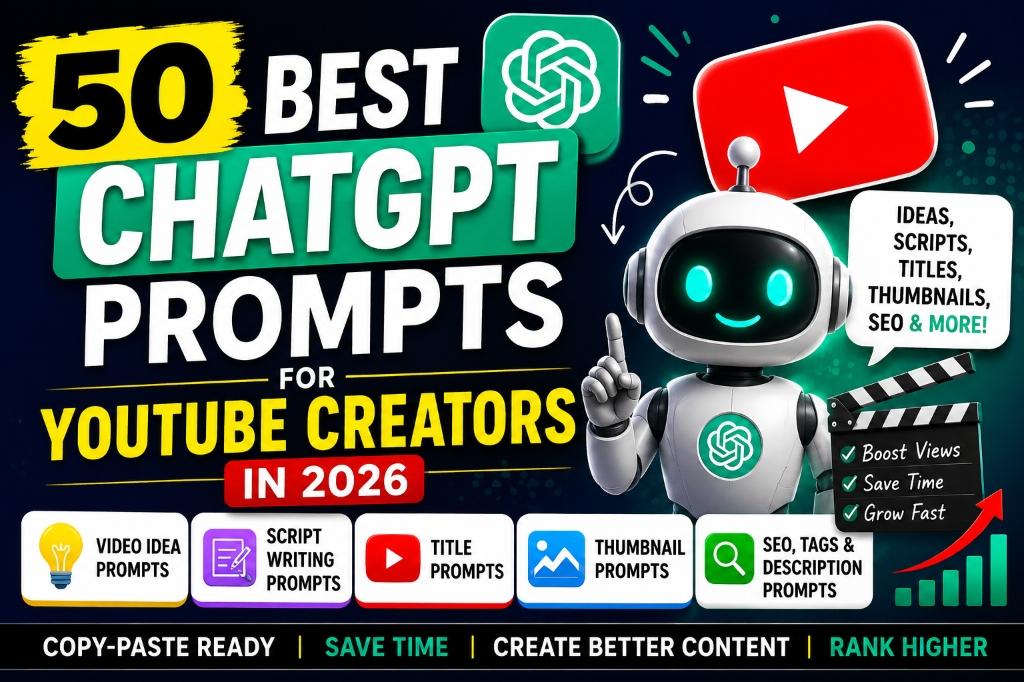
Running a YouTube channel in 2026 is more demanding than ever. These ChatGPT prompts for YouTube creators are built for creators who need help with video ideas, YouTube prompts for titles, script writing, Shorts, thumbnail concepts, descriptions, audience research, and YouTube SEO. Whether you run tutorials, faceless videos, reviews, education content, gaming videos, or a creator business, these AI prompts for YouTubers can be customized with your niche, audience, tone, video length, and content goal.
Use this guide as a practical prompt library for multiple stages of the YouTube content workflow: planning, scripting, packaging, publishing, and engagement. ChatGPT for YouTube works best when you add your own experience, examples, opinions, demonstrations, and fact-checking before publishing.
ChatGPT is not here to replace your creativity. It is here to speed up the tedious parts of your workflow so you can focus on what truly matters: connecting with your audience, sharing your expertise, and building a channel that reflects your unique voice. Whether you are a faceless channel creator, a vlogger, a gaming streamer, an educator, or a small business owner using YouTube for marketing, the right AI prompts can save you hours every week.
In this guide, you will find 50 detailed, copy-paste-ready prompts covering every stage of the YouTube content cycle. Each prompt includes customizable placeholders in [square brackets] so you can adapt it to your niche instantly. After every prompt, you will also find a quick usage tip and an example output idea to help you get started.
Important: AI should support your creativity, fact-checking, and originality. Always review, fact-check, and personalize ChatGPT's output before publishing. Your audience follows you for your perspective, not a machine's.
| Creator Task | What ChatGPT Can Help With |
|---|---|
| Video Ideas | Generate trending, evergreen, and niche-specific topic ideas |
| Scripts | Write full scripts, hooks, intros, CTAs, and retention-focused rewrites |
| Titles | Create curiosity-driven, SEO-friendly, and A/B testable titles |
| Thumbnails | Suggest thumbnail text, layouts, color schemes, and visual concepts |
| Descriptions | Write SEO-optimized descriptions with keywords and chapters |
| SEO & Tags | Research keyword clusters, generate relevant tags, and write hashtags |
| Shorts | Create fast hooks, 30-second scripts, captions, and Shorts series ideas |
| Community Posts | Draft polls, engagement questions, and announcement posts |
Best ChatGPT Prompts for YouTube Creators: Quick Access
AI Prompt Box
Use this quick directory to jump to the prompt category you need. The original 50 prompts remain intact below; this table simply makes the article easier to scan on mobile and desktop.
| Prompt Category | Best For | Jump Link |
|---|---|---|
| Video idea prompts | Niche ideas, evergreen topics, series planning | Go to ideas |
| YouTube title prompts | Tutorials, comparisons, lists, case studies, Shorts | Go to titles |
| Script writing prompts | Hooks, explainers, stories, tutorials, comparisons | Go to scripts |
| YouTube Shorts prompts | 15-60 second scripts, hooks, captions, series | Go to Shorts |
| Thumbnail concept prompts | Layout, hierarchy, emotion, text, contrast | Go to thumbnails |
| Description and SEO prompts | Keywords, chapters, descriptions, metadata | Go to SEO |
| Audience engagement prompts | Community posts, polls, comments, feedback | Go to engagement |
| Prompt framework | Reusable formula for better outputs | Go to framework |
| Creator workflow | Research to publish workflow | Go to workflow |
How to Use These ChatGPT Prompts for YouTube
AI Prompt Box
Before you start copying prompts, here are five simple rules that will help you get much better results from ChatGPT:
1. Replace the text inside [square brackets].
Every prompt in this guide contains placeholders like [your niche], [your target audience], or [your video topic]. Replace these with your actual details. The more specific you are, the better ChatGPT's output will be.
Every prompt in this guide contains placeholders like [your niche], [your target audience], or [your video topic]. Replace these with your actual details. The more specific you are, the better ChatGPT's output will be.
2. Give ChatGPT your niche, audience, tone, and goal.
Instead of just pasting a generic prompt, add a line like: "My channel covers budget tech reviews for college students in India. My tone is casual and funny." This context dramatically improves the quality of every response.
Instead of just pasting a generic prompt, add a line like: "My channel covers budget tech reviews for college students in India. My tone is casual and funny." This context dramatically improves the quality of every response.
3. Edit the output with your own experience and voice.
ChatGPT gives you a strong first draft, but your audience watches you for a reason. Add your personal stories, opinions, and expertise. Remove anything that sounds generic or robotic.
ChatGPT gives you a strong first draft, but your audience watches you for a reason. Add your personal stories, opinions, and expertise. Remove anything that sounds generic or robotic.
4. Verify facts before publishing.
AI can generate confident-sounding claims that are inaccurate. Always double-check statistics, product specifications, dates, and pricing before including them in your videos or descriptions.
AI can generate confident-sounding claims that are inaccurate. Always double-check statistics, product specifications, dates, and pricing before including them in your videos or descriptions.
5. Test different titles and thumbnails.
Use ChatGPT to generate multiple title and thumbnail variations. Then A/B test them using YouTube's built-in thumbnail testing feature or third-party tools to see what resonates with your audience.
Use ChatGPT to generate multiple title and thumbnail variations. Then A/B test them using YouTube's built-in thumbnail testing feature or third-party tools to see what resonates with your audience.
How to Write Better ChatGPT Prompts for YouTube
AI Prompt Box
The best YouTube prompts are specific. Instead of asking ChatGPT to write a generic video script, give it a role, channel context, audience details, task, constraints, and the exact output format you want.
- ROLE: Tell ChatGPT who it should act as, such as a YouTube strategist, script editor, Shorts writer, or thumbnail creative director.
- CONTEXT: Explain your channel niche, content style, upload frequency, and what the video is trying to achieve.
- AUDIENCE: Define who the video is for, including skill level, location, problem, goal, or buying stage.
- TASK: Clearly state the output: ideas, titles, script, outline, thumbnail concepts, description, chapters, poll, or comment replies.
- CONSTRAINTS: Specify length, tone, structure, platform, keywords, claims to avoid, and what should not be included.
- OUTPUT: Tell ChatGPT how to format the answer, such as a table, numbered list, script blocks, hooks, or title variations.
Example prompt framework:
"Act as a YouTube strategist for a [YOUR NICHE] channel. My target audience is [TARGET AUDIENCE]. I am creating a [VIDEO LENGTH] video about [VIDEO TOPIC]. The content goal is [CONTENT GOAL]. Generate a YouTube outline with a strong hook, 5 main sections, retention notes, title ideas, thumbnail concepts, and an SEO description. Use a [TONE] tone and include [PRIMARY KEYWORD] naturally."
Best for: turning a vague idea into a complete content package. Customize the niche, audience, topic, tone, and keyword before using it.
How YouTube Creators Can Use ChatGPT in Their Workflow
ChatGPT is most useful when it supports a real creator workflow instead of replacing your thinking. Use it to speed up research and drafting, then add original experience before publishing.
- Research audience problems from comments, competitor videos, forums, search suggestions, and analytics.
- Brainstorm video ideas with ChatGPT, but manually validate demand in YouTube search and your analytics.
- Choose one topic and define the viewer promise before writing.
- Create an outline with sections, examples, and retention points.
- Draft the script with ChatGPT, then add your personal expertise and demonstrations.
- Rewrite the hook and intro in your natural speaking voice.
- Develop title options for search intent and click appeal without misleading viewers.
- Brainstorm thumbnail concepts, visual hierarchy, and text ideas before designing in Canva, Photoshop, or an AI image tool.
- Create the description, chapters, pinned comment, and community post.
- Review the final package for accuracy, originality, YouTube policy compliance, and audience value.
For the thumbnail stage, pair this article with AI image generators for YouTube thumbnails and the AI thumbnail design business guide. For broader creator tools, see free AI tools for YouTubers.
1. YouTube Video Idea Prompts
AI Prompt Box
Coming up with fresh video ideas consistently is one of the hardest parts of being a YouTube creator. These 10 prompts will help you brainstorm trending topics, evergreen content, faceless channel ideas, and more. Use them whenever you feel stuck or want to plan your content calendar ahead of time.
Prompt 1: Trending Video Ideas
Example output idea: "7 AI Study Tools That Are Replacing Google for Students in 2026" — covers a current trend with high search interest among student audiences.
"Give me 15 trending YouTube video ideas for the [your niche] niche in [current month and year]. My target audience is [describe your audience — age, interests, skill level]. Focus on topics that are currently getting search interest or social media buzz. For each idea, include a one-line description of what the video would cover and why it would attract viewers right now."
How to use it: Replace [your niche] with something specific like "personal finance for millennials" or "AI tools for students." Run this prompt at the start of every month to stay ahead of trends.Example output idea: "7 AI Study Tools That Are Replacing Google for Students in 2026" — covers a current trend with high search interest among student audiences.
Prompt 2: Evergreen Content Ideas
Example output idea: "How to Set Up a Home Studio for Under $200" — a topic beginners search for constantly, regardless of season.
"List 10 evergreen YouTube video ideas for a [your niche] channel. These should be topics that people search for year-round, not tied to any season or trend. My audience is [describe your audience]. For each idea, explain why it has long-term search potential and suggest one angle that would make my video stand out from existing content."
How to use it: Use this for building a library of videos that will keep getting views months or years after publishing. Pair these with trending content for a balanced upload schedule.Example output idea: "How to Set Up a Home Studio for Under $200" — a topic beginners search for constantly, regardless of season.
Prompt 3: Faceless Channel Ideas
Example output idea: "10 Websites That Will Pay You $50/Day" — uses screen recordings of each website with a voiceover walkthrough.
"I want to start a faceless YouTube channel in the [your niche] niche. Give me 10 video ideas that work well without showing my face. For each idea, suggest the type of visuals I should use (screen recordings, stock footage, AI-generated images, whiteboard animations, etc.) and explain why faceless viewers would find this content engaging."
How to use it: Perfect for creators who prefer to stay anonymous or want to run automated channels. Focus on niches where visuals and voiceover carry the content, like tech tutorials, finance explainers, or top-10 lists.Example output idea: "10 Websites That Will Pay You $50/Day" — uses screen recordings of each website with a voiceover walkthrough.
Prompt 4: Competitor Content Gap Ideas
Example output idea: "How to Use AI for Meal Planning on a College Budget" — a practical topic that fitness and student channels rarely cover together.
"Analyze the typical content that YouTube channels in the [your niche] niche create. Based on common topics, suggest 10 content gap ideas — topics that audiences in this niche would want to watch but that most channels have not covered well or at all. My channel focuses on [your specific angle or sub-niche]. For each gap, explain why it is underserved and how I could create a standout video on it."
How to use it: This prompt helps you find topics your competitors are missing. It gives you a head start on ranking for low-competition keywords. Combine this with YouTube search autocomplete to validate demand.Example output idea: "How to Use AI for Meal Planning on a College Budget" — a practical topic that fitness and student channels rarely cover together.
Prompt 5: Beginner-Friendly Ideas
Example output idea: "5 Free Apps Every Student Needs on Their Phone" — easy to produce with screen recordings and a simple voiceover.
"I am a beginner YouTube creator in the [your niche] niche with [number] subscribers. Suggest 10 video ideas that are simple to produce, do not require expensive equipment, and are likely to attract new viewers. My audience is [describe your audience]. For each idea, include an estimated production difficulty level (easy, medium, hard) and one tip for making it high quality."
How to use it: This is ideal when you are just starting out and want quick wins. Focus on the 'easy' ideas first to build confidence and momentum.Example output idea: "5 Free Apps Every Student Needs on Their Phone" — easy to produce with screen recordings and a simple voiceover.
Prompt 6: Series Ideas
Example output idea: Series: "AI Tool of the Week" — Episode 1: "This AI Writes Your Emails in 10 Seconds," Episode 2: "This AI Creates Presentations Instantly," and so on.
"Suggest 5 YouTube video series concepts for a [your niche] channel. Each series should have at least 5 to 10 potential episodes. My audience is [describe your audience] and my upload schedule is [frequency, e.g., twice a week]. For each series, give me a series name, a one-line concept, and a list of 5 episode titles that flow logically from episode to episode."
How to use it: Series increase watch time and subscriber loyalty because viewers come back for the next episode. Plan your series in advance and mention upcoming episodes at the end of each video.Example output idea: Series: "AI Tool of the Week" — Episode 1: "This AI Writes Your Emails in 10 Seconds," Episode 2: "This AI Creates Presentations Instantly," and so on.
Prompt 7: Seasonal and Event-Based Ideas
Example output idea: "Best Budget Laptops for Students — Back to School 2026" — publish in late July to catch August searches.
"Give me 10 seasonal or event-based YouTube video ideas for a [your niche] channel. Consider upcoming holidays, shopping events (Black Friday, Prime Day), back-to-school season, New Year, exam seasons, and other culturally relevant moments for my audience in [your country or region]. For each idea, specify the best time to publish for maximum reach."
How to use it: Publish seasonal content 2 to 4 weeks before the event to catch early search traffic. Use YouTube's scheduling feature to set the publish date in advance.Example output idea: "Best Budget Laptops for Students — Back to School 2026" — publish in late July to catch August searches.
Prompt 8: High-Retention Video Ideas
Example output idea: "I Used Only AI Tools for 30 Days to Run My Business — Here's What Happened" — the curiosity about the result keeps viewers watching.
"Suggest 10 YouTube video ideas for the [your niche] niche that are designed for high audience retention. These should be topics where viewers are naturally curious to see the outcome, involve step-by-step reveals, challenges, experiments, or before-and-after transformations. My audience is [describe your audience]. For each idea, explain what psychological hook will keep viewers watching until the end."
How to use it: High retention = more YouTube recommendations. Choose topics where the payoff comes at the end, like experiments, challenges, or gradual reveals.Example output idea: "I Used Only AI Tools for 30 Days to Run My Business — Here's What Happened" — the curiosity about the result keeps viewers watching.
Prompt 9: Audience Pain-Point Ideas
Example output idea: "Why Your YouTube Videos Get 0 Views (And How to Fix It Today)" — directly addresses the frustration of new creators.
"My YouTube audience consists of [describe your audience in detail — their struggles, goals, and frustrations]. List 10 video ideas that directly address their biggest pain points. Each idea should promise a clear solution or benefit in the title. For each idea, write a one-line hook that would work as the first sentence of the video."
How to use it: Pain-point videos get clicks because viewers are actively searching for solutions. Make sure your video actually delivers on the promise in the title.Example output idea: "Why Your YouTube Videos Get 0 Views (And How to Fix It Today)" — directly addresses the frustration of new creators.
Prompt 10: Monthly Content Calendar
Example output idea: A calendar showing Week 1: Monday — "5 AI Tools for Students" (listicle), Wednesday — "ChatGPT vs Gemini for Homework" (comparison), Friday — 60-second Shorts tip.
"Create a 30-day YouTube content calendar for a [your niche] channel. My upload schedule is [number] videos per week on [specific days]. My audience is [describe your audience]. Include a mix of trending topics, evergreen content, Shorts ideas, and one community post idea per week. For each video, include a working title, content type (tutorial, listicle, vlog, review, Shorts), and a one-line description."
How to use it: Print this calendar or add it to a Notion board. Having a month planned in advance reduces decision fatigue and keeps you consistent.Example output idea: A calendar showing Week 1: Monday — "5 AI Tools for Students" (listicle), Wednesday — "ChatGPT vs Gemini for Homework" (comparison), Friday — 60-second Shorts tip.
Prompt 51: Audience Problem Mining
Customize: [YOUR NICHE], [TARGET AUDIENCE], and content format.
"Act as a YouTube audience researcher. My channel niche is [YOUR NICHE] and my target audience is [TARGET AUDIENCE]. List 15 audience problems, doubts, fears, and goals that could become YouTube video ideas. For each one, suggest a video title, search intent, and whether it is best for a tutorial, list video, comparison, case study, or Short."
Best for: finding ideas based on real viewer needs.Customize: [YOUR NICHE], [TARGET AUDIENCE], and content format.
Prompt 52: Beginner-to-Advanced Topic Cluster
Customize: [YOUR NICHE] and [PRIMARY KEYWORD].
"Create a beginner-to-advanced YouTube topic cluster for [YOUR NICHE]. Include 5 beginner videos, 5 intermediate videos, and 5 advanced videos. For each idea, include the viewer problem, primary keyword, suggested title, and the next video viewers should watch after it."
Best for: building topical authority and playlist flow.Customize: [YOUR NICHE] and [PRIMARY KEYWORD].
Prompt 53: Evergreen vs Trending Balance
Customize: [YOUR NICHE] and [CURRENT MONTH].
"Build a balanced content plan for a [YOUR NICHE] YouTube channel. Suggest 10 evergreen topics and 10 timely or trend-based topics for [CURRENT MONTH]. Explain which topics can rank in search and which are better for recommendations or Shorts."
Best for: planning a channel that gets both search traffic and timely discovery.Customize: [YOUR NICHE] and [CURRENT MONTH].
2. YouTube Script Writing Prompts
AI Prompt Box
A well-written script is the backbone of every great YouTube video. These 10 prompts cover everything from full long-form scripts and strong opening hooks to faceless video narration and retention-focused rewrites. Use them to create scripts that keep viewers watching and coming back for more.
Prompt 11: Full Long-Form Script
Example output idea: A 10-minute script about "5 Free AI Tools Every Student Needs" with a hook like: "The tool I'm about to show you third saved me 6 hours last week. Stick around."
"Write a complete YouTube video script about [your video topic]. The video is for my [your niche] channel and targets [describe your audience]. The script should be [desired length, e.g., 8 to 12 minutes when spoken]. Structure it with: a strong hook in the first 15 seconds, a clear introduction, 3 to 5 main sections with transitions, and a closing with a call-to-action. My tone is [casual/professional/funny/educational]. Include specific talking points, not just outlines."
How to use it: Do not just copy the script word-for-word. Read it out loud, cut anything that sounds robotic, and add your own personal examples or reactions in the margins.Example output idea: A 10-minute script about "5 Free AI Tools Every Student Needs" with a hook like: "The tool I'm about to show you third saved me 6 hours last week. Stick around."
Prompt 12: Strong First 30-Second Hook
Example output idea: Hook: "90% of new YouTubers quit within the first 90 days. By the end of this video, you will know exactly what the other 10% do differently."
"Write 5 different opening hooks for a YouTube video about [your video topic]. Each hook should be under 30 seconds when spoken and should immediately grab the viewer's attention using one of these techniques: a surprising statistic, a bold statement, a relatable problem, a question, or a teaser of the video's best moment. My audience is [describe your audience] and my tone is [your tone]."
How to use it: Test each hook by reading it out loud. The one that makes you want to keep talking is usually the best one. The first 30 seconds determine whether viewers stay or leave.Example output idea: Hook: "90% of new YouTubers quit within the first 90 days. By the end of this video, you will know exactly what the other 10% do differently."
Prompt 13: Educational Tutorial Script
Example output idea: A tutorial script for "How to Set Up ChatGPT for Your YouTube Workflow" with 7 clear steps and a 1-minute recap at the end.
"Write a step-by-step tutorial script for a YouTube video teaching [specific skill or process]. My audience is [describe skill level — complete beginners, intermediate, etc.]. The script should walk through each step clearly, include timestamps for each section, warn about common mistakes at each step, and end with a summary of what the viewer accomplished. Use a [casual/professional] tone and keep sentences short and easy to follow."
How to use it: Tutorial videos are the highest-retention content on YouTube because viewers follow along. Add timestamps in your description for extra SEO value. [Internal Link: AI Tools for Students]Example output idea: A tutorial script for "How to Set Up ChatGPT for Your YouTube Workflow" with 7 clear steps and a 1-minute recap at the end.
Prompt 14: Storytelling Script
Example output idea: A 7-minute story about "How I Went From 0 to 1000 Subscribers Using Only Free Tools" with an emotional turning point where you almost quit.
"Write a storytelling-style YouTube script about [your topic or personal experience]. The video should follow a narrative arc: setup (introduce the situation), conflict (the challenge or problem), climax (the turning point), and resolution (what I learned or the result). My tone is [emotional/inspirational/funny/raw and honest]. Target length is [desired minutes]. Make it feel like I am talking to a friend, not reading from a textbook."
How to use it: Storytelling videos build the deepest audience connections. Replace ChatGPT's generic story elements with your real experiences — viewers can tell when a story is genuine.Example output idea: A 7-minute story about "How I Went From 0 to 1000 Subscribers Using Only Free Tools" with an emotional turning point where you almost quit.
Prompt 15: Faceless Video Script
Example output idea: A 6-minute narration about "10 AI Side Hustles You Can Start This Weekend" with visual cues for each hustle transition.
"Write a faceless YouTube video script about [your topic]. This video will use [type of visuals: stock footage, screen recordings, AI-generated images, text animations, whiteboard animations]. The script should be written as a voiceover narration that flows smoothly with visual changes every 5 to 8 seconds. Include [VISUAL CUE] markers in the script indicating when to change the on-screen visual. Target length: [desired minutes]. Tone: [professional/casual/dramatic]."
How to use it: The [VISUAL CUE] markers are essential for faceless channels. When editing, match each visual change to these markers so viewers never get bored looking at the same image for too long.Example output idea: A 6-minute narration about "10 AI Side Hustles You Can Start This Weekend" with visual cues for each hustle transition.
Prompt 16: Product Review Script
Example output idea: A review of "Samsung Galaxy S26 Ultra" covering camera, battery, and AI features with a comparison to the iPhone 17 Pro.
"Write a product review script for a YouTube video reviewing [product name and category]. Cover these sections: introduction and first impressions, key features and specifications, my hands-on experience and who this is for, pros (at least 3), cons (at least 2, be honest), comparison with [competing product], and final verdict with a rating out of 10. My tone is [honest and balanced/enthusiastic/technical]. Target length: [desired minutes]."
How to use it: Always be honest in reviews — your credibility is your most valuable asset. Add your own real experience with the product after generating the script framework.Example output idea: A review of "Samsung Galaxy S26 Ultra" covering camera, battery, and AI features with a comparison to the iPhone 17 Pro.
Prompt 17: Listicle Script
Example output idea: "7 Best Free AI Tools for YouTubers in 2026" with each tool getting 60 to 90 seconds of screen time.
"Write a listicle-style YouTube script titled '[number] Best [items] for [audience or purpose] in [year].' For each item on the list, include: a brief introduction, why it made the list, one standout feature, and who it is best for. Add a smooth transition between each item. Start the video by teasing the top pick to keep viewers watching. End with a quick recap. Tone: [your tone]. Target length: [desired minutes]."
How to use it: Listicles are among the most-watched video formats on YouTube. Tease your number-one pick at the beginning to prevent early drop-offs. [Internal Link: Best Free AI Tools for YouTubers]Example output idea: "7 Best Free AI Tools for YouTubers in 2026" with each tool getting 60 to 90 seconds of screen time.
Prompt 18: Comparison Video Script
Example output idea: "ChatGPT vs Gemini for YouTube Creators — Which One Is Better in 2026?" comparing script quality, SEO help, speed, and pricing.
"Write a comparison video script comparing [Product/Tool A] vs [Product/Tool B] for [specific use case or audience]. Structure the comparison across these categories: [list 4 to 6 comparison criteria, e.g., pricing, features, ease of use, performance, customer support]. For each category, explain which option wins and why. End with a clear recommendation based on different user needs. Tone: [neutral and balanced]. Target length: [desired minutes]."
How to use it: Comparison videos rank extremely well on YouTube because people search "X vs Y" before making buying decisions. Be genuinely balanced — viewers appreciate honesty over promotion.Example output idea: "ChatGPT vs Gemini for YouTube Creators — Which One Is Better in 2026?" comparing script quality, SEO help, speed, and pricing.
Prompt 19: Video Ending and CTA Script
Example output idea: Ending: "That was my honest take on the best AI tools this month. If you want to see which tools make the cut next month, subscribe. Now tell me in the comments — which tool are you trying first?"
"Write 5 different video ending scripts with calls-to-action for my [your niche] YouTube channel. Each ending should: summarize the key takeaway in one sentence, encourage viewers to like and subscribe using a specific reason (not generic begging), suggest a related video to watch next, and include one engagement question for the comments. Each ending should be under 30 seconds when spoken. Tone: [your tone]."
How to use it: Rotate between these endings across your videos so your CTAs stay fresh. The best CTAs give viewers a reason to subscribe ("If you want weekly AI tool reviews, subscribe so you don't miss the next one.").Example output idea: Ending: "That was my honest take on the best AI tools this month. If you want to see which tools make the cut next month, subscribe. Now tell me in the comments — which tool are you trying first?"
Prompt 20: Retention Improvement Rewrite
Example output idea: Your original script about "How to Start a YouTube Channel" gets rewritten with stronger open loops like "In step 4, I'll share the one setting most beginners miss that costs them thousands of views."
"Here is my existing YouTube script: [paste your full script here]. Rewrite it to improve audience retention. Specifically: make the hook stronger and more curiosity-driven, add open loops (tease something coming later in the video) after every major section, shorten any paragraph longer than 3 sentences, replace passive voice with active voice, add one pattern interrupt (change of pace, unexpected question, or visual cue) every 90 seconds, and make the ending more action-oriented. Keep my original tone and message intact."
How to use it: Use this prompt after you have written your first draft. Paste your entire script and let ChatGPT identify and fix the retention weak spots. Then compare both versions and merge the best parts.Example output idea: Your original script about "How to Start a YouTube Channel" gets rewritten with stronger open loops like "In step 4, I'll share the one setting most beginners miss that costs them thousands of views."
Prompt 54: Comparison Video Script
Customize: the two options, audience, and decision criteria.
"Write a YouTube comparison video script for [OPTION A] vs [OPTION B]. The target audience is [TARGET AUDIENCE]. Compare them by use case, pricing considerations, pros, cons, beginner-friendliness, and final recommendation. Avoid exaggerated claims and clearly explain who should choose each option."
Best for: tool comparisons, product reviews, app comparisons, and buying guides.Customize: the two options, audience, and decision criteria.
Prompt 55: Retention Rewrite
Customize: paste your real script and specify [TONE].
"Review this YouTube script and improve viewer retention without changing the facts: [PASTE SCRIPT]. Add stronger transitions, curiosity gaps, pattern interrupts, simpler wording, and a clearer reason to keep watching. Return the revised script and a bullet list of changes you made."
Best for: improving a draft before recording.Customize: paste your real script and specify [TONE].
Prompt 56: Personal Experience Insert
Customize: [VIDEO TOPIC] and your real experiences.
"I have a YouTube script about [VIDEO TOPIC]. Suggest 8 places where I can add personal experience, examples, opinions, mini-stories, demonstrations, or lessons learned. For each place, explain what kind of personal detail would make the video more original and trustworthy."
Best for: avoiding generic AI scripts and improving EEAT signals.Customize: [VIDEO TOPIC] and your real experiences.
3. YouTube Title Prompts
AI Prompt Box
Your title is the single biggest factor in whether someone clicks your video or scrolls past it. These 10 prompts will help you generate curiosity-driven, SEO-friendly titles that attract clicks without resorting to misleading clickbait.
Prompt 21: Curiosity-Driven Titles
Example output idea: "The YouTube Setting Nobody Tells Beginners About"
"Generate 10 curiosity-driven YouTube title options for a video about [your video topic]. Each title should create an information gap that makes viewers feel they must click to find out the answer. Use power words like 'secret,' 'actually,' 'nobody talks about,' 'truth,' or 'mistake.' Keep every title under 60 characters. My niche is [your niche] and my audience is [describe your audience]."
How to use it: Curiosity titles work best when they promise a revelation the viewer did not expect. Make sure your video actually delivers on the title's promise — otherwise, viewers leave quickly and YouTube penalizes your video.Example output idea: "The YouTube Setting Nobody Tells Beginners About"
Prompt 22: SEO-Friendly Titles
Example output idea: "ChatGPT Prompts for YouTube — 50 Free Templates for 2026"
"Generate 10 SEO-optimized YouTube titles for a video about [your video topic]. Each title must naturally include the keyword '[your target keyword]' near the beginning. Titles should be searchable (the kind of phrase someone would type into YouTube's search bar), clear about what the video covers, and under 60 characters. Avoid vague or overly creative titles that sacrifice searchability."
How to use it: SEO titles are best for tutorial, how-to, and informational videos where people are actively searching for answers. Put the keyword as close to the beginning of the title as possible. [Internal Link: YouTube SEO Guide]Example output idea: "ChatGPT Prompts for YouTube — 50 Free Templates for 2026"
Prompt 23: Titles for YouTube Shorts
Example output idea: "This AI Tool is Insane 🤯"
"Give me 10 YouTube Shorts title ideas for short-form content about [your topic]. Shorts titles should be punchy, create instant curiosity, and be under 40 characters. They can use emojis sparingly if it fits the tone. Consider that Shorts viewers scroll fast — the title must stop them in under 1 second. My niche is [your niche] and my tone is [your tone]."
How to use it: Shorts titles need to be even more concise than regular titles. Test titles with and without emojis to see what your audience responds to best.Example output idea: "This AI Tool is Insane 🤯"
Prompt 24: Titles Under 60 Characters
Example output idea: Original: "The Complete Beginner's Guide to Starting a YouTube Channel From Scratch in 2026" (79 chars) → Rewritten: "Start a YouTube Channel From Scratch (2026 Guide)" (50 chars)
"Rewrite these YouTube title ideas to be under 60 characters each while keeping them compelling and click-worthy: [paste your draft titles here]. For each rewritten title, show the character count. If a title cannot be shortened without losing its meaning, suggest an alternative title that conveys the same message in fewer characters."
How to use it: YouTube truncates titles longer than about 60 characters on mobile. Always check character counts before publishing — a cut-off title loses its impact.Example output idea: Original: "The Complete Beginner's Guide to Starting a YouTube Channel From Scratch in 2026" (79 chars) → Rewritten: "Start a YouTube Channel From Scratch (2026 Guide)" (50 chars)
Prompt 25: Beginner-Focused Titles
Example output idea: "YouTube SEO for Beginners — Rank Your First Video"
"Generate 10 YouTube title ideas for beginner-level content in the [your niche] niche. Each title should clearly signal that the video is for beginners without being condescending. Use phrases like 'for beginners,' 'step by step,' 'complete guide,' 'from scratch,' or 'everything you need to know.' Keep titles under 60 characters and include the keyword [your keyword] naturally."
How to use it: Beginner titles attract the largest audience because most YouTube viewers are searching to learn something new. These titles also rank well because 'for beginners' is a frequently searched modifier.Example output idea: "YouTube SEO for Beginners — Rank Your First Video"
Prompt 26: Comparison Titles
Example output idea: "CapCut vs DaVinci Resolve — Best Free Editor in 2026?"
"Create 10 comparison-style YouTube titles for my [your niche] channel. Use the 'X vs Y' format or 'X or Y — Which Is Better?' format. The comparisons should be between [list the things you want to compare, e.g., products, tools, methods, platforms]. Each title should clearly tell the viewer what is being compared and for what purpose. Keep titles under 60 characters."
How to use it: Comparison titles have high search volume because people search "X vs Y" when making decisions. Always include a clear verdict in your video to satisfy viewer intent.Example output idea: "CapCut vs DaVinci Resolve — Best Free Editor in 2026?"
Prompt 27: Problem-Solution Titles
Example output idea: "YouTube Videos Getting 0 Views? Fix This One Thing"
"Generate 10 problem-solution YouTube titles for my [your niche] channel. Each title should name a specific problem my audience of [describe audience] faces and hint at the solution. Use formats like 'How to Fix [problem],' 'Stop [common mistake],' or '[Problem]? Here's the Fix.' Keep titles under 60 characters and make them emotionally relatable."
How to use it: Problem-solution titles work because people search YouTube to solve problems. The more specific the problem you name, the more likely someone with that exact problem will click.Example output idea: "YouTube Videos Getting 0 Views? Fix This One Thing"
Prompt 28: Urgency Without Clickbait
Example output idea: "YouTube's New 2026 Rules — Change This Before July"
"Write 10 YouTube titles for a video about [your topic] that create a sense of urgency or timeliness without being clickbaity or misleading. The urgency should come from real factors like deadlines, limited-time offers, algorithm changes, seasonal relevance, or industry shifts. Each title must be accurate and deliverable. Keep under 60 characters. My niche is [your niche]."
How to use it: Genuine urgency (like "YouTube just changed this rule" or "Before the deadline") drives clicks ethically. Never create fake urgency — viewers and the algorithm will punish you for it.Example output idea: "YouTube's New 2026 Rules — Change This Before July"
Prompt 29: Multiple A/B Title Variations
Example output idea: Set 1: (A) "I Tried AI for 30 Days — Shocking Results" vs (B) "How to Use AI Daily — 30-Day Experiment Results"
"I am making a YouTube video about [your specific video topic]. Generate 5 sets of A/B title variations. Each set should contain two title options that target the same viewer intent but use different angles (e.g., curiosity vs. SEO, emotional vs. practical, short vs. descriptive). For each set, explain which title might perform better for click-through rate and which for search ranking."
How to use it: Use YouTube's built-in A/B thumbnail and title testing feature to test these variations with real viewers. Let data, not guesses, decide your final title.Example output idea: Set 1: (A) "I Tried AI for 30 Days — Shocking Results" vs (B) "How to Use AI Daily — 30-Day Experiment Results"
Prompt 30: Title Improvement From Draft
Example output idea: Draft: "My Favorite AI Tools" → Improved: "7 AI Tools I Use Every Single Day (All Free)"
"Here is my current working title for a YouTube video: '[paste your draft title].' The video is about [brief description]. Suggest 10 improved versions of this title that are more click-worthy, more searchable, and under 60 characters. For each suggestion, explain what you changed and why the new version might perform better. Keep the core topic the same."
How to use it: Run this prompt every time you finalize a video title. It is easy to get attached to your first idea — letting ChatGPT suggest alternatives often reveals a significantly better option.Example output idea: Draft: "My Favorite AI Tools" → Improved: "7 AI Tools I Use Every Single Day (All Free)"
Prompt 57: Search Intent Title Variations
Customize: [VIDEO TOPIC] and [PRIMARY KEYWORD].
"Generate 20 YouTube title ideas for [VIDEO TOPIC] targeting [PRIMARY KEYWORD]. Group them by search intent: tutorial, comparison, list, beginner guide, problem-solution, case study, and Shorts. Keep titles accurate, under 60 characters where possible, and avoid clickbait."
Best for: matching titles to how viewers actually search.Customize: [VIDEO TOPIC] and [PRIMARY KEYWORD].
Prompt 58: Title Refresh for an Existing Video
Customize: current title, keyword, and topic.
"Improve this existing YouTube title without changing the search intent: [CURRENT TITLE]. The primary keyword is [PRIMARY KEYWORD], the video is about [VIDEO TOPIC], and the target audience is [TARGET AUDIENCE]. Give me 10 improved title options and explain which one is safest for SEO."
Best for: refreshing underperforming videos without confusing YouTube or viewers.Customize: current title, keyword, and topic.
Prompt 59: Shorts Title Pack
Customize: [VIDEO TOPIC], [VIDEO LENGTH], and [TONE].
"Create 15 YouTube Shorts title options for a [VIDEO LENGTH] Short about [VIDEO TOPIC]. Make each title clear, curiosity-driven, and under 45 characters. Include one title style for a tip, one for a mistake, one for a myth, one for a result, and one for a question."
Best for: fast short-form uploads.Customize: [VIDEO TOPIC], [VIDEO LENGTH], and [TONE].
4. YouTube Thumbnail Prompts
AI Prompt Box
Thumbnails are your video's billboard. A great thumbnail can double or triple your click-through rate. These 10 prompts help you brainstorm thumbnail text, visual concepts, layouts, and A/B testing ideas. Remember these key thumbnail principles: use only 2 to 4 words of text, keep the main subject large and clear, use strong contrast between foreground and background, avoid cluttering with too many small elements, and always generate at least 3 visual layout variations to choose from. [Internal Link: AI Thumbnail Prompts]
Prompt 31: Thumbnail Text Ideas
Example output idea: For a video titled "7 AI Tools for Students" — Thumbnail text: "ALL FREE" in white bold on a dark blue banner.
"Give me 10 thumbnail text options for a YouTube video titled '[your video title].' Each text option should be 2 to 4 words maximum, use bold action words, and create curiosity or emotional impact when seen as a small image on a phone screen. Also suggest a text color and background color combination for maximum contrast for each option."
How to use it: Thumbnail text is not the same as your title — it should complement the title, not repeat it. Choose words that add context or emotion that the title alone cannot convey.Example output idea: For a video titled "7 AI Tools for Students" — Thumbnail text: "ALL FREE" in white bold on a dark blue banner.
Prompt 32: High-CTR Thumbnail Concepts
Example output idea: Concept 1: Close-up of a shocked face with a laptop showing ChatGPT, dark background with neon green text "GAME CHANGER," emotion: surprise and curiosity.
"Design 3 high-CTR YouTube thumbnail concepts for a video about [your video topic]. For each concept, describe: the main visual subject (what the viewer sees first), the background style (solid color, gradient, blurred image, etc.), the text overlay (2 to 4 words), the color scheme, and the overall emotion the thumbnail should convey. My channel style is [modern/playful/professional/dramatic]. My audience is [describe audience]."
How to use it: Give these concepts to a designer or use AI image generators to create mockups. Test all 3 using YouTube's A/B testing feature to see which performs best.Example output idea: Concept 1: Close-up of a shocked face with a laptop showing ChatGPT, dark background with neon green text "GAME CHANGER," emotion: surprise and curiosity.
Prompt 33: Facial Expression and Visual Composition
Example output idea: Expression: Wide eyes and open mouth looking at the screen. Position: Face on the left third, AI tool interface on the right third. Why: The shocked reaction creates curiosity about what the tool did.
"For a YouTube video about [your topic], suggest 3 thumbnail compositions that use facial expressions and body language to drive clicks. For each composition, describe: the ideal facial expression (shocked, smiling, confused, excited, etc.), head position and angle, hand gestures if any, where the face should be positioned in the frame (rule of thirds), and what should fill the remaining space. Explain why each expression choice matches the video's topic."
How to use it: Thumbnails with expressive faces consistently outperform those without. Exaggerate your expression slightly — what looks dramatic in a photo looks normal at thumbnail size.Example output idea: Expression: Wide eyes and open mouth looking at the screen. Position: Face on the left third, AI tool interface on the right third. Why: The shocked reaction creates curiosity about what the tool did.
Prompt 34: Thumbnail Ideas for Faceless Channels
Example output idea: Concept: A split-screen showing a messy desk on the left (labeled "BEFORE") and a clean AI dashboard on the right (labeled "AFTER"), bright yellow dividing line.
"I run a faceless YouTube channel about [your niche]. Generate 5 thumbnail design concepts that do not include any human faces. For each concept, describe: the main visual element (icons, product images, screenshots, abstract graphics, AI-generated scenes), the text overlay (2 to 4 words), the color palette, and one unique visual trick that makes the thumbnail stand out from competitors. Give 3 layout variations for the best concept."
How to use it: Faceless thumbnails need to work harder to grab attention since they cannot rely on facial expressions. Focus on bold colors, clear visual hierarchy, and oversized text.Example output idea: Concept: A split-screen showing a messy desk on the left (labeled "BEFORE") and a clean AI dashboard on the right (labeled "AFTER"), bright yellow dividing line.
Prompt 35: Before-and-After Thumbnails
Example output idea: Before: Blurry, poorly lit photo (labeled "RAW"). After: Crystal clear, color-graded version (labeled "EDITED"). Separated by a diagonal lightning bolt in yellow.
"Create 3 before-and-after thumbnail concepts for a YouTube video about [your topic, e.g., a transformation, tutorial result, comparison]. For each concept, describe: what the 'before' side shows, what the 'after' side shows, how the two sides are visually separated (diagonal line, arrow, lightning bolt, etc.), the text overlay for each side (1 to 2 words each), and the color scheme that makes the contrast dramatic."
How to use it: Before-and-after thumbnails are incredibly effective for tutorials, transformations, and comparison videos. Make the contrast as visually dramatic as possible. [Internal Link: AI Thumbnail Business Guide]Example output idea: Before: Blurry, poorly lit photo (labeled "RAW"). After: Crystal clear, color-graded version (labeled "EDITED"). Separated by a diagonal lightning bolt in yellow.
Prompt 36: Tutorial Video Thumbnails
Example output idea: A clean screenshot of ChatGPT's interface with a bold "FREE GUIDE" overlay and a step-number badge showing "7 STEPS" in the corner.
"Design 3 thumbnail concepts for a tutorial video titled '[your tutorial title].' Each thumbnail should clearly communicate that the video teaches something step by step. Include: the main visual (screen recording preview, tool interface, result preview), text overlay (2 to 3 words like 'FULL GUIDE,' 'STEP BY STEP,' or 'FREE METHOD'), numbering or progress indicators if appropriate, and a clean, professional color scheme. Give 3 layout variations."
How to use it: Tutorial thumbnails should look clean and professional — viewers associate visual clarity with content quality. Show a preview of the end result when possible.Example output idea: A clean screenshot of ChatGPT's interface with a bold "FREE GUIDE" overlay and a step-number badge showing "7 STEPS" in the corner.
Prompt 37: Tech and AI Video Thumbnails
Example output idea: Dark navy background (#0A0E27) with a glowing ChatGPT logo, holographic text reading "50 PROMPTS" in electric cyan (#00F0FF), subtle circuit board pattern in the background.
"Create 3 thumbnail concepts for a tech/AI video about [your topic]. The thumbnails should feel futuristic, modern, and tech-savvy. For each concept, describe: the visual style (neon glow, dark mode aesthetic, holographic elements, circuit patterns, etc.), the main visual subject (AI robot, tool interface, comparison graphic, etc.), the text overlay (2 to 4 words), the color palette (suggest specific hex codes), and why this design appeals to tech-savvy viewers."
How to use it: Tech thumbnails benefit from dark backgrounds with bright accent colors (neon blue, electric green, vibrant purple). Use gradients and glow effects to create a premium feel. [Internal Link: AI Image Generator Prompts]Example output idea: Dark navy background (#0A0E27) with a glowing ChatGPT logo, holographic text reading "50 PROMPTS" in electric cyan (#00F0FF), subtle circuit board pattern in the background.
Prompt 38: Gaming Video Thumbnails
Example output idea: An in-game screenshot of a victory moment with bold red text "PRO SETTINGS," ranked #1 badge in the corner, and a dramatic radial blur effect on the background.
"Design 3 thumbnail concepts for a gaming video about [your game and topic, e.g., 'best Fortnite settings for beginners']. Each concept should include: the main visual (in-game screenshot, character render, dramatic moment), the text overlay (2 to 3 bold words), suggested font style (blocky, graffiti, futuristic, etc.), the color scheme that matches the game's aesthetic, and one element that creates drama or excitement (explosions, arrows, circles, rankings). Give 3 layout variations for the best concept."
How to use it: Gaming thumbnails should be louder and more dramatic than other niches. Study what the top gaming creators in your specific game are doing and find a way to stand out from their style.Example output idea: An in-game screenshot of a victory moment with bold red text "PRO SETTINGS," ranked #1 badge in the corner, and a dramatic radial blur effect on the background.
Prompt 39: Educational Channel Thumbnails
Example output idea: A clean white background with a simple flowchart showing "Idea → Script → Upload → Grow" in bold colored boxes, with text overlay "YOUTUBE FORMULA" in navy blue.
"Create 3 thumbnail concepts for an educational video titled '[your educational video title].' The thumbnails should look trustworthy, professional, and easy to understand at a glance. For each concept, describe: the main visual (diagram, infographic element, real-world photo, whiteboard illustration), the text overlay (2 to 4 words), the background (clean solid colors or subtle gradients), and how the design signals 'educational value' to the viewer. Keep designs clean with minimal clutter."
How to use it: Educational thumbnails should prioritize clarity over flashiness. A clean design signals quality content. Use diagrams or simple visuals that give viewers a preview of what they will learn.Example output idea: A clean white background with a simple flowchart showing "Idea → Script → Upload → Grow" in bold colored boxes, with text overlay "YOUTUBE FORMULA" in navy blue.
Prompt 40: Thumbnail A/B Test Concepts
Example output idea: Pair 1 tests text: Thumbnail A says "FREE TOOLS" vs Thumbnail B says "MUST HAVE." Same face, same background. Test which text drives more clicks.
"I am creating a YouTube video about [your topic]. Design 3 pairs of A/B thumbnail test concepts. In each pair, keep one major element different (e.g., Pair 1: different text, Pair 2: different background color, Pair 3: different main visual subject). For each pair, explain what variable is being tested and what insight the creator can gain from the test results. Describe each thumbnail in enough detail that a designer could create it."
How to use it: A/B testing thumbnails is one of the fastest ways to improve CTR. Only change ONE variable per test so you know exactly what caused the difference. Run each test for at least 48 hours before drawing conclusions.Example output idea: Pair 1 tests text: Thumbnail A says "FREE TOOLS" vs Thumbnail B says "MUST HAVE." Same face, same background. Test which text drives more clicks.
Prompt 60: Thumbnail Visual Hierarchy
Customize: [VIDEO TOPIC], audience emotion, and brand colors.
"Act as a YouTube thumbnail strategist. For a video about [VIDEO TOPIC], give me 5 thumbnail concepts. For each concept, specify subject placement, facial expression or object focus, background style, 2-4 word text idea, color contrast, and what the viewer should understand in one second. Do not design the final image; focus on the concept and layout."
Best for: planning a thumbnail before opening a design tool.Customize: [VIDEO TOPIC], audience emotion, and brand colors.
Prompt 61: Thumbnail A/B Test Ideas
Customize: [VIDEO TOPIC] and viewer intent.
"Create 3 A/B thumbnail test concepts for [VIDEO TOPIC]. Version A should focus on emotion, Version B should focus on result, and Version C should focus on curiosity. For each version, include text, visual focus, background, color contrast, and what kind of viewer it may attract."
Best for: YouTube thumbnail testing and packaging decisions.Customize: [VIDEO TOPIC] and viewer intent.
If you need tools for the final design stage, compare the best AI image generators for YouTube thumbnails after you finish the thumbnail concept prompt.
5. YouTube SEO, Description, Tags and Keywords Prompts
AI Prompt Box
YouTube is the world's second-largest search engine. Optimizing your descriptions, tags, keywords, and metadata can dramatically increase your discoverability. These 10 prompts cover everything from writing SEO descriptions to auditing your entire video's metadata.
Prompt 41: SEO-Optimized Description
Example output idea: A 250-word description for "ChatGPT Prompts for YouTube Creators" that opens with the keyword in a natural sentence and includes links to related videos.
"Write a complete SEO-optimized YouTube description for a video titled '[your video title].' The description should be 200 to 300 words and include: the primary keyword '[your keyword]' naturally in the first two sentences, a clear summary of what the video covers, 3 to 5 relevant secondary keywords woven naturally throughout, a call-to-action to subscribe and watch related videos, links to my social media [list your platforms], and 3 relevant hashtags at the end."
How to use it: YouTube reads the first 2 to 3 sentences of your description for ranking, so front-load your keywords there. The rest of the description should be helpful to viewers, not stuffed with keywords. [Internal Link: YouTube SEO Guide]Example output idea: A 250-word description for "ChatGPT Prompts for YouTube Creators" that opens with the keyword in a natural sentence and includes links to related videos.
Prompt 42: First Two Lines of Description
Example output idea: Benefit-focused: "These 50 ChatGPT prompts for YouTube creators will cut your content planning time in half. Copy, paste, customize, and publish faster than ever."
"Write 5 versions of the first two lines of a YouTube description for a video about [your topic]. These two lines appear above the 'Show More' fold, so they must: include the keyword '[your keyword]' naturally, clearly explain what the viewer will learn or gain, and compel them to click 'Show More' or watch the video. Each version should be a different angle (benefit-focused, curiosity-focused, problem-focused, data-focused, and question-focused)."
How to use it: The first two lines are the most important part of your description because they show up in search results and above the fold. Test different versions across your videos to see which style gets the most engagement.Example output idea: Benefit-focused: "These 50 ChatGPT prompts for YouTube creators will cut your content planning time in half. Copy, paste, customize, and publish faster than ever."
Prompt 43: Chapters and Timestamps
Example output idea: 0:00 Introduction | 0:45 Video Idea Prompts | 3:20 Script Writing Prompts | 6:10 Title Prompts | 8:30 Thumbnail Prompts | 11:00 SEO Prompts
"Generate YouTube chapter timestamps for a video with the following sections: [list your video sections and approximate start times]. Format them as '0:00 Section Name' on separate lines. Make the chapter names concise (under 5 words each), descriptive, and include relevant keywords where natural. Start with '0:00 Introduction' and add at least [number] chapters. Also suggest 2 alternative naming options for the most important chapters."
How to use it: Chapters improve viewer experience and SEO. YouTube displays them in search results, which can increase click-through rates. Always start your first timestamp at 0:00.Example output idea: 0:00 Introduction | 0:45 Video Idea Prompts | 3:20 Script Writing Prompts | 6:10 Title Prompts | 8:30 Thumbnail Prompts | 11:00 SEO Prompts
Prompt 44: Relevant Tags
Example output idea: Tags: chatgpt prompts for youtube, youtube script prompts, ai prompts youtube creators, youtube seo 2026, chatgpt youtube tips, video idea generator, youtube title prompts
"Generate 30 relevant YouTube tags for a video about [your video topic]. The tags should include: the primary keyword and close variations, long-tail keyword phrases that viewers might search, related topic tags that help YouTube understand the video's context, and broad category tags. Order them from most specific to most broad. Keep each tag under 30 characters. Do not include irrelevant tags just for traffic."
How to use it: Tags help YouTube understand your video's topic for the first few days after upload. Use your most important keyword as the first tag. Do not use misleading tags — YouTube can penalize your video for tag spam.Example output idea: Tags: chatgpt prompts for youtube, youtube script prompts, ai prompts youtube creators, youtube seo 2026, chatgpt youtube tips, video idea generator, youtube title prompts
Prompt 45: Keyword Clusters
Example output idea: Cluster 1 — Primary: "ChatGPT for YouTube," Secondary: "AI YouTube tools, ChatGPT scripts, AI video ideas," Long-tail: "how to use ChatGPT for YouTube scripts," Video idea: "Complete ChatGPT Guide for YouTubers."
"Create 5 keyword clusters around the main topic '[your main topic]' for YouTube SEO. Each cluster should contain: one primary keyword (highest search volume), 3 to 5 secondary keywords (related searches), and 2 to 3 long-tail question keywords (what people ask). For each cluster, suggest one video idea that could target the entire cluster. Format this as a clean table."
How to use it: Keyword clusters help you plan a series of videos that reinforce each other's SEO. When you create multiple videos around a cluster, YouTube recognizes your channel as an authority on that topic.Example output idea: Cluster 1 — Primary: "ChatGPT for YouTube," Secondary: "AI YouTube tools, ChatGPT scripts, AI video ideas," Long-tail: "how to use ChatGPT for YouTube scripts," Video idea: "Complete ChatGPT Guide for YouTubers."
Prompt 46: YouTube Hashtags
Example output idea: Top 3: #ChatGPTPrompts #YouTubeCreators #AIforYouTube — These combine search volume with specificity.
"Suggest 15 YouTube hashtags for a video about [your topic]. Include a mix of: high-traffic broad hashtags (1 to 2 words), medium-traffic niche-specific hashtags, and low-traffic ultra-specific hashtags for discoverability. Place the 3 best hashtags at the top (these will appear above the video title on YouTube). Explain why each of the top 3 hashtags was chosen."
How to use it: YouTube displays the first 3 hashtags above your video title, so choose those carefully. Use specific hashtags over generic ones for better targeting.Example output idea: Top 3: #ChatGPTPrompts #YouTubeCreators #AIforYouTube — These combine search volume with specificity.
Prompt 47: Pinned Comment
Example output idea: Pinned: "Which prompt are you trying first? I personally use #11 (script writing) every single week! 🎬"
"Write 5 pinned comment options for a YouTube video about [your topic]. Each comment should: engage viewers and encourage replies, include a question that sparks discussion, mention a key takeaway from the video, and optionally include a link to a related video or resource. Keep each comment under 200 characters. Tone: [friendly/casual/professional]. Include one emoji per comment if appropriate."
How to use it: Pinned comments boost engagement metrics because they prompt viewers to reply. Ask a specific question rather than a generic "What did you think?" — specificity gets more responses.Example output idea: Pinned: "Which prompt are you trying first? I personally use #11 (script writing) every single week! 🎬"
Prompt 48: Community Post
Example output idea: Poll: "Which AI task takes you the longest? 🤔" Options: Writing scripts / Making thumbnails / SEO optimization / Finding ideas
"Write 5 YouTube Community post ideas to promote my latest video about [your video topic]. Include a mix of: one poll asking viewers to choose between options related to the video, one behind-the-scenes text post about making the video, one question post to gauge what content viewers want next, one image post idea with a caption, and one post that teases an upcoming video. Each post should encourage engagement (likes, comments, votes). Keep text under 200 words per post."
How to use it: Community posts keep your channel active between uploads and feed the YouTube algorithm engagement signals. Post at least 2 to 3 community posts per week for best results.Example output idea: Poll: "Which AI task takes you the longest? 🤔" Options: Writing scripts / Making thumbnails / SEO optimization / Finding ideas
Prompt 49: Playlist Description
Example output idea: A description for a playlist called "AI Tools for YouTube Creators" that opens with the keyword and explains the playlist covers script writing tools, thumbnail generators, SEO assistants, and more.
"Write an SEO-optimized playlist description for a YouTube playlist titled '[your playlist title].' The description should be 100 to 150 words, include the keyword '[your keyword]' naturally in the first sentence, explain what viewers will learn or gain from watching the playlist, list the types of videos included, and end with a call-to-action to subscribe. The playlist is in the [your niche] niche and contains [number] videos."
How to use it: Most creators ignore playlist descriptions, but YouTube indexes them for search. A well-optimized playlist description can help your entire playlist rank for relevant keywords.Example output idea: A description for a playlist called "AI Tools for YouTube Creators" that opens with the keyword and explains the playlist covers script writing tools, thumbnail generators, SEO assistants, and more.
Prompt 50: Video Metadata Audit
Example output idea: Audit finds: "Your keyword is in the title but not in the first line of the description. Moving it there could improve ranking. Your tags are too broad — add 5 long-tail variations."
"Audit the following YouTube video metadata and suggest improvements for better SEO performance. Title: [your current title]. Description: [paste your current description]. Tags: [list your current tags]. Target keyword: [your target keyword]. Evaluate: whether the keyword appears in the right places (title, first 2 lines of description, tags), whether the title is under 60 characters and click-worthy, whether the description is comprehensive enough, whether the tags are relevant and sufficient, and any missing metadata elements. Provide specific, actionable suggestions for each element."
How to use it: Run this audit on your best-performing and worst-performing videos to spot patterns. Often, small metadata tweaks can revive underperforming videos.Example output idea: Audit finds: "Your keyword is in the title but not in the first line of the description. Moving it there could improve ranking. Your tags are too broad — add 5 long-tail variations."
Prompt 62: Search Intent Brief
Customize: [VIDEO TOPIC], [PRIMARY KEYWORD], and audience.
"Create a YouTube SEO brief for [VIDEO TOPIC]. The primary keyword is [PRIMARY KEYWORD]. Identify search intent, 10 related keywords, 5 viewer questions, recommended chapters, a description outline, and 5 related follow-up video ideas. Avoid keyword stuffing and focus on natural viewer value."
Best for: preparing a video before scripting.Customize: [VIDEO TOPIC], [PRIMARY KEYWORD], and audience.
Prompt 63: Chapter and Description Builder
Customize: topic, timestamps, keyword, and CTA.
"Write a YouTube description and chapter list for a video about [VIDEO TOPIC]. Include [PRIMARY KEYWORD] naturally in the first two lines, summarize what viewers will learn, add chapters with timestamps, include a soft subscribe CTA, and suggest 5 related internal video ideas for end screens."
Best for: publishing workflow and metadata cleanup.Customize: topic, timestamps, keyword, and CTA.
Prompt 64: Content Cluster Expansion
Customize: [VIDEO TOPIC] and [PRIMARY KEYWORD].
"Turn [VIDEO TOPIC] into a YouTube content cluster. Suggest one pillar video, 8 supporting long-form videos, 10 Shorts ideas, 3 community posts, and 2 playlist names. Explain how each piece supports the primary keyword [PRIMARY KEYWORD]."
Best for: channel authority and repeatable content planning.Customize: [VIDEO TOPIC] and [PRIMARY KEYWORD].
Bonus: 5 Quick ChatGPT Prompts for YouTube Shorts
AI Prompt Box
YouTube Shorts are one of the fastest ways to grow your channel in 2026. Here are 5 quick bonus prompts to help you create scroll-stopping Shorts content:
Bonus Prompt 1: 10-Second Hook for Shorts
Example output idea: Hook: "This free AI tool does in 10 seconds what used to take me 3 hours."
"Write 5 different 10-second opening hooks for a YouTube Short about [your topic]. Each hook should grab attention in the first 2 seconds using a bold claim, surprising fact, or direct question. The viewer should feel compelled to keep watching. My audience is [your audience]. Keep each hook under 25 words."
How to use it: In Shorts, you have about 1 to 2 seconds before someone swipes away. Start with the most shocking or intriguing part of your content — never with an introduction or greeting.Example output idea: Hook: "This free AI tool does in 10 seconds what used to take me 3 hours."
Bonus Prompt 2: 30-Second Shorts Script
Example output idea: A 30-second script showing one AI tool tip: Hook → Demo → Result → "Follow for more."
"Write a complete 30-second YouTube Shorts script about [your topic]. Structure: Hook (first 3 seconds) → Key point or tip (15 seconds) → Quick result or proof (8 seconds) → CTA (4 seconds). The script should feel fast-paced and punchy. Use short sentences, no filler words. My niche is [your niche]."
How to use it: Read the script out loud with a timer. If it takes more than 35 seconds, cut unnecessary words. Every second counts in Shorts.Example output idea: A 30-second script showing one AI tool tip: Hook → Demo → Result → "Follow for more."
Bonus Prompt 3: Shorts Caption
Example output idea: Caption: "This AI trick saves me 3 hours every week 🤯 #AItools"
"Write 5 YouTube Shorts caption options for a Short about [your topic]. Each caption should be under 100 characters, include 1 relevant hashtag, and create enough curiosity that viewers watch the full Short. Do not give away the answer or result in the caption."
How to use it: Shorts captions are short — treat them like social media captions rather than video descriptions. Create curiosity without being misleading.Example output idea: Caption: "This AI trick saves me 3 hours every week 🤯 #AItools"
Bonus Prompt 4: On-Screen Text for Shorts
Example output idea: 0-3s: "STOP SCROLLING" → 3-6s: "Free AI Tool" → 6-10s: "Writes Scripts" → 10-15s: "In 30 Seconds" → 15-20s: "Here's How" → 20-25s: "Copy This Prompt" → 25-30s: "FOLLOW FOR MORE"
"Suggest on-screen text overlays for a YouTube Short about [your topic]. The Short is [duration] seconds long. Provide text for every 3 to 5 second interval, with each text being 3 to 6 words maximum. The text should reinforce the voiceover, not repeat it word-for-word. Use text that adds emphasis, highlights key numbers, or guides the viewer's attention."
How to use it: On-screen text increases retention because it gives viewers two ways to consume the content (audio + visual). Time the text changes to match your voiceover rhythm.Example output idea: 0-3s: "STOP SCROLLING" → 3-6s: "Free AI Tool" → 6-10s: "Writes Scripts" → 10-15s: "In 30 Seconds" → 15-20s: "Here's How" → 20-25s: "Copy This Prompt" → 25-30s: "FOLLOW FOR MORE"
Bonus Prompt 5: Shorts Series Ideas
Example output idea: Series: "AI Tool in 30 Seconds" — Each episode demos one AI tool in exactly 30 seconds. Episode 1: "This AI Writes YouTube Scripts," Episode 2: "This AI Makes Thumbnails," Episode 3: "This AI Does Your SEO."
"Suggest 5 YouTube Shorts series concepts for my [your niche] channel. Each series should work as a recurring format I can post daily or multiple times a week. For each series, give me: a series name, a one-line concept, a consistent format structure (what each episode covers), and 3 example episode titles. The series should be easy to batch-produce and should encourage viewers to follow for the next installment."
How to use it: Shorts series build habitual viewership. When viewers recognize your format, they are more likely to watch the full Short and follow your channel. Batch-produce 7 to 10 episodes at once for efficiency.Example output idea: Series: "AI Tool in 30 Seconds" — Each episode demos one AI tool in exactly 30 seconds. Episode 1: "This AI Writes YouTube Scripts," Episode 2: "This AI Makes Thumbnails," Episode 3: "This AI Does Your SEO."
Bonus Prompt 6: 15-Second Myth Busting Short
Customize: [VIDEO TOPIC] and [TONE].
"Write a 15-second YouTube Short that busts a common myth about [VIDEO TOPIC]. Structure it as: myth, correction, one proof point, and final takeaway. Use short sentences and a fast educational tone."
Best for: quick educational Shorts.Customize: [VIDEO TOPIC] and [TONE].
Bonus Prompt 7: 60-Second Story Short
Customize: your real story and CTA.
"Write a 60-second YouTube Short script about [VIDEO TOPIC] using a mini-story structure: setup, problem, turning point, lesson, and CTA. Make it feel human and specific, not generic."
Best for: story-driven Shorts and creator lessons.Customize: your real story and CTA.
ChatGPT Prompts for Audience Engagement
AI Prompt Box
Use these bonus prompts after publishing. They help creators turn viewers into an active community without sounding spammy.
Prompt 65: Community Poll Ideas
"Create 10 YouTube Community poll ideas for a [YOUR NICHE] channel. Each poll should relate to [VIDEO TOPIC] or a future video idea. Include 4 answer options, a short caption, and what the creator can learn from the poll results."
Best for: choosing future content based on audience signals.Prompt 66: Comment Response Assistant
"Write 10 thoughtful reply templates for YouTube comments on a video about [VIDEO TOPIC]. Include responses for praise, criticism, questions, correction requests, and viewers asking for follow-up videos. Keep replies friendly, specific, and not robotic."
Best for: replying faster while keeping your voice.Prompt 67: Audience Feedback Survey
"Create a short YouTube Community post asking my audience for feedback on [CONTENT GOAL]. Include a friendly intro, 5 questions, and a CTA asking viewers what video they want next."
Best for: gathering content ideas and improving creator-audience trust.Prompt 68: Pinned Comment With Follow-Up Video CTA
"Write 5 pinned comments for a YouTube video about [VIDEO TOPIC]. Each comment should ask a specific question, invite viewers to share their experience, and naturally suggest a related follow-up video about [NEXT VIDEO TOPIC]. Keep each under 250 characters."
Best for: engagement and internal video discovery.Example: How a YouTube Creator Can Use One Prompt
AI Prompt Box
Let us walk through a realistic example so you can see exactly how to use these prompts in practice.
The Creator: Priya runs a YouTube channel called "AI Study Hub" with 2,400 subscribers. Her niche is AI tools for college students in India. She uploads twice a week — one long-form video and one Short.
Her Goal: She wants to create a listicle video about the best free AI tools for exam preparation.
The Prompt She Uses (Prompt 17 — Listicle Script):
"Write a listicle-style YouTube script titled '7 Best Free AI Tools for Exam Preparation in 2026.' For each tool, include: a brief introduction, why it made the list, one standout feature, and who it is best for. Add a smooth transition between each tool. Start the video by teasing the top pick to keep viewers watching. End with a quick recap. Tone: casual and friendly. Target length: 8 to 10 minutes."
Sample Result (abbreviated):
Hook: "Tool number 5 on this list literally helped me score 15% higher on my last exam. Stay till the end because I saved the best for last."
Tool 1: Anki AI — "If you've ever made flashcards by hand, you know it takes forever. Anki AI does it in seconds..."
Tool 2: Notion AI — "This isn't just a note-taking app anymore. Notion AI can summarize your entire lecture..."
[continues for 7 tools with transitions and a recap]
Hook: "Tool number 5 on this list literally helped me score 15% higher on my last exam. Stay till the end because I saved the best for last."
Tool 1: Anki AI — "If you've ever made flashcards by hand, you know it takes forever. Anki AI does it in seconds..."
Tool 2: Notion AI — "This isn't just a note-taking app anymore. Notion AI can summarize your entire lecture..."
[continues for 7 tools with transitions and a recap]
How Priya Personalizes It:
- She replaces the generic tool descriptions with her own experiences — "I used this during my midterms and it saved me 4 hours of study time."
- She verifies that all 7 tools are actually free and checks their latest features.
- She adds screen recordings of herself using each tool.
- She rewrites the hook in her own speaking style.
- She uses Prompt 22 to generate an SEO title and Prompt 31 for thumbnail text.
The result? A polished, original video that used AI to speed up the planning and drafting process, but still sounds and feels like Priya's content.
Best Practices for Using AI for YouTube Content
AI is a powerful tool, but it works best when you use it responsibly. Follow these best practices to create YouTube content that is original, trustworthy, and audience-focused:
- Add your personal experience. AI can write a solid draft, but your viewers follow you for your unique perspective. Add personal stories, opinions, and real-world results to every script.
- Fact-check every claim. ChatGPT can generate confident-sounding but inaccurate information. Always verify statistics, product details, pricing, and dates before including them in your videos.
- Do not copy other creators. Use AI to generate original ideas, not to replicate what someone else already made. Your audience will notice, and YouTube's algorithm penalizes duplicate content.
- Keep titles accurate. Never use a clickbait title that does not match the video content. Misleading titles lead to high bounce rates, which hurt your rankings.
- Match thumbnail and video content. Your thumbnail should accurately represent what the viewer will see in the video. Misleading thumbnails violate YouTube's community guidelines.
- Use AI output as a draft, not final content. Treat ChatGPT's response as a starting point. Edit, rewrite, and personalize before publishing.
- Review YouTube's policies before publishing. YouTube regularly updates its guidelines around AI-generated content. Stay informed about disclosure requirements and content policies to avoid strikes or demonetization.
For a broader content stack beyond prompts, compare the best AI tools for content creators and the best free AI tools for YouTubers.
Frequently Asked Questions
1. Can ChatGPT write YouTube scripts?
Yes. ChatGPT can generate complete YouTube scripts including hooks, main content sections, transitions, and calls-to-action. However, you should always edit the script with your own voice, examples, and personality. AI-generated scripts work best as first drafts that you personalize before recording.
Yes. ChatGPT can generate complete YouTube scripts including hooks, main content sections, transitions, and calls-to-action. However, you should always edit the script with your own voice, examples, and personality. AI-generated scripts work best as first drafts that you personalize before recording.
2. Can ChatGPT generate YouTube video ideas?
Absolutely. ChatGPT can brainstorm trending, evergreen, seasonal, and niche-specific video ideas based on your channel topic and audience. Give it detailed context about your niche, audience demographics, and content style for the best results.
Absolutely. ChatGPT can brainstorm trending, evergreen, seasonal, and niche-specific video ideas based on your channel topic and audience. Give it detailed context about your niche, audience demographics, and content style for the best results.
3. How do I use ChatGPT for YouTube SEO?
You can use ChatGPT to write keyword-rich descriptions, generate relevant tags, create keyword clusters, draft chapters and timestamps, and audit your existing video metadata. Always include your target keyword in the first two lines of your description and as your first tag.
You can use ChatGPT to write keyword-rich descriptions, generate relevant tags, create keyword clusters, draft chapters and timestamps, and audit your existing video metadata. Always include your target keyword in the first two lines of your description and as your first tag.
4. Can ChatGPT create YouTube titles?
Yes. ChatGPT can generate curiosity-driven, SEO-friendly, and A/B testable title variations. Provide your video topic, target keyword, and desired tone for the best results. Always keep titles under 60 characters and make sure they accurately represent your video content.
Yes. ChatGPT can generate curiosity-driven, SEO-friendly, and A/B testable title variations. Provide your video topic, target keyword, and desired tone for the best results. Always keep titles under 60 characters and make sure they accurately represent your video content.
5. Can I use AI-generated thumbnails on YouTube?
Yes, you can use AI-generated thumbnail elements on YouTube. Many creators use AI image generators for backgrounds, visual concepts, and mockups, then finalize them in design tools like Canva or Photoshop. Make sure your thumbnails are original and do not mislead viewers about the video content.
Yes, you can use AI-generated thumbnail elements on YouTube. Many creators use AI image generators for backgrounds, visual concepts, and mockups, then finalize them in design tools like Canva or Photoshop. Make sure your thumbnails are original and do not mislead viewers about the video content.
6. Are ChatGPT prompts useful for YouTube Shorts?
Very useful. ChatGPT can help you write 30-second scripts, create attention-grabbing hooks, generate captions, and plan Shorts series ideas. Because Shorts are so short, every word matters — ChatGPT helps you write concise, punchy scripts quickly.
Very useful. ChatGPT can help you write 30-second scripts, create attention-grabbing hooks, generate captions, and plan Shorts series ideas. Because Shorts are so short, every word matters — ChatGPT helps you write concise, punchy scripts quickly.
7. What details should I give ChatGPT for better results?
The more context you provide, the better ChatGPT's output will be. Always include: your channel niche, target audience (age, interests, skill level), your tone and style, the specific video topic, your desired video length, and any specific keywords you want to target. Generic prompts produce generic results.
The more context you provide, the better ChatGPT's output will be. Always include: your channel niche, target audience (age, interests, skill level), your tone and style, the specific video topic, your desired video length, and any specific keywords you want to target. Generic prompts produce generic results.
8. How should creators customize AI-generated scripts?
Creators should add their own examples, opinions, demonstrations, mistakes, lessons learned, and audience-specific references. Use ChatGPT for the first draft, then rewrite the hook, transitions, and examples in your natural voice before recording.
Creators should add their own examples, opinions, demonstrations, mistakes, lessons learned, and audience-specific references. Use ChatGPT for the first draft, then rewrite the hook, transitions, and examples in your natural voice before recording.
9. What are the best ChatGPT prompts for YouTube creators?
The best prompts are specific to your niche and workflow. Start with prompts for video ideas, scripts, titles, thumbnail concepts, descriptions, YouTube SEO, Shorts, and audience engagement, then customize the placeholders for your audience and goal.
The best prompts are specific to your niche and workflow. Start with prompts for video ideas, scripts, titles, thumbnail concepts, descriptions, YouTube SEO, Shorts, and audience engagement, then customize the placeholders for your audience and goal.
Conclusion
You now have 50 detailed, copy-paste-ready ChatGPT prompts covering every stage of the YouTube content creation process — from brainstorming video ideas and writing scripts to crafting click-worthy titles, designing thumbnail concepts, and optimizing your SEO metadata.
The key takeaway? AI is not here to replace you. It is here to handle the time-consuming groundwork so you can focus on what matters most: your creativity, your voice, and your connection with your audience.
Start with just one prompt today. Pick the area where you spend the most time — whether that is coming up with ideas, writing scripts, or optimizing titles — and let ChatGPT handle the first draft. Edit it, personalize it, and make it yours.
Bookmark this page so you can come back whenever you need a prompt. And if you found this guide useful, share it with a fellow creator who could use a productivity boost.
Want more ready-to-use AI prompts? Explore our latest prompt collections on newbananaprompts.in.
Related Articles
Continue building your YouTube and AI skills with these comprehensive guides from our collection:
- Learn how to create stunning thumbnails with AI by reading Best AI Image Generators for YouTube Thumbnails in 2026.
- Discover the best free tools for your channel with Best Free AI Tools for YouTubers in 2026.
- Start earning from thumbnail design by reading How to Earn Money by Creating AI Thumbnails for YouTube in 2026.
- Boost your content creation workflow with the Best AI Tools for Content Creators in 2026.
- Improve your SEO strategy using the Best AI SEO Tools in 2026.
- Generate photorealistic AI images with 25 Best Nano Banana Prompts for Realistic AI Images.
- Learn how students can earn money using AI with our Complete Student AI Earning Guide.