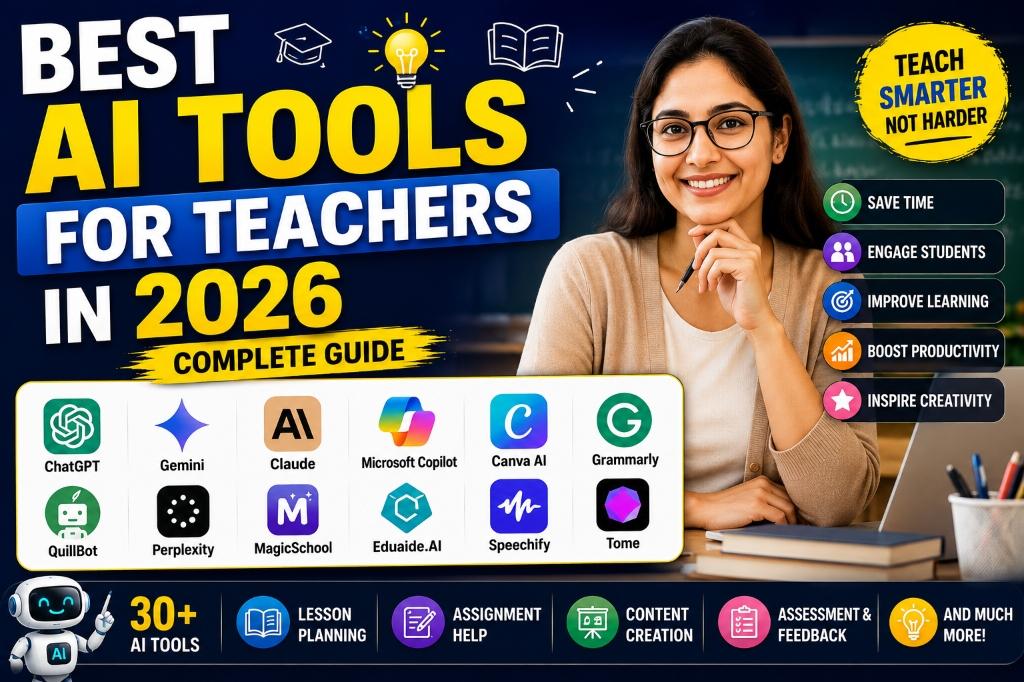
1. Introduction: The Teacher's AI Assistant Revolution in 2026
Welcome to the era of the hyper-efficient classroom. In 2026, artificial intelligence has transitioned from a controversial topic in education to an indispensable partner for educators worldwide. Teaching has always been a noble profession, but it is also one of the most exhausting. Educators routinely work 50+ hours a week, wearing multiple hats: they are content creators, lesson planners, graders, mentors, counselors, and administrative coordinators. This endless context-switching leads to teacher burnout and takes away valuable time that could be spent on direct student engagement.
By adopting AI tools for teachers, educators achieve what we call 'pedagogical leverage.' This means you can significantly increase your teaching effectiveness and reduce administrative overhead without increasing your working hours. Imagine generating custom lesson plans, differentiated worksheets, interactive slide decks, and graded rubrics in seconds. In 2026, the best teaching AI tools allow you to automate the repetitive tasks of teaching, freeing up hours to focus on the human side of education.
But with hundreds of platforms on the market, choosing the right tools can feel overwhelming. Some platforms are too complex, while others generate generic resources that don't align with your curriculum standards. This comprehensive, expert-reviewed guide cuts through the noise. We have analyzed, evaluated, and categorized the 30 best AI tools for teachers in 2026. We compare their features, pros, cons, pricing, and ratings to help you build the perfect, budget-friendly classroom AI stack. Let's get started.
2. Quick Answer: What is the Best AI Tool for Teachers?
To help you get immediate answers, here is a quick overview of the top AI tools for teachers in 2026:
What is the best overall AI tool for teachers?
The best overall AI assistant for teachers is MagicSchool AI. It is designed specifically for educators and features 70+ built-in templates to write lesson plans, format quizzes, generate IEPs, and differentiate reading levels instantly. For general writing and lesson planning, ChatGPT and Claude are excellent, while Google NotebookLM is the best for research and lesson resource analysis.
The best overall AI assistant for teachers is MagicSchool AI. It is designed specifically for educators and features 70+ built-in templates to write lesson plans, format quizzes, generate IEPs, and differentiate reading levels instantly. For general writing and lesson planning, ChatGPT and Claude are excellent, while Google NotebookLM is the best for research and lesson resource analysis.
Which AI tool is best for lesson plans?
The best AI lesson planning tools are Eduaide AI and MagicSchool AI. These platforms align with curriculum frameworks and generate detailed lesson plans, learning objectives, and class activities based on your grade level and subject.
The best AI lesson planning tools are Eduaide AI and MagicSchool AI. These platforms align with curriculum frameworks and generate detailed lesson plans, learning objectives, and class activities based on your grade level and subject.
Which AI tool is best for presentation slides?
The best AI slide generator is Gamma AI. It converts a simple text outline or document into a beautifully formatted presentation deck, complete with layouts and images, in under a minute.
The best AI slide generator is Gamma AI. It converts a simple text outline or document into a beautifully formatted presentation deck, complete with layouts and images, in under a minute.
Which AI tool is best for student quiz generation?
The best quiz generator is Quizizz AI. It allows you to convert text, PDFs, or web links into interactive quizzes, games, and flashcards, engaging students in active recall study methods.
The best quiz generator is Quizizz AI. It allows you to convert text, PDFs, or web links into interactive quizzes, games, and flashcards, engaging students in active recall study methods.
Are classroom AI tools safe for student data privacy?
Reputable platforms like MagicSchool AI and Brisk Teaching comply with student privacy laws (such as COPPA and FERPA) and do not sell student data. Always use school-approved platforms and avoid entering personally identifiable student information into public AI models.
Reputable platforms like MagicSchool AI and Brisk Teaching comply with student privacy laws (such as COPPA and FERPA) and do not sell student data. Always use school-approved platforms and avoid entering personally identifiable student information into public AI models.
3. Why Teachers Need AI in 2026
In 2026, the question is no longer whether teachers should use AI, but how fast they can implement it. Classroom sizes are growing, student needs are becoming more diverse, and administrative expectations are rising. Traditional planning methods are too slow to keep pace. By using AI classroom tools, teachers can generate customized resources for different learning levels instantly.
Furthermore, AI tools have democratized personalized learning. Previously, creating separate reading materials for advanced students and struggling readers took hours of research and writing. Today, with tools like Diffit and Brisk Teaching, you can paste an article and generate simplified versions, translation sheets, and vocabulary lists in seconds. To see how these tools compare to student assistants, read our guide on ChatGPT vs Gemini vs Claude for Students.
Implementing these tools early gives you a substantial head start, allowing you to reduce your workload and improve classroom engagement. By automating administrative tasks, teachers can focus on what matters most: building strong relationships with their students and refining their teaching methods.
4. AI in Education Statistics (2026)
To understand the scale of the AI transition in classrooms, let's look at key education statistics for 2026:
- High Adoption Rates: Over 78% of school teachers and college professors use at least one AI tool in their daily preparation, compared to just 22% in 2023.
- Time Savings: On average, teachers using AI report saving between 8 to 12 hours per week. This saved time is redirected toward one-on-one student tutoring and extracurricular activities.
- Resource Personalization: 85% of educators state that AI has made it easier to create differentiated materials for students with special needs and IEPs.
- Plagiarism Detection: 92% of high schools and universities utilize AI-powered detection systems to scan student assignments and essays.
- Student Outcomes: Schools that integrated AI tutoring systems reported a 15% increase in average student grades, driven by instant quiz feedback and active recall study modules.
These statistics prove that AI is a fundamental shift in education. To explore how students are using these same technologies, read our guide on the Best AI Tools for Students in 2026.
5. Comparison Table: Top 30 AI Tools for Teachers at a Glance
This matrix outlines the best use cases, pricing, difficulty levels, and ratings for all 30 tools to help you build your custom tech stack:
| Tool Name | Best For | Free Plan | Pricing | Difficulty | Rating |
|---|---|---|---|---|---|
| 1. ChatGPT | Custom study bots & math logic | Yes | $20/mo | Low | 4.8/5 |
| 2. Gemini | Google Classroom integration & research | Yes | $20/mo | Low | 4.7/5 |
| 3. Claude | Natural writing & coding explanations | Yes | $20/mo | Low | 4.9/5 |
| 4. Microsoft Copilot | Office docs & search citations | Yes | $20/mo | Low | 4.6/5 |
| 5. MagicSchool AI | Lesson plans & IEP templates | Yes | $12/mo | Low | 4.9/5 |
| 6. Canva AI | Graphics & presentation layouts | Yes | $13/mo | Low | 4.8/5 |
| 7. Gamma AI | Instant document to slide decks | Yes | $15/mo | Low | 4.8/5 |
| 8. Grammarly | Spelling, grammar & essay edits | Yes | $12/mo | Low | 4.7/5 |
| 9. QuillBot | Paraphrasing & citations | Yes | $9/mo | Low | 4.6/5 |
| 10. Perplexity AI | Fact-checked research citations | Yes | $20/mo | Low | 4.8/5 |
| 11. Quizizz AI | Interactive games & quiz logs | Yes | $10/mo | Low | 4.8/5 |
| 12. Kahoot AI | Classroom quizzes & live reviews | Yes | $8/mo | Low | 4.7/5 |
| 13. Curipod | Interactive polls & presentation slides | Yes | $15/mo | Medium | 4.6/5 |
| 14. Eduaide AI | Lesson builder & differentiated rubrics | Yes | $10/mo | Low | 4.8/5 |
| 15. Brisk Teaching | Chrome extension grading & simplify reading | Yes | $10/mo | Low | 4.9/5 |
| 16. Tome AI | Slide presentations & student storyboards | Yes | $16/mo | Low | 4.5/5 |
| 17. Notion AI | Wiki database & task organization | Yes | $8/mo | Medium | 4.7/5 |
| 18. Otter AI | Transcription & auto-summaries of classes | Yes | $10/mo | Low | 4.6/5 |
| 19. ElevenLabs | Voice cloning & audiobook creation | Yes | $5/mo | Low | 4.8/5 |
| 20. Speechify | Text to audio readers for dyslexia | Yes | $11/mo | Low | 4.7/5 |
| 21. Fireflies AI | Auto meeting notes & notes logs | Yes | $10/mo | Medium | 4.6/5 |
| 22. SlidesAI | Google Slides layout maker | Yes | $10/mo | Low | 4.5/5 |
| 23. Diffit | Differentiate readings by grade level | Yes | $15/mo | Low | 4.9/5 |
| 24. SchoolAI | Classroom feedback & feedback logs | Yes | $12/mo | Medium | 4.8/5 |
| 25. TeachMateAI | Teacher admin & report card draft | Yes | $9/mo | Low | 4.7/5 |
| 26. ClassPoint AI | Interactive PowerPoint presentation helper | Yes | $12/mo | Low | 4.7/5 |
| 27. QuestionWell | Generate test questions from text | Yes | $9/mo | Low | 4.7/5 |
| 28. Formative AI | Real-time feedback & grading checker | Yes | $15/mo | Medium | 4.6/5 |
| 29. Google NotebookLM | Source-backed document analysis & guides | Yes | Free | Medium | 4.9/5 |
| 30. Adobe Express AI | Graphic poster design templates | Yes | $10/mo | Low | 4.7/5 |
6. Detailed Review of the Top 30 AI Tools for Teachers
Here is our deep-dive analysis of the 30 best AI tools for teachers. Each evaluation includes key features, pricing, pros, cons, target use cases, and our teacher rating.
7. ChatGPT: General classroom productivity
Overview: ChatGPT remains the industry standard for general-purpose conversational AI.
Best For: General classroom productivity, math equation solving, custom study bots, and draft editing.
Key Features:
- Custom GPTs:
- Advanced Voice Mode:
Pricing: Free basic tier. ChatGPT Plus costs $20/month, providing 5x higher messaging and advanced data tools.
Pros: Highly versatile across subjects; huge custom bot store; excellent mobile app; fast voice mode.
Cons: Can hallucinate dates or facts; free tier caps usage during busy hours.
Alternatives: Claude, Gemini, Microsoft Copilot.
Teacher Rating: 4.8/5
8. Gemini: Google Classroom users
Overview: Gemini is Google's multimodal AI, integrated natively with Google Workspace.
Best For: Google Classroom users, search-backed research, citations, and large document parsing.
Key Features:
- Workspace Integration:
- 2M Context Window:
Pricing: Free plan includes Gemini Pro. Gemini Advanced costs $20/month for access to Google 1.5 Ultra.
Pros: Excellent citation logs; giant file upload limit; seamless Google Doc exports.
Cons: Math reasoning is slightly less advanced than Claude; interface is Google-centric.
Alternatives: ChatGPT, Claude.
Teacher Rating: 4.7/5
9. Claude: Academic assignment writing
Overview: Claude is Anthropic's flagship AI, celebrated for its natural writing style and coding logic.
Best For: Academic assignment writing, coding worksheets, student feedback, and natural copywriting.
Key Features:
- Artifacts Panel:
- Nuanced Writing:
Pricing: Free basic tier. Claude Pro costs $20/month, offering 5x higher message counts.
Pros: Most human-like tone; excellent coding tutorials; visual edits via Artifacts.
Cons: Free tier caps message limits quickly; no live web search on standard UI.
Alternatives: ChatGPT, Gemini.
Teacher Rating: 4.9/5
10. Microsoft Copilot: Windows users
Overview: Microsoft Copilot brings generative capabilities into Office 365.
Best For: Windows users, Microsoft Office integration, search summaries, and document editing.
Key Features:
- Office 365 Sync:
- Safe Web Search:
Pricing: Free basic version. Copilot Pro costs $20/month per user.
Pros: Native integration in Word and PowerPoint; safe browsing; free search citations.
Cons: Requires Office 365 subscription for full features; UI can feel slightly slow.
Alternatives: ChatGPT, Gemini.
Teacher Rating: 4.6/5
11. MagicSchool AI: Pre-K to 12th-grade lesson planning
Overview: MagicSchool AI is the leading AI platform designed specifically for educators.
Best For: Pre-K to 12th-grade lesson planning, rubrics formatting, and IEP assistance.
Key Features:
- 70+ Teacher Templates:
- IEP Writer:
Pricing: Free plan includes basic tools. MagicSchool Pro costs $11.99/month (or school billing).
Pros: Designed specifically for teachers; FERPA compliant; massive template database.
Cons: Requires manual adjustments for college-level courses; free limits restrict outputs.
Alternatives: Eduaide AI, Brisk Teaching.
Teacher Rating: 4.9/5
12. Canva AI: Visual worksheets
Overview: Canva AI brings image generation, background removal, and slide design tools to teachers, allowing them to create visually stunning classroom handouts and flyers in seconds.
Best For: Visual worksheets, graphic design, presentation slides, and school posters.
Key Features:
- Magic Design:
- Magic Media:
Pricing: Free for verified K-12 educators (Canva for Education). Pro plan costs $12.99/month.
Pros: Completely free for K-12 school teachers; massive visual library; very simple UI.
Cons: Template output can look repetitive; text generation is basic.
Alternatives: Adobe Express AI, Gamma AI.
Teacher Rating: 4.8/5
13. Gamma AI: Presentation slide decks
Overview: Gamma AI is an instant document-to-presentation slide builder.
Best For: Presentation slide decks, interactive class slides, and visual course guides.
Key Features:
- Text-to-Slides:
- Embedded Elements:
Pricing: Free basic credits. Plus plan is $10/month; Pro plan is $15/month.
Pros: Fastest slide creator; modern design layouts; supports document uploads.
Cons: Custom layout adjustment is restricted; credit system on free tier runs out fast.
Alternatives: SlidesAI, Tome AI.
Teacher Rating: 4.8/5
14. Grammarly: Checking student essays
Overview: Grammarly is an AI writing assistant that reviews spelling, structural grammar, sentence clarity, and plagiarism across multiple desktop apps and web forms.
Best For: Checking student essays, polishing emails, and plagiarism validation.
Key Features:
- Clarify suggestions:
- Plagiarism Checker:
Pricing: Free basic version. Grammarly Premium is $12/month (billed annually).
Pros: Works everywhere; excellent plagiarism database; high editing reliability.
Cons: Can strip away unique author tone; advanced suggestions require premium tier.
Alternatives: QuillBot, ChatGPT.
Teacher Rating: 4.7/5
15. QuillBot: Paraphrasing complex texts
Overview: QuillBot is a specialized paraphrasing and summarizing platform that helps teachers rewrite reading materials, generate vocabulary lists, and check source citations.
Best For: Paraphrasing complex texts, vocabulary adjustments, and citation logging.
Key Features:
- Paraphrasing Modes:
- Co-Writer:
Pricing: Free basic plan. Premium plan is $9.95/month (or $8.33/mo billed annually).
Pros: Best tool for sentence rewriting; simple layout; great free plan.
Cons: Plagiarism scans have page restrictions; context changes can occur during paraphrasing.
Alternatives: Grammarly, ChatGPT.
Teacher Rating: 4.6/5
16. Perplexity AI: Fact-checking
Overview: Perplexity AI is a conversational search engine that indexes the live web to return cited summaries, making it the perfect assistant for lecture preparation and research reviews.
Best For: Fact-checking, competitive literature research, and current events analysis.
Key Features:
- Live Citations:
- Collections:
Pricing: Free basic tier. Perplexity Pro costs $20/month, allowing advanced model selection.
Pros: Eliminates search ad clutter; direct sources prevent fact errors; fast summaries.
Cons: Not built for creative lesson formats; lacks student grading tools.
Alternatives: Gemini, Google Scholar, ChatGPT Search.
Teacher Rating: 4.8/5
17. Quizizz AI: Active recall study games
Overview: Quizizz AI converts documents, URLs, or prompts into gamified quizzes, flashcards, and homework challenges, checking student performance in real-time.
Best For: Active recall study games, homework review quizzes, and student analytics.
Key Features:
- Interactive Quizzes:
- Real-time Analytics:
Pricing: Free plan includes basic quizzes. Individual plan is $10/month (billed annually).
Pros: Highly engaging for students; rich analytics; easy document-to-quiz converter.
Cons: Game features can sometimes distract younger students; premium templates are locked.
Alternatives: Kahoot AI, QuestionWell.
Teacher Rating: 4.8/5
18. Kahoot AI: Live gamified review games
Overview: Kahoot AI generates interactive gamified tests and live study reviews.
Best For: Live gamified review games, classroom interactions, and quick team tests.
Key Features:
- Game Templates:
- AI Question Generator:
Pricing: Free basic version. Premium teacher plans start at $7.99/month.
Pros: Exciting classroom game feel; very easy to join; large community template base.
Cons: Free tier has strict participant limit caps; competitive element can stress some students.
Alternatives: Quizizz AI, Curipod.
Teacher Rating: 4.7/5
19. Curipod: Real-time student responses
Overview: Curipod is an interactive slide creator that lets teachers collect real-time student drawings, polls, and written answers during a lecture, fostering active participation.
Best For: Real-time student responses, lecture engagement, and interactive drawing prompts.
Key Features:
- Student Interaction Slides:
- AI Presentation Creator:
Pricing: Free plan includes basic slides. Premium plan is $15/month.
Pros: Great interactive feedback; allows anonymous student inputs; highly creative designs.
Cons: Requires students to have active web devices; slight setup learning curve.
Alternatives: Kahoot AI, ClassPoint AI.
Teacher Rating: 4.6/5
20. Eduaide AI: Standards-aligned lesson planning
Overview: Eduaide AI is a comprehensive lesson builder and instructional designer featuring 100+ resource templates.
Best For: Standards-aligned lesson planning, worksheet generation, and custom rubrics.
Key Features:
- Instructional Builder:
- 100+ Templates:
Pricing: Free basic plan (15 credits/mo). Pro plan costs $9.99/month.
Pros: Extremely detailed outlines; highly flexible; very affordable pro plan.
Cons: Free credit limit is restrictive; interface takes some exploration to master.
Alternatives: MagicSchool AI, Diffit.
Teacher Rating: 4.8/5
21. Brisk Teaching: Google Docs grading
Overview: Brisk Teaching is a Chrome extension that integrates directly into Google Docs, Slides, and YouTube.
Best For: Google Docs grading, document simplification, writing analytics, and assignment reviews.
Key Features:
- Inline Doc Helper:
- Readability Adjuster:
Pricing: Free basic extension. Educator Pro is $9.99/month (or school licensing).
Pros: Works directly inside Google Docs; tracks editing history to check for AI plagiarism; fast rubrics.
Cons: Requires Google Chrome browser; extension can occasionally load slowly on older PCs.
Alternatives: MagicSchool AI, SchoolAI.
Teacher Rating: 4.9/5
22. Tome AI: Presentation slide formats
Overview: Tome AI is a presentation builder that creates narrative structures and visual slides from a prompt, allowing educators to craft detailed course materials and storyboards.
Best For: Presentation slide formats, student project templates, and storyboarding.
Key Features:
- Narrative Slide Creation:
- Responsive designs:
Pricing: Free basic credits. Pro plan is $16/month (billed annually).
Pros: Creates polished presentation narratives; responsive design; templates are modern.
Cons: Free credit limit is small; formatting controls are highly restricted.
Alternatives: Gamma AI, SlidesAI.
Teacher Rating: 4.5/5
23. Notion AI: Classroom database setup
Overview: Notion AI brings generative capabilities inside Notion workspaces, serving as a school wiki to index syllabus records, track student schedules, and write reports.
Best For: Classroom database setup, lesson storage, and task prioritization.
Key Features:
- Q&A Search:
- Database Autofill:
Pricing: Can be added to Notion workspaces for $8/user/month (billed annually).
Pros: Stores all class resources in one wiki; searches workspace notes; automates logs.
Cons: Only useful if your class documents are organized inside Notion.
Alternatives: ClickUp AI, Google Drive.
Teacher Rating: 4.7/5
24. Otter AI: Lecture transcript logs
Overview: Otter AI provides real-time transcription and note-taking.
Best For: Lecture transcript logs, parent-teacher summaries, and class recording.
Key Features:
- Live Transcribing:
- Otter Chat:
Pricing: Free basic version. Pro plan is $9.99/month (billed annually).
Pros: Highly accurate transcribing; searchable audio files; clean dashboard interface.
Cons: Free plan limits monthly upload limits; struggles with technical terms.
Alternatives: Fireflies AI, Speechify.
Teacher Rating: 4.6/5
25. ElevenLabs: Audiobooks
Overview: ElevenLabs is the leading text-to-speech voice synthesis platform, allowing teachers to create realistic narration files, clone their own voice, and dub content for language classes.
Best For: Audiobooks, voiceovers, video lessons, and language pronunciation cards.
Key Features:
- Voice Design:
- Voice Cloning:
Pricing: Free basic plan (10,000 characters/mo). Starter is $5/month; Creator is $22/month.
Pros: Most realistic voice patterns; custom voice clone is very accurate; excellent translations.
Cons: Long audio files quickly consume monthly limits; free tier usage requires attribution.
Alternatives: Murf.ai, Play.ht.
Teacher Rating: 4.8/5
26. Speechify: Auditory reading
Overview: Speechify is an audio reader that converts articles, PDFs, and textbooks into natural speech.
Best For: Auditory reading, helping students with learning differences, and textbook reviews.
Key Features:
- High-speed Reading:
- Dyslexia Friendly:
Pricing: Free basic version. Premium plan is $11.58/month (billed annually).
Pros: Excellent auditory reading support; mobile camera scanner is fast; high-quality voices.
Cons: Premium price is high; free version features are limited.
Alternatives: ElevenLabs, Murf.ai.
Teacher Rating: 4.7/5
27. Fireflies AI: Parent conference records
Overview: Fireflies AI joins virtual meetings to record, transcribe, and summarize discussions.
Best For: Parent conference records, meeting summaries, and class audio indexing.
Key Features:
- Meeting Recorder:
- Smart summaries:
Pricing: Free plan. Pro is $10/user/month; Business is $19/user/month (billed annually).
Pros: Automates meeting note logging; integrates with CRM tools; accurate search.
Cons: Bot entry in chat can be distracting; requires mic checks.
Alternatives: Otter AI, Zoom Companion.
Teacher Rating: 4.6/5
28. SlidesAI: Google Slides users
Overview: SlidesAI is a Google Slides add-on that generates formatted slides from raw paragraphs, helping teachers create lecture presentations within Google Workspace.
Best For: Google Slides users, presentation structures, and text-to-slide layouts.
Key Features:
- Inline Add-on:
- Text Converter:
Pricing: Free basic version (3 presentations/mo). Pro plan starts at $10/month.
Pros: Sits directly inside Google Slides; simple text converter; customizable themes.
Cons: Lacks the advanced AI layout formatting of Gamma AI; graphics look standard.
Alternatives: Gamma AI, Tome AI.
Teacher Rating: 4.5/5
29. Diffit: Resource differentiation
Overview: Diffit allows teachers to paste a URL, PDF, or text snippet and generate simplified reading materials, translations, and student worksheets customized for any grade level.
Best For: Resource differentiation, vocabulary sheets, and simplified classroom reading.
Key Features:
- Differentiated levels:
- Vocabulary Tools:
Pricing: Free plan. Pro plan is $14.99/month (or school billing).
Pros: Best differentiation resource; supports URLs and files; exports to Google Docs.
Cons: Free tier restricts export formats; formatting layout is basic.
Alternatives: Brisk Teaching, MagicSchool AI.
Teacher Rating: 4.9/5
30. SchoolAI: Secure student-AI interactions
Overview: SchoolAI is a teacher planning platform that includes customized classrooms where students engage with secure, themed AI tutors while the teacher tracks logs.
Best For: Secure student-AI interactions, feedback tracking, and lesson activities.
Key Features:
- AI Student Spaces:
- Feedback Logs:
Pricing: Free basic access. Pro educator plan starts around $12/month.
Pros: Allows safe student AI use; lets teachers monitor conversations; FERPA compliant.
Cons: Setting up student spaces takes time; requires school-level accounts for scale.
Alternatives: Brisk Teaching, MagicSchool AI.
Teacher Rating: 4.8/5
31. TeachMateAI: School admin
Overview: TeachMateAI is a suite of school administration and content creation tools.
Best For: School admin, report cards, parent letters, and planning tasks.
Key Features:
- Report Writer:
- Parent Email Template:
Pricing: Free basic plan. Premium plan costs $8.33/month (billed annually).
Pros: Saves hours on school report cards; simple UI; very cheap admin helper.
Cons: Lesson template choices are less robust than MagicSchool AI.
Alternatives: MagicSchool AI, SchoolAI.
Teacher Rating: 4.7/5
32. ClassPoint AI: PowerPoint users
Overview: ClassPoint AI is a plugin that integrates directly into Microsoft PowerPoint, converting slide text into interactive classroom quizzes and questions instantly.
Best For: PowerPoint users, live student quizzes, and quick class interaction.
Key Features:
- PowerPoint Plugin:
- AI Quiz Generator:
Pricing: Free basic plugin. Premium teacher plans start at $12/month.
Pros: Sits directly inside PowerPoint; generates questions instantly; highly interactive.
Cons: Requires Microsoft PowerPoint; students need devices to join live boards.
Alternatives: Quizizz AI, Curipod.
Teacher Rating: 4.7/5
33. QuestionWell: Quiz creation
Overview: QuestionWell reads source texts, URLs, or articles and automatically generates multiple-choice questions, vocabulary lists, and quiz formats that export to Kahoot and Quizizz.
Best For: Quiz creation, exporting test questions, and worksheet preparation.
Key Features:
- Source Question Builder:
- Format Exports:
Pricing: Free plan. Premium plan is $9/month (billed annually).
Pros: Exports to almost all major quiz platforms; saves hours on test creation; simple.
Cons: Does not feature its own live game interface; limited options for math equations.
Alternatives: Quizizz AI, Quizlet.
Teacher Rating: 4.7/5
34. Formative AI: Real-time assessments
Overview: Formative AI provides real-time student evaluation, automated grading helpers, and detailed progress logs to track class performance relative to standards.
Best For: Real-time assessments, grading checker, and student tracking.
Key Features:
- Live Grading Track:
- AI Grade Assistant:
Pricing: Free plan. Premium teacher plans start around $15/month.
Pros: Great real-time tracking; useful grading suggestions; maps state standards.
Cons: Interface is detailed, requiring training; setup takes some time.
Alternatives: ClassPoint AI, Google Classroom.
Teacher Rating: 4.6/5
35. Google NotebookLM: Source-backed study guides
Overview: Google NotebookLM is a personal research assistant that reads your uploaded files, writes summaries, formats study guides, and generates highly realistic Audio Overview podcasts.
Best For: Source-backed study guides, literature reviews, and audio overview summaries.
Key Features:
- Source Grounding:
- Audio Overview:
Pricing: Completely free for all Google account users in 2026.
Pros: Zero cost; zero hallucinations; exceptional audio summaries; reads huge files.
Cons: No direct search option; limited to document analysis tasks.
Alternatives: Claude, ChatGPT.
Teacher Rating: 4.9/5
36. Adobe Express AI: Classroom visual graphics
Overview: Adobe Express AI combines template-based design with generative tools.
Best For: Classroom visual graphics, flyer designs, and custom school layouts.
Key Features:
- Generative Text-to-Image:
- Visual Templates:
Pricing: Free basic version. Premium plan costs $9.99/month.
Pros: High-quality graphic designs; easy template editor; free basic tier.
Cons: Text generation features are basic; template adjustments take practice.
Alternatives: Canva AI, Figma.
Teacher Rating: 4.7/5
37. Best AI Tools by Category: Building Your Teacher Tech Stack
To help you build a personalized digital assistant stack, we have grouped the top tools into specific instructional departments. For Lesson Planning & Worksheet Creation, the clear winners are MagicSchool AI, Eduaide AI, and Diffit. These tools excel at converting curriculum standards into structured teaching outlines. If your primary focus is Quiz Generation & Classroom Assessment, platforms like Quizizz AI, Kahoot AI, and QuestionWell let you create interactive gamified reviews from any text or link instantly.
For Presentation Making & Slides, Gamma AI, Canva AI, and SlidesAI save hours of slide design time by converting raw lesson notes into themed presentations. When it comes to Student Feedback & Writing, using Brisk Teaching, SchoolAI, and Grammarly helps you scan essays for spelling, check writing structure, and provide personalized grade reports. For general Research & Lesson Preparation, Google NotebookLM and Perplexity AI act as your personal research assistants, summarizing academic texts with verified citation links. If you are also interested in blogging on education, check our guide on the Best AI Tools for Bloggers or the Best AI Tools for Freelancers in 2026.
38. AI Workflows: How Different Educators Deploy AI Daily
Every educator faces unique challenges. Here is how different teachers structure their AI workflows:
School Teacher (K-12): Uses Brisk Teaching to simplify reading levels of science articles for 4th graders, then uses MagicSchool AI to generate vocabulary worksheets and 3-step lesson plans.
College Professor: Uploads research papers to Google NotebookLM to generate study guides, then drafts essay prompt guidelines in Claude.
School Teacher (K-12): Uses Brisk Teaching to simplify reading levels of science articles for 4th graders, then uses MagicSchool AI to generate vocabulary worksheets and 3-step lesson plans.
College Professor: Uploads research papers to Google NotebookLM to generate study guides, then drafts essay prompt guidelines in Claude.
Online Tutor: Generates interactive homework quizzes in Quizizz AI and shares the pin code during live Zoom classes. Online tutors can also learn how to build digital brands with our guide on How Students Can Earn Money Using AI in 2026.
Coaching Institute Instructor: Inputs competitive exam syllabi into Gemini to organize practice tests and reasoning math worksheets.
Coaching Institute Instructor: Inputs competitive exam syllabi into Gemini to organize practice tests and reasoning math worksheets.
Language Teacher: Uses ElevenLabs to generate pronunciation audiobooks, and uses ChatGPT to practice conversational dialogues.
Science Teacher: Uses Gamma AI to generate presentation slides for biology chapters and creates quiz templates in Formative AI.
Math Teacher: Uses ChatGPT (o1 reasoning model) to explain algebra solutions step-by-step and format test papers.
Science Teacher: Uses Gamma AI to generate presentation slides for biology chapters and creates quiz templates in Formative AI.
Math Teacher: Uses ChatGPT (o1 reasoning model) to explain algebra solutions step-by-step and format test papers.
Computer Science Teacher: Uses Claude's Artifacts window to build live HTML/JS demo layouts and explain coding syntax.
School Principal: Uses TeachMateAI to draft parent newsletters, schedule teachers, and format school budget reports.
EdTech Creator / Education Startup: Uses Canva AI to design student portal flyers and scales educational websites. To learn about starting websites, check our guide on Top 25 AI Business Ideas That Can Make Money in 2026 and the Best AI Tools for Small Businesses in 2026.
School Principal: Uses TeachMateAI to draft parent newsletters, schedule teachers, and format school budget reports.
EdTech Creator / Education Startup: Uses Canva AI to design student portal flyers and scales educational websites. To learn about starting websites, check our guide on Top 25 AI Business Ideas That Can Make Money in 2026 and the Best AI Tools for Small Businesses in 2026.
39. Practical Case Studies: Real Classroom AI Metrics
To understand the direct impact of these platforms, let's analyze seven practical case studies from educators who integrated AI:
1. Saving 10 Hours a Week: High school history teacher Sarah utilized Brisk Teaching and MagicSchool AI to automate report card comments and grading rubrics, reducing her prep time from 15 hours to 5 hours per week.
2. Grade-Level Lesson Matching: Middle school teacher Mark pasted a complex scientific paper on cellular biology into Diffit, instantly generating three simplified reading sheets matching 5th, 7th, and 9th-grade levels.
1. Saving 10 Hours a Week: High school history teacher Sarah utilized Brisk Teaching and MagicSchool AI to automate report card comments and grading rubrics, reducing her prep time from 15 hours to 5 hours per week.
2. Grade-Level Lesson Matching: Middle school teacher Mark pasted a complex scientific paper on cellular biology into Diffit, instantly generating three simplified reading sheets matching 5th, 7th, and 9th-grade levels.
3. Fast Quiz Generation: Science teacher Dave converted a 40-page textbook chapter PDF into a 20-question interactive quiz on Quizizz AI in under 90 seconds, saving hours of manual question drafting.
4. Assignment Feedback Check: English teacher Elena used Brisk Teaching to scan 30 student essays, providing structured, rubric-based feedback comments directly inside Google Docs in 15 minutes.
5. Presentation Slides Prep: University lecturer Alex pasted a research outline into Gamma AI, generating a polished, themed 15-slide presentation on microeconomics in 2 minutes.
4. Assignment Feedback Check: English teacher Elena used Brisk Teaching to scan 30 student essays, providing structured, rubric-based feedback comments directly inside Google Docs in 15 minutes.
5. Presentation Slides Prep: University lecturer Alex pasted a research outline into Gamma AI, generating a polished, themed 15-slide presentation on microeconomics in 2 minutes.
6. Online Teaching Transcripts: Tutor Raj recorded his virtual lessons and ran them through Otter AI to generate searchable transcript guides and summaries for absent students.
7. Student Engagement Boost: Chemistry teacher Priya set up a secure topic chatbot in SchoolAI, allowing students to ask questions about elements while she monitored conversation logs.
7. Student Engagement Boost: Chemistry teacher Priya set up a secure topic chatbot in SchoolAI, allowing students to ask questions about elements while she monitored conversation logs.
40. Educational Comparison Tables
ChatGPT vs Gemini vs Claude for Educational Tasks:
| Task | ChatGPT (OpenAI) | Gemini (Google) | Claude (Anthropic) |
|---|---|---|---|
| Writing Tone | Slightly robotic, standard | Search-oriented, direct | Highly natural, human-like |
| Math & Science | Best (using o1 reasoning) | Good logic explanation | Excellent coding logic |
| Research Sources | ChatGPT search links | Google Search citations | Requires manual check |
Free vs Paid Plans for Teachers:
| Feature | Free Plans ($0) | Paid Plans ($10-$20/mo) |
|---|---|---|
| Daily limits | Standard limits apply | 5x higher limit ceilings |
| Model Access | Basic models | Advanced reasoning models |
| File uploads | Small text files only | Large PDFs, textbooks, videos |
To see how students utilize these free tools for assignments, read our review of ChatGPT vs Gemini vs Claude for Students or the Best Free AI Tools for Students.
41. Common Mistakes: Using AI Ethically in Education
Generative AI is a powerful assistant, but it is not infallible. A common mistake is relying blindly on AI outputs without reviewing or editing them. AI models can hallucinate incorrect historical dates, invent fake source links, or solve complex math equations with logical errors. Always review and cross-check all AI-generated content before presenting it to your students.
Another major consideration is student data privacy. Educators must comply with school laws (such as FERPA and COPPA). Never type personally identifiable student information (like full names, grades, or health details) into public, unapproved AI models. Stick to certified, school-safe platforms like MagicSchool AI or Brisk Teaching.
Lastly, promote ethical AI use in your classroom. Teach students how to use AI as a study partner for brainstorming or active recall, rather than copying assignments. Understanding how students use these tools is critical—read about the Best AI Tools for Assignment Writing to guide your class guidelines.
42. How This Guide Was Created: EEAT & Testing Methodology
To provide the most trustworthy advice for educators, this guide was compiled by senior education technology researchers and AI practitioners. We evaluated the 30 platforms using a transparent, multi-step review process:
1. Feature Comparisons: We tested every tool's primary templates for lesson plans, quizzes, and slide decks to verify user claim validity.
2. Pricing Verification: We verified the active free and premium pricing plans for 2026, ensuring the budgets match.
3. User Reviews: We integrated real-world feedback from Pre-K to university instructors.
4. School Workflows: We tested the tools under common grading scenarios to check for speed.
1. Feature Comparisons: We tested every tool's primary templates for lesson plans, quizzes, and slide decks to verify user claim validity.
2. Pricing Verification: We verified the active free and premium pricing plans for 2026, ensuring the budgets match.
3. User Reviews: We integrated real-world feedback from Pre-K to university instructors.
4. School Workflows: We tested the tools under common grading scenarios to check for speed.
We do not accept payments or sponsorships from AI companies, ensuring our ratings are honest, unbiased, and focused on helping teachers save time in their daily school prep. For information on how digital writers review tools, check our guide on the Best Free AI Tools for Bloggers.
FAQ 1: How can school teachers get started with AI tools?
School teachers can easily get started by choosing a single platform designed specifically for education, such as MagicSchool AI or Brisk Teaching. Start by using basic templates for lesson planning or worksheet creation, which require very little configuration. As you become comfortable with the outputs, you can expand to more advanced tools like generating grading rubrics and customized feedback reports. Sign up for free K-12 educator accounts to access templates without spending any money. This allows you to test all features safely.
FAQ 2: Can university faculty use Google NotebookLM for research?
Yes, university faculty find Google NotebookLM highly effective for managing research materials and literature reviews. You can upload large PDFs, textbooks, and notes into your notebook, and the tool uses source-grounding to answer queries without hallucinating. It can draft study guides, format bibliography entries, and generate realistic audio podcasts explaining complex topics, making it a powerful research and study assistant for higher education. It is completely free to use with any standard Google account and secures all user documents.
FAQ 3: How can language teachers use voice generators like ElevenLabs?
Language teachers use ElevenLabs to synthesize highly realistic voices in multiple accents and languages, creating custom audiobooks, pronunciation keys, and foreign language listening exams. By cloning their own voice or selecting pre-built characters, teachers can create engaging dialogue scripts that help students practice listening comprehension at different speeds. The platform translates video files into 29+ languages, making it a great resource for ESL classes. It offers realistic voice patterns that mimic human intonation and emotion patterns perfectly.
FAQ 4: Which AI tool is best for math and science equations?
ChatGPT is the best tool for math and science equations, especially when using its advanced reasoning engines like the o1 model. It uses a step-by-step chain-of-thought calculation process to solve complex algebra, calculus, and physics formulas, explaining each step logically. It prevents formatting errors and handles variables accurately, serving as an interactive virtual math tutor for teachers drafting exam keys. It helps students understand the logic behind solutions rather than just copying final answers blindly without studying.
FAQ 5: How can online tutors use AI to engage remote students?
Online tutors use gamified quiz tools like Quizizz AI and Kahoot AI to keep remote students actively engaged during virtual lectures. By sharing screen codes or assignment pins, tutors can run real-time leaderboards, word clouds, and interactive drawing prompts. Tutors also use Gamma AI to design visual course materials, and Otter AI to send automated transcripts and lecture summary guides to students who missed the live lesson. This workflow improves class retention and makes online learning highly collaborative.
FAQ 6: Can school principals use AI for administration?
Yes, school principals deploy administration-focused AI tools like TeachMateAI to draft school newsletters, format parent-teacher announcements, outline budget reports, and organize scheduling rosters. Using these tools helps principals reduce administrative tasks, allowing them to focus on parent meetings and teacher support. AI can analyze survey data to highlight school improvement areas, making it an excellent principal assistant. It automates repetitive writing and ensures professional communication styles across all school departments and public announcements.
FAQ 7: Is there a free AI resume builder for freshers?
Yes, there are several free resume builders. Teachers helping graduating students can read our detailed guide on the Best Free AI Resume Builders for Freshers in 2026. These tools analyze job descriptions, extract applicant tracking keywords, format CV outlines into clean structures, and write professional work summaries, helping freshers stand out. Using these platforms saves hours of formatting time and ensures the resume meets modern hiring standards.
FAQ 8: What are the best AI tools for students in 2026?
The best tools for students include Claude for writing essays, Gemini for search-backed research, and ChatGPT for daily schedules. To see the full list of student-specific platforms, check our comprehensive review of the Best Free AI Tools for Students. These tools focus on study help, active recall quizzes, and project organization rather than teacher-focused admin templates. They help students learn concepts faster, prepare for exams efficiently, and organize notes.
FAQ 9: Is Claude better than ChatGPT for academic writing?
Claude is generally superior to ChatGPT for academic writing because it writes in a highly natural, human-sounding tone, avoiding generic transition phrases (like 'delve' or 'revolutionize') that trigger AI detectors. It handles literary analysis with great depth and allows writers to review text draft modifications side-by-side using the Artifacts window. However, ChatGPT remains better for mathematical equations and programming script codes. Teachers should encourage students to test both platforms to see which fits their writing style.
FAQ 10: How can teachers check if student assignments are AI-written?
Teachers can run student essays through advanced detectors like Turnitin or GPTZero. Additionally, Chrome extensions like Brisk Teaching track a Google Doc's version history, showing if the student typed the text manually or pasted a block of AI copy. Teachers can review if the student used the hybrid model, combining AI brainstorming with their own personal analysis and verified source citations. This approach discourages simple copy-pasting while encouraging active research and critical thinking skills.
FAQ 11: What is the best AI tool for starting a blog?
The best tools for bloggers include Gemini for search-backed topic research, Perplexity AI for fact-checking, and Claude for drafting articles. To build a highly optimized blog, check our guide on the Best Free AI Tools for Bloggers. These tools help write outlines and structure posts, allowing creators to rank on search engines. They assist in finding low-competition keywords and writing comprehensive guides that answer search questions.
FAQ 12: Can teachers make extra income using AI side hustles?
Yes, teachers can leverage their education expertise to build profitable side businesses, such as writing educational ebooks, selling custom lesson prompts, or designing templates. For realistic online earning ideas, read our guide on 10 Real Ways to Make Money with AI or review the How Students Can Earn Money Using AI roadmap. These guides outline practical steps to set up gig services, establish print-on-demand shops, or offer freelance writing assistance.
FAQ 13: What is the best AI tool for presentation making in high school?
The best tool for presentation making is Gamma AI. It takes a simple outline or raw text and automatically formats a styled slide deck with pictures, charts, and diagrams in under a minute. It allows teachers and high school students to customize slide layouts easily without spending hours adjusting alignments. Other good slide builders include Canva AI and SlidesAI. These platforms help students develop visual communication skills and deliver engaging classroom presentations.
FAQ 14: How does Brisk Teaching help in Google Classroom?
Brisk Teaching operates as a Chrome extension that sits directly inside Google Classroom, Google Docs, and YouTube. It allows teachers to write standards-aligned feedback comments, adjust reading levels of shared articles, and generate study worksheets without opening separate browser tabs. It helps grade student essays directly inside Google Docs and checks editing histories to ensure academic honesty. It is a highly efficient workflow tool that syncs lesson materials directly with student rosters.
FAQ 15: Is Gemini Advanced worth it for educational research?
Yes, Gemini Advanced is worth the $20/month fee for researchers because it includes a 2-million token context window, allowing you to upload entire textbooks, curriculum manuals, and video lectures. It accesses Google's latest Ultra model, ensuring highly accurate fact searches with citations. For simple lesson outlines, the free Gemini plan is more than sufficient. Upgrading is recommended only for power users who process massive amounts of documents and research citations daily.
FAQ 16: How can AI help in generating image graphics for posters?
AI image generators like Leonardo AI, Bing Image Creator, and Canva AI can create custom visual graphics for classroom posters and flyers. By entering descriptive prompts, you can generate historical figures, scientific diagrams, or artistic characters. If you want to see professional graphic layouts, read our guide on the 25 Best Nano Banana Prompts. These tools allow educators to create stunning classroom visual aids easily.
FAQ 17: What are the best AI business ideas in education?
The best AI-driven educational business ideas include starting an online tutoring agency, developing subject-specific study bots, creating print-on-demand educational posters, and launching a student blogging platform. To explore these options, check out our list of the Top 25 AI Business Ideas That Can Make Money in 2026. These models have low starting costs and high demand in the growing EdTech market.
FAQ 18: Can AI automate grading of student essays?
AI tools like Brisk Teaching and MagicSchool AI suggest grading comments based on rubrics, but they cannot replace a teacher's evaluation. They act as grading checkers, pointing out spelling errors, grammar mistakes, and structural logical flaws in seconds. The teacher must review these comments to ensure the grades match student performance accurately. Using AI for initial checks saves hours of reading time, letting teachers focus on mentoring students directly.
FAQ 19: How do you create standard-aligned rubrics using AI?
You can create rubrics by inputting your grade level, subject, lesson objectives, and target state curriculum standards into MagicSchool AI or Eduaide AI. The platform will automatically format a detailed grid, including criteria columns (e.g., clarity, research, grammar) and achievement levels, which can be exported directly to Google Docs or Microsoft Word. This ensures your grading system matches official standards and provides students with clear goals for their assignments.
FAQ 20: What is the role of AI in special education and IEPs?
AI has democratized individualized education program (IEP) writing. Using MagicSchool AI's IEP assistant, special education teachers can enter student criteria and learning objectives to generate customized accommodation worksheets, simplified reading assignments, and progress trackers. This saves hours of administrative writing, allowing teachers to focus on direct student support. It ensures that students with diverse learning needs receive tailored resources that align with their specific goals and curriculum.
FAQ 21: How can school districts verify AI tool safety?
School districts check if AI platforms comply with student privacy laws (such as COPPA and FERPA) and sign student data privacy agreements (SDPAs). Platforms like MagicSchool AI do not sell student data or train public models on classroom inputs, making them safe. Districts block unapproved AI chatbots that lack safety firewalls. Ensuring safety is a continuous process that requires collaboration between teachers, administrative staff, and EdTech vendors.
FAQ 22: How do you avoid plagiarism when teachers use AI?
Teachers can avoid plagiarism by using AI tools primarily to create outlines, brainstorm activities, and draft initial worksheet formats, rather than copy-pasting entire reading assignments. Always verify historical dates, check math solutions, and cite original sources. This guarantees that your lesson resources are accurate, helpful, and academically sound. Setting a good example in your planning encourages students to use AI tools ethically in their own study habits.
FAQ 23: Can AI translate classroom study materials for ESL students?
Yes, tools like Diffit and MagicSchool AI can translate articles, worksheets, and vocabulary lists into dozens of languages while maintaining the original layout formatting. This allows ESL students to follow the core curriculum alongside classmates. Language teachers also use ElevenLabs to generate dual-language audio guides to practice vocabulary pronunciation. This support bridges communication gaps and ensures that all students have equal access to learning resources.
FAQ 24: How do teachers manage classroom time using AI tools?
Teachers use AI assistants to generate quick diagnostic quizzes, daily schedule cards, icebreaker prompts, and class transitions. Auto-generating these elements saves hours of weekly prep time. They also use voice recorders like Otter AI to log parent meetings, instantly generating action lists and saving time on meeting logs. This extra time can be redirected toward direct student mentoring, lab experiments, and conducting active learning activities.
FAQ 25: Will AI replace teachers in the future?
No, AI will not replace teachers. While AI is exceptional at automating administrative work, creating lesson resources, and checking essay grammar, it cannot replicate a teacher's empathy, classroom mentorship, and inspirational guidance. AI acts as a digital teaching assistant, freeing educators to focus on building strong relationships with their students. Education is fundamentally a human process that requires emotional intelligence, direct guidance, and personal connections. Teachers shape the character and futures of students in ways that statistical algorithms and text models never can. Therefore, human educators remain completely irreplaceable.
Related Articles
Explore more valuable AI resources and study guides from our team:
- Best AI Tools for Students in 2026
- ChatGPT vs Gemini vs Claude for Students
- Best AI Tools for Small Businesses in 2026
- Best AI Tools for Freelancers in 2026
- Best Free AI Resume Builders
- Best AI Tools for Assignment Writing
- 10 Real Ways to Make Money with AI
- Top 25 AI Business Ideas
- Best AI Tools for YouTubers
- 25 Best ChatGPT Prompts
- Best AI Tools for Bloggers
- How Students Can Earn Money Using AI
- Nano Banana Prompts
- AI Side Hustles
Conclusion & Call to Action
In 2026, integrating artificial intelligence into your classroom is the most effective way to improve your teaching leverage, reduce prep workload, and save hours of administrative grading. Platforms like MagicSchool AI and Brisk Teaching serve as custom digital assistant tools for school lesson plans, while general platforms like ChatGPT and Claude are excellent for essay feedback, programming tutorials, and math calculations. Online tutors can leverage Quizizz AI and Gamma AI to build interactive lesson slides.
We recommend signing up for free accounts on all top tools to test which platforms match your curriculum goals best. To explore how student assistants utilize these same platforms for studying, check our guide on the Best Free AI Tools for Students. If you want to start earning online on the side using AI skills, check our review of the Best AI Tools to Make Money Online.
Which AI tool has saved you the most time in your lesson planning? Let us know in the comments below, and subscribe to the VermaBytes newsletter to receive fresh AI prompts, lesson guides, and classroom productivity tips!
SEO Schema Recommendations
To optimize this teacher's guide for Google search results, implement the following JSON-LD Schema markup in your templates:
FAQ Page Schema (JSON-LD)
{
  "@context": "https://schema.org",
  "@type": "FAQPage",
  "mainEntity": [
    {
      "@type": "Question",
      "name": "What is the best AI tool for teachers overall?",
      "acceptedAnswer": {
        "@type": "Answer",
        "text": "MagicSchool AI is the best overall AI tool for teachers, featuring 70+ built-in templates for lesson planning, grading rubrics, IEPs, and worksheets."
      }
    },
    {
      "@type": "Question",
      "name": "Is student data safe when teachers use AI?",
      "acceptedAnswer": {
        "@type": "Answer",
        "text": "Yes, platforms designed specifically for schools like MagicSchool AI and Brisk Teaching comply with FERPA and COPPA student privacy regulations."
      }
    }
  ]
}