Introduction: AI Coding Agents Are the Next Step After Autocomplete
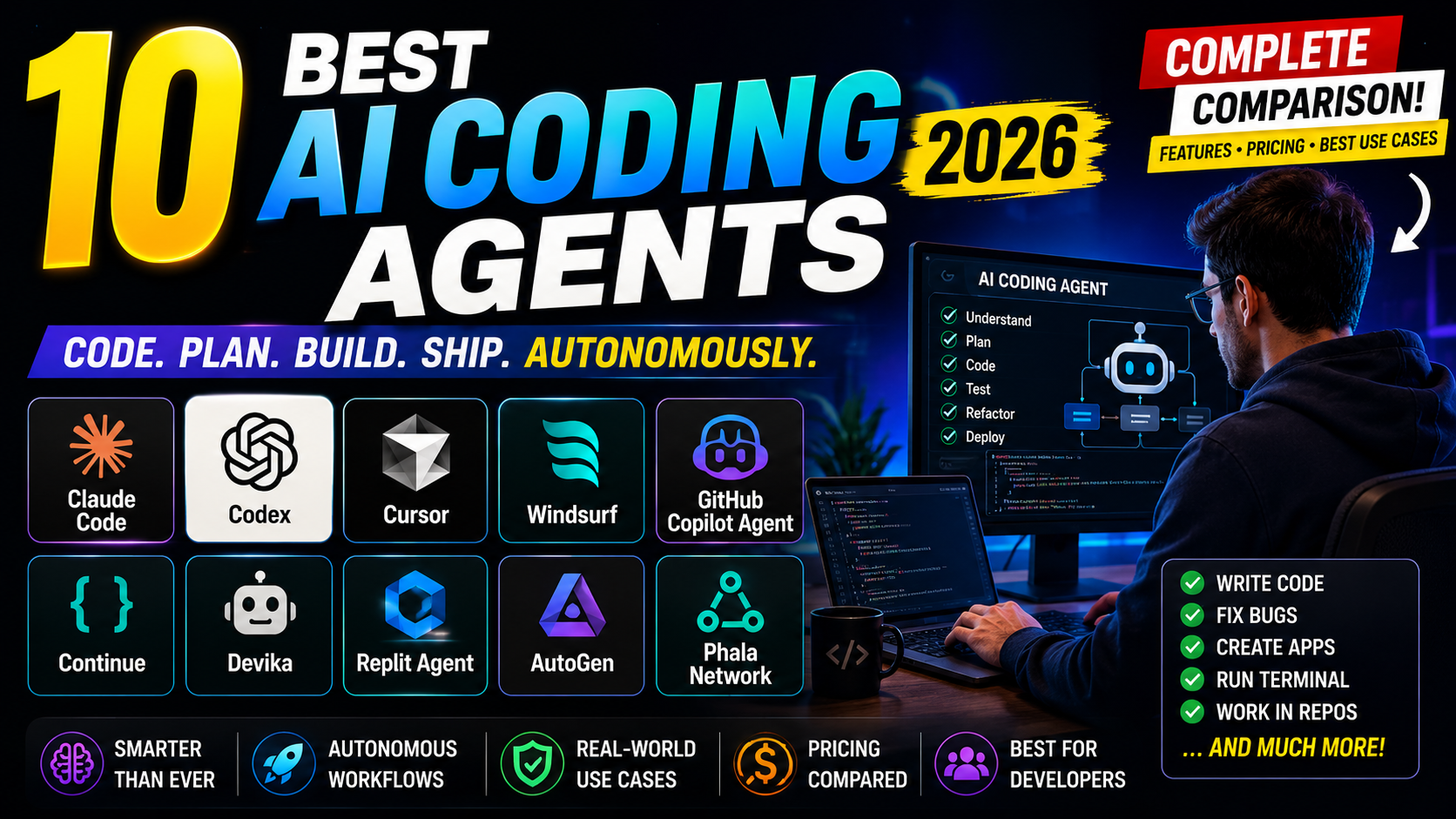
The best AI coding agents in 2026 do more than suggest the next line of code. They can inspect repositories, plan changes, edit multiple files, run terminal commands, generate tests, debug failures, and help developers iterate toward a working implementation. That does not make developers obsolete. It changes the workflow from typing every line manually to supervising, reviewing, testing, and steering agent-generated changes.
This guide compares practical AI coding agents for professional developers, startup teams, freelancers, engineering managers, DevOps engineers, and students. The focus is commercial investigation: which agent fits your environment, task complexity, privacy requirements, team model, and budget.
AI coding agent features, model availability, usage limits, and pricing can change frequently. Check each provider's current documentation and plans before making a purchase decision.
What Is an AI Coding Agent?
An AI coding agent is a software development assistant that can potentially handle multi-step coding tasks with tools, not just text responses. Depending on the product, it may understand requirements, inspect a repository, plan changes, edit multiple files, run terminal commands, generate tests, run tests, debug failures, and iterate on code.
Autonomy varies significantly. Some agents are terminal-first and can run commands with approval. Some work inside AI-native editors. Some run in cloud sandboxes and create reviewable changes. Some are closer to advanced assistants with partial agent features. Treat autonomy as a workflow style, not a guarantee that the tool can safely ship production code without review.
AI Coding Agent vs AI Coding Assistant: What Is the Difference?
| Capability | AI Coding Assistant | AI Coding Agent |
|---|---|---|
| Typical workflow | Developer-led autocomplete and chat. | Task-led planning, edits, commands, and iteration. |
| Code generation | Usually one file or selected snippets. | Often across multiple files and project areas. |
| Code explanation | Strong for explanations and Q&A. | Can explain, then modify and verify. |
| Tool usage | Limited or optional. | Core part of the workflow. |
| Terminal commands | May suggest commands. | May run commands with permissions or sandboxing. |
| Testing | Can suggest tests. | May generate, run, and fix tests. |
| Autonomy | Lower; human drives each step. | Higher; human supervises the task loop. |
| Risk level | Usually lower operational risk. | Higher if it can modify files or run commands. |
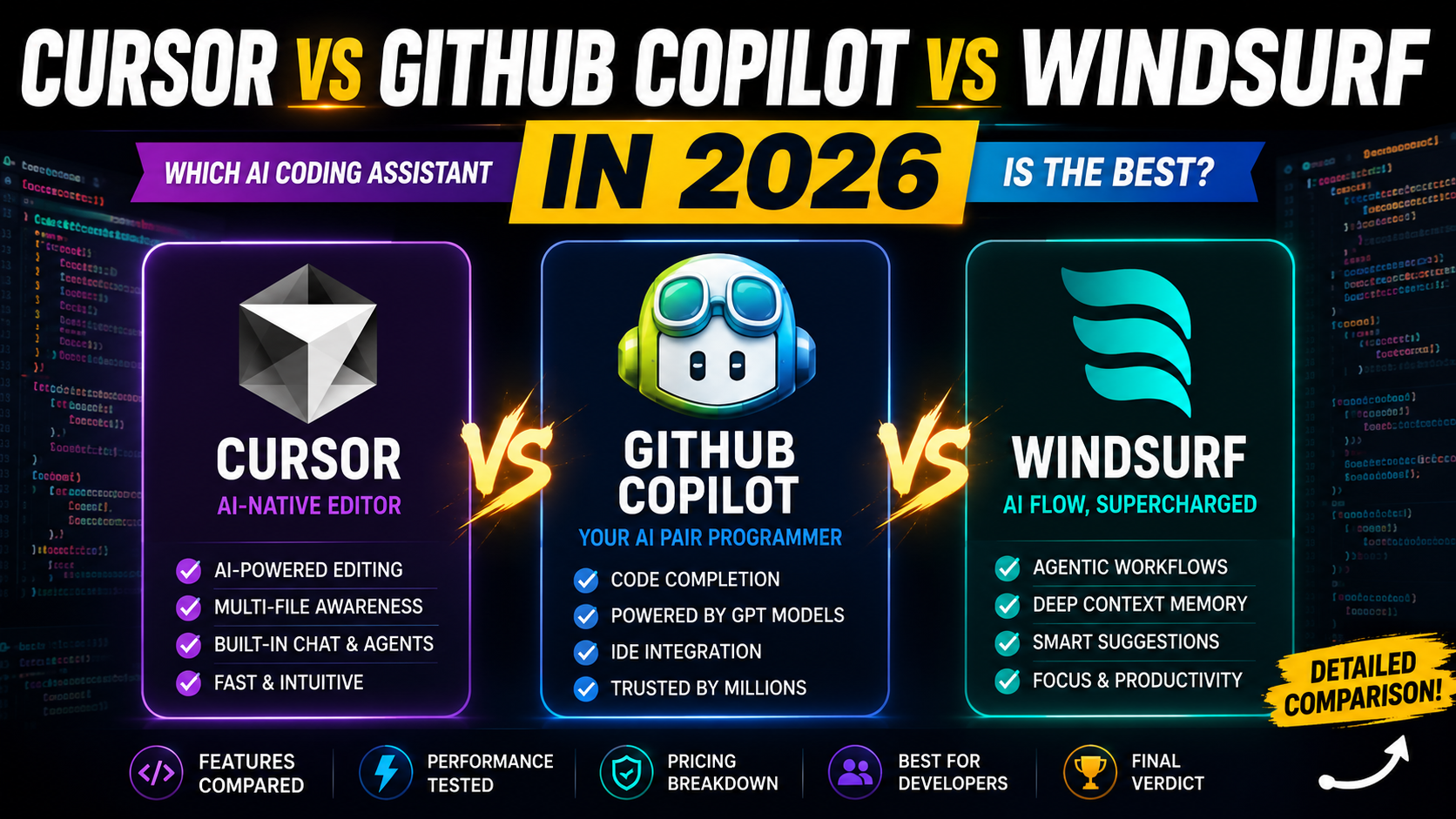
Modern products increasingly overlap. GitHub Copilot, Cursor, Windsurf, and Gemini Code Assist include assistant and agent features. The important buyer question is how much control, automation, and execution you want inside your development workflow.
Quick Answer: What Are the Best AI Coding Agents in 2026?
The best overall AI coding agent for terminal-first professional developers is Claude Code. The best flexible local/cloud coding agent is OpenAI Codex. The best AI-native editor agent is Cursor. The best choice for GitHub-centric teams is GitHub Copilot. The best browser/cloud app-building agent is Replit Agent.
| Use Case | Recommended Agent | Why |
|---|---|---|
| Best overall AI coding agent | Claude Code | Strong terminal loop with repository inspection, edits, commands, and tests. |
| Best terminal-first coding agent | Claude Code or Aider | Both fit developers who live in the shell and git. |
| Best AI-native editor | Cursor | Strong agentic editing inside an AI-first editor. |
| Best for GitHub workflows | GitHub Copilot | Best fit for PRs, code review, GitHub, and existing IDEs. |
| Best for autonomous app development | Replit Agent | Cloud workspace, checkpoints, and deployment flow are built in. |
| Best open-source option | Cline or Aider | Flexible, local, and model/provider configurable. |
| Best for enterprise teams | GitHub Copilot or Amazon Q Developer | Strong org controls for GitHub/AWS environments. |
| Best for beginners | Replit Agent or GitHub Copilot | Lower setup friction than many terminal agents. |
| Best for existing IDE workflows | GitHub Copilot | Broad IDE support and low migration cost. |
Best AI Coding Agents: Quick Comparison
The autonomy labels below describe workflow style, not lab ratings. A highly agentic product can still make mistakes and must be reviewed.
| AI Coding Agent | Best For | Interface | Autonomy Level | Terminal Access | Multi-File Editing | Free Option | Starting Price | Best Use Case |
|---|---|---|---|---|---|---|---|---|
| Claude Code | Terminal-first development | Terminal, IDE, cloud, desktop, CI/CD | Highly agentic | Yes | Yes | Paid Claude plans | Claude Pro from $20/mo monthly | Repo debugging, tests, refactors |
| OpenAI Codex | Local + cloud agent workflows | CLI, IDE, app, cloud, GitHub | Highly agentic | Yes | Yes | Included with eligible plans; limited-time free noted | Plan/credit based; check current rate card | Delegated coding and code review |
| Cursor | AI-native editor work | Cursor editor | Highly agentic | Editor-integrated | Yes | Yes | Check current; Pro includes usage | Full-stack feature work |
| GitHub Copilot | Existing IDE and GitHub workflows | IDE, GitHub, CLI | Semi-agentic to highly agentic | Yes, where supported | Yes, where supported | Yes, limited | Pro $10/mo; Business $19/seat/mo | Team rollout and PR workflows |
| Windsurf | AI-native editor alternative | Windsurf editor | Semi-agentic to highly agentic | Editor-integrated | Yes | Yes | Check current Pro/Teams pricing | Fast app coding flow |
| Replit Agent | Browser/cloud app building | Replit cloud workspace | Highly agentic | Cloud environment | Yes | Starter/Core/Pro-style plans | Usage-based AI billing; check plans | Prototype and deploy apps |
| Cline | Open-source VS Code agent | VS Code, CLI | Highly agentic | Yes, with approvals | Yes | Open source free for individuals | Pay inference/BYOK; enterprise custom | Model-flexible local agent |
| Aider | Git-aware terminal pairing | Terminal | Semi-agentic | Local shell workflow | Yes | Open source | API/model costs | Focused repo edits |
| Gemini CLI / Gemini Code Assist | Google-aligned CLI and IDE work | CLI, IDE/cloud workflows | Semi-agentic | Yes via CLI | Yes, task-dependent | Generous free tier documented | Free/fixed/pay-go paths | Gemini/Google Cloud workflows |
| Amazon Q Developer | AWS development teams | IDE, CLI, AWS console | Semi-agentic | Yes | Yes, task-dependent | Free tier | $19/user/mo Pro | AWS app build and modernization |
How We Compared the Best AI Coding Agents
This comparison evaluates currently documented capabilities, product positioning, pricing, supported workflows, and practical developer use cases. It does not claim hands-on testing, proprietary benchmarks, or fake numerical ratings.
- Task planning.
- Repository understanding.
- Multi-file editing.
- Terminal access.
- Command execution.
- Test generation.
- Test execution.
- Debugging.
- Iterative problem solving.
- Code review experience.
- Developer control.
- IDE/editor integration.
- Git integration.
- Model flexibility.
- Privacy considerations.
- Team capabilities.
- Pricing.
- Overall practical usefulness.
1. Claude Code
Verdict: Best terminal-first agent for developers who want deep repository work with a strong human-in-the-loop workflow.
Best for: Terminal-first developers, backend engineers, refactoring tasks, debugging, tests, and repository exploration.
Why it stands out: Claude Code runs in the terminal and follows an agentic loop: gather context, act on files and commands, verify results, and iterate. It is especially strong when a developer wants the agent close to the shell, git state, test runner, and project files.
Agent capabilities: It can inspect a project, read and edit files, run shell commands, search code, execute tests, work with git, and ask for direction when needed. Claude Code can also be used through local, cloud, desktop, IDE, and CI/CD-style workflows depending on setup.
Developer control: The safest way to use Claude Code is to keep changes reviewable, inspect diffs, approve risky commands, run tests, and avoid connecting sensitive repositories until privacy terms are verified.
Pricing: Included in paid Claude plans, with usage sharing plan limits. Pro is listed at $20/month when billed monthly; Team standard seats are listed at $25/user/month monthly or $20/user/month annually. Heavy users should verify current usage bundles and API-credit options.
Pros:
- Strong terminal workflow.
- Good fit for multi-file codebase tasks.
- Can run commands and tests.
- Human can interrupt and steer the loop.
- Useful for debugging and refactoring.
Cons:
- Requires comfort with terminal workflows.
- Usage limits depend on Claude plan and model choice.
- Command execution needs careful review.
- Not a one-click app builder for nontechnical users.
Choose this if: Choose Claude Code if you want a capable coding agent inside a developer-controlled terminal workflow.
Skip this if: Skip it if your team wants broad IDE rollout without changing workflow, or if nontechnical app generation is the priority.
Best alternative: OpenAI Codex or Aider.
2. OpenAI Codex
Verdict: Best flexible coding agent for developers who want terminal, IDE, cloud, app, GitHub, and review workflows connected to one product family.
Best for: Developers using ChatGPT plans, teams delegating code tasks, code review workflows, and multi-agent project work.
Why it stands out: Codex can pair locally in the terminal or IDE, delegate work in the cloud, run parallel agent sessions in the Codex app, and review code through GitHub integrations. It is designed around supervised agent work rather than only autocomplete.
Agent capabilities: Codex CLI can read, modify, and run code locally. Approval modes range from suggest-only to auto-edit and full-auto in a sandbox. Codex also supports cloud task delegation, IDE extensions, app workflows, and code review where enabled.
Developer control: The safest way to use OpenAI Codex is to keep changes reviewable, inspect diffs, approve risky commands, run tests, and avoid connecting sensitive repositories until privacy terms are verified.
Pricing: Codex is included with ChatGPT Plus, Pro, Business, and Enterprise/Edu plans, with limited-time access noted for Free/Go in OpenAI docs. OpenAI also documents token/credit-based Codex usage, with average monthly cost varying widely by workload.
Pros:
- Works across terminal, IDE, app, cloud, and GitHub-style flows.
- Approval modes give developers control.
- Good for parallel agent work.
- Useful for code review and delegated tasks.
- Backed by OpenAI models and platform tooling.
Cons:
- Pricing and credits can be complex.
- Cloud-agent setup and permissions need governance.
- Advanced workflows require careful repo/environment configuration.
- Windows/local support details can vary by client.
Choose this if: Choose Codex if you want one agent workflow that can span local coding, cloud delegation, and review.
Skip this if: Skip it if your priority is a simple editor autocomplete tool with minimal setup.
Best alternative: Claude Code or GitHub Copilot.
3. Cursor
Verdict: Best AI-native editor for developers who want agentic coding built into daily product development.
Best for: Full-stack developers, frontend teams, startup builders, React/Next.js developers, and power users who want multi-file edits.
Why it stands out: Cursor is not just a terminal agent. It is an AI-native editor where chat, context, Composer/agent workflows, background agents, Bugbot, and multi-file edits are central to the experience.
Agent capabilities: Cursor can answer questions about a repository, edit multiple files, generate and refactor code, use agent workflows, and help with PR/code-review style tasks through Bugbot. Background Agents are available with usage-based economics.
Developer control: The safest way to use Cursor is to keep changes reviewable, inspect diffs, approve risky commands, run tests, and avoid connecting sensitive repositories until privacy terms are verified.
Pricing: Cursor has a free option and paid individual/team plans. Its docs describe Pro with included API agent usage, Pro Plus and Ultra tiers with higher included usage, and Teams at $40/user/month. Heavy agent users should verify current usage and overage details.
Pros:
- Excellent AI-native editor experience.
- Strong multi-file editing workflow.
- Useful for JavaScript, TypeScript, Python, React, and full-stack apps.
- Good for fast startup/product iteration.
- Team privacy and admin controls are available.
Cons:
- Requires adopting Cursor as the editor for best results.
- Heavy agent usage can raise cost.
- Extension compatibility should be checked.
- Enterprise governance should be reviewed before rollout.
Choose this if: Choose Cursor if you want your editor itself to be the coding-agent workspace.
Skip this if: Skip it if your organization is locked into existing IDEs.
Best alternative: Windsurf or GitHub Copilot.
4. GitHub Copilot
Verdict: Best coding agent choice for GitHub-centric teams and developers who want AI inside existing IDE workflows.
Best for: GitHub users, enterprise teams, VS Code users, JetBrains users, code review workflows, and organizations needing policy controls.
Why it stands out: GitHub Copilot has expanded from autocomplete into chat, agent mode, cloud agent workflows, code review, and AI-credit-based premium usage while staying close to GitHub and familiar IDEs.
Agent capabilities: It supports inline coding, chat, agent mode, code review, GitHub workflows, CLI assistance, and third-party coding-agent integrations where enabled. Capabilities vary by plan, IDE, and organization policy.
Developer control: The safest way to use GitHub Copilot is to keep changes reviewable, inspect diffs, approve risky commands, run tests, and avoid connecting sensitive repositories until privacy terms are verified.
Pricing: GitHub docs list Copilot Free, Student, Pro at $10/month, Pro+ at $39/month, Max at $100/month, Business at $19/granted seat/month, and Enterprise at $39/granted seat/month. Credits and agent access vary by plan.
Pros:
- Broad IDE and GitHub ecosystem support.
- Low migration friction.
- Strong autocomplete.
- Good enterprise controls.
- Useful for pull requests, code review, CLI, and GitHub-native workflows.
Cons:
- Less AI-native than Cursor or Windsurf as an editor.
- Agent features vary by plan and environment.
- Credit usage needs monitoring.
- Not always the deepest multi-file editor workflow.
Choose this if: Choose GitHub Copilot if you want team-friendly AI coding with broad IDE support.
Skip this if: Skip it if you specifically want an AI-native editor or terminal-first agent.
Best alternative: Cursor, Windsurf, or Codex.
5. Windsurf
Verdict: Best Cursor alternative for developers who want an AI-first editor with fast suggestions and guided agent workflows.
Best for: Frontend developers, full-stack developers, students, freelancers, and developers comparing AI-native editors.
Why it stands out: Windsurf focuses on keeping developers in flow with AI-native editing, Windsurf Tab, Cascade-style assistance, previews, app deploys, and plan/team controls.
Agent capabilities: It supports AI chat, contextual suggestions, multi-step coding flows, app previews/deploys, and agent-style editing inside its editor. Exact prompt credits, model access, and team controls should be checked in current docs.
Developer control: The safest way to use Windsurf is to keep changes reviewable, inspect diffs, approve risky commands, run tests, and avoid connecting sensitive repositories until privacy terms are verified.
Pricing: Windsurf docs describe a Free plan with prompt credits, a two-week Pro trial, a Pro plan with premium models and credits, Teams with central billing/admin analytics, and Enterprise with RBAC, SSO, and SCIM. Verify current USD pricing on the pricing page before purchase.
Pros:
- Polished AI-native editor.
- Strong flow-oriented suggestions.
- Good alternative to Cursor.
- Useful for app-focused development.
- Team and enterprise controls are documented.
Cons:
- Best experience requires editor adoption.
- Exact credit economics need verification.
- Less universal than Copilot for existing IDEs.
- Enterprise buyers should validate security terms.
Choose this if: Choose Windsurf if Cursor feels close but you prefer Windsurf’s flow and agent experience.
Skip this if: Skip it if your team needs broad existing-IDE support.
Best alternative: Cursor or GitHub Copilot.
6. Replit Agent
Verdict: Best browser/cloud coding agent for quickly building small apps, prototypes, and deployable projects.
Best for: Beginners, founders, students, freelancers, prototype builders, and teams that like browser-based development.
Why it stands out: Replit Agent combines coding assistance with Replit’s cloud development environment, app hosting, checkpoints, collaboration, databases, and deployment workflow.
Agent capabilities: It can plan and build apps, make changes, use checkpoints, work with design/app artifacts, and deploy through Replit. Replit documents effort-based billing for Agent usage and plan-based capabilities such as Plan Mode and active background tasks.
Developer control: The safest way to use Replit Agent is to keep changes reviewable, inspect diffs, approve risky commands, run tests, and avoid connecting sensitive repositories until privacy terms are verified.
Pricing: Replit offers Starter, Core, and Pro-style plans with AI billing and credits. Agent usage is effort-based, and all Agent interactions may be billable. Verify current plan prices and credit allowances before buying.
Pros:
- Great for fast app prototyping.
- Cloud workspace and deploy flow are integrated.
- Beginner-friendly compared with terminal agents.
- Useful checkpoints and collaboration.
- Good for small apps and MVPs.
Cons:
- Less ideal for mature local enterprise repositories.
- Usage-based billing can be hard to predict.
- Cloud environment may not match production stack.
- Advanced developers may prefer local control.
Choose this if: Choose Replit Agent if you want to build and deploy from a browser/cloud workspace.
Skip this if: Skip it if your work centers on private local repositories or complex enterprise infrastructure.
Best alternative: Codex cloud workflows or Cursor.
7. Cline
Verdict: Best open-source VS Code coding agent for developers who want BYOK model control and permissioned tool use.
Best for: VS Code users, open-source fans, privacy-conscious developers, and teams that want flexible model providers.
Why it stands out: Cline is an open-source coding agent available as a VS Code extension and CLI, with a client-side architecture and bring-your-own-key flexibility.
Agent capabilities: It can work in VS Code, use CLI workflows, access files, use MCP, run commands with approval, and connect to many model providers depending on configuration.
Developer control: The safest way to use Cline is to keep changes reviewable, inspect diffs, approve risky commands, run tests, and avoid connecting sensitive repositories until privacy terms are verified.
Pricing: Cline’s public pricing page says the open-source version is free for individual developers, with users paying only for AI inference or bringing their own API keys. Enterprise is custom and includes team/security features.
Pros:
- Open-source individual workflow.
- BYOK support.
- Strong VS Code fit.
- Flexible model providers.
- MCP ecosystem support.
Cons:
- API costs still apply.
- Setup requires more judgment than closed SaaS tools.
- Enterprise features are custom.
- Output quality depends on selected model.
Choose this if: Choose Cline if you want a flexible open-source agent inside VS Code.
Skip this if: Skip it if you want a fully managed fixed-price experience.
Best alternative: Aider or Continue.
8. Aider
Verdict: Best lightweight open-source terminal pair programmer for developers who live in git.
Best for: Terminal-first developers, open-source contributors, CLI users, and developers who want simple git-aware AI pair programming.
Why it stands out: Aider is focused: it is AI pair programming in the terminal for editing code in a local git repo. It is not trying to be a full cloud app builder or enterprise dashboard.
Agent capabilities: It can edit files in a git repository, use in-chat commands, work with multiple models, and help implement changes through a terminal workflow. Costs depend on the model/API provider used.
Developer control: The safest way to use Aider is to keep changes reviewable, inspect diffs, approve risky commands, run tests, and avoid connecting sensitive repositories until privacy terms are verified.
Pricing: Aider itself is open source. Users typically pay model/API provider costs unless they use a model/provider with free allowance.
Pros:
- Lightweight terminal workflow.
- Open-source and model-flexible.
- Works naturally with git.
- Good for focused edits and pair programming.
- Avoids heavy editor lock-in.
Cons:
- Not as polished as commercial AI-native editors.
- BYOK/API costs require management.
- Less beginner-friendly than Replit Agent.
- Enterprise controls depend on surrounding setup.
Choose this if: Choose Aider if you want a simple terminal coding agent that respects local git workflows.
Skip this if: Skip it if you need a managed UI, team dashboard, or cloud app generation.
Best alternative: Cline or Claude Code.
9. Gemini CLI / Gemini Code Assist
Verdict: Best Google-aligned coding agent workflow for developers who want generous CLI usage and Gemini/Google Cloud integration.
Best for: Google Cloud teams, Gemini users, CLI experimenters, and developers looking for a free or fixed-price entry path.
Why it stands out: Gemini CLI gives developers a command-line agent interface with different authentication modes, while Gemini Code Assist fits Google’s broader developer tooling and cloud ecosystem.
Agent capabilities: Gemini CLI can run interactive and non-interactive prompts, resume sessions, use memory/context files, manage MCP servers and extensions, and work with CLI workflows. Gemini Code Assist adds IDE/cloud-centered assistance depending on plan.
Developer control: The safest way to use Gemini CLI / Gemini Code Assist is to keep changes reviewable, inspect diffs, approve risky commands, run tests, and avoid connecting sensitive repositories until privacy terms are verified.
Pricing: Gemini CLI docs describe a generous free tier for Google-login users, including 1,000 model requests per user per day and 60 requests per minute, with paid subscriptions and pay-as-you-go/API options for higher needs.
Pros:
- Generous documented free CLI quota.
- Good fit for Google/Gemini users.
- Supports CLI sessions, MCP, and extensions.
- Multiple authentication/pricing paths.
- Useful for experimentation and light professional workflows.
Cons:
- Pricing path depends on auth method.
- Enterprise usage may require Google Cloud setup.
- Exact model behavior can vary by quota/account.
- Not as editor-native as Cursor/Windsurf.
Choose this if: Choose Gemini CLI or Gemini Code Assist if you want Google-aligned agent workflows and strong free experimentation.
Skip this if: Skip it if your team is standardized around GitHub or AWS instead.
Best alternative: Amazon Q Developer or GitHub Copilot.
10. Amazon Q Developer
Verdict: Best AWS-focused AI developer agent for teams building, transforming, and operating AWS applications.
Best for: AWS developers, DevOps teams, enterprise cloud teams, Java/.NET modernization, and organizations using AWS Identity Center.
Why it stands out: Amazon Q Developer is built for the AWS software development lifecycle: understanding, building, extending, securing, transforming, and operating applications on or off AWS.
Agent capabilities: It works in IDEs and CLI, supports chat and agentic coding requests, helps with AWS architecture/resources, and includes transformation capabilities such as Java and .NET modernization with documented quotas.
Developer control: The safest way to use Amazon Q Developer is to keep changes reviewable, inspect diffs, approve risky commands, run tests, and avoid connecting sensitive repositories until privacy terms are verified.
Pricing: AWS lists Amazon Q Developer Free Tier and Pro at $19/month per user, with free-tier monthly limits, Pro agentic request limits, transformation quotas, and overage charges for some transformation usage.
Pros:
- Strong AWS ecosystem alignment.
- IDE and CLI support.
- Free tier plus predictable Pro price.
- Useful enterprise/admin controls through AWS.
- Helpful for app transformation and cloud development.
Cons:
- Most valuable for AWS-heavy teams.
- Transformation quotas and overages need review.
- Less general-purpose than Cursor or Codex for non-AWS workflows.
- AWS account/identity setup can add friction.
Choose this if: Choose Amazon Q Developer if your coding-agent needs are tied to AWS development and modernization.
Skip this if: Skip it if you want a model-agnostic open-source agent or AI-native editor.
Best alternative: Gemini Code Assist for Google Cloud teams or GitHub Copilot for GitHub teams.
Claude Code vs Codex: Which AI Coding Agent Is Better?
| Category | Claude Code | OpenAI Codex |
|---|---|---|
| Interface | Terminal-first, with additional environments available. | CLI, IDE, app, cloud, GitHub/code review workflows. |
| Terminal workflow | Excellent for local shell-driven work. | Strong through Codex CLI with approval modes. |
| Repository understanding | Strong local repo exploration and multi-file context. | Strong local/cloud repo workflows depending on setup. |
| Task autonomy | High, with human interruption and steering. | High, with approval modes and cloud delegation. |
| Multi-file editing | Strong. | Strong. |
| Debugging and testing | Can run tests and iterate through failures. | Can run commands/tests in local or sandboxed workflows. |
| Git workflows | Can inspect git state and commit when asked. | Supports local git and GitHub/code review integrations. |
| Pricing | Claude plan/usage based. | ChatGPT plan/credit/token based. |
| Best user type | Terminal-first developers who want strong local control. | Developers who want local, cloud, app, and review workflows in one ecosystem. |
Choose Claude Code if you want a terminal agent that feels close to your shell, repository, test runner, and git workflow. Choose Codex if you want a broader agent system that can work locally, in the cloud, in IDEs, and across GitHub/code review workflows.
Cursor vs Claude Code vs Codex: Different Types of Coding Agents
Cursor, Claude Code, and Codex represent three different coding-agent shapes. Cursor is an AI-native editor. Claude Code is strongest as a terminal-based coding agent. Codex spans local terminal work, IDEs, cloud delegation, app workflows, and code review.
If you think visually in an editor, Cursor may be more natural. If you think in shell commands, tests, and git state, Claude Code may fit better. If you want agents that can run locally or be delegated in parallel through a broader platform, Codex is compelling.
Best AI Coding Agents by Use Case
| Use Case | Best Pick | Reason |
|---|---|---|
| Frontend development | Cursor or Windsurf | AI-native editors are strong for UI components and multi-file app changes. |
| Backend development | Claude Code or Codex | Terminal access, tests, and repo context matter. |
| Full-stack development | Cursor or Claude Code | Both handle broad app changes well. |
| Python developers | Claude Code, Aider, or Codex | Strong terminal and git workflows. |
| JavaScript/TypeScript developers | Cursor or Windsurf | Great fit for React, Next.js, Node.js, and component/API work. |
| Terminal-first developers | Claude Code or Aider | Best fit for shell and git-driven coding. |
| GitHub users | GitHub Copilot | Best GitHub-native workflows and PR support. |
| Freelancers | Cursor, Replit Agent, or Cline | Good mix of speed, cost control, and client-work flexibility. |
| Startup teams | Cursor or Codex | Fast iteration and multi-agent workflows can help small teams. |
| Enterprise teams | GitHub Copilot or Amazon Q Developer | Governance and ecosystem alignment matter. |
| Students | Replit Agent or GitHub Copilot | Lower setup friction. |
| Large codebases | Claude Code, Codex, or GitHub Copilot Enterprise | Context, permissions, and review workflow are crucial. |
| Autonomous app building | Replit Agent | Browser cloud workspace and deployment are built in. |
| Best open-source option | Cline or Aider | Flexible and model/provider configurable. |
What Can AI Coding Agents Actually Do?
Build a React or Next.js feature: an agent can inspect existing components, add UI, update routes, adjust state, and suggest tests. A developer still needs to verify UX, accessibility, security, and edge cases.
Fix a bug spanning multiple files: an agent can trace the error, read related files, modify logic, and rerun tests. Human review is still needed because agents can fix symptoms instead of root causes.
Add tests to an existing feature: an agent can infer expected behavior and create unit or integration tests. Developers should review assertions and make sure tests protect real business behavior.
Refactor legacy code: an agent can rename APIs, extract helpers, remove duplication, and update imports. Keep refactors small and run the full test suite.
Understand an unfamiliar repository: an agent can summarize folder structure, identify entry points, and explain dependencies. Ask it to cite files and verify claims manually.
Create a small application from requirements: cloud/browser agents such as Replit Agent can be helpful for prototypes, but production readiness still requires architecture, security, testing, deployment, and maintenance work.
How Autonomous Are AI Coding Agents Really?
Autonomy exists on a spectrum. At the low end, a tool suggests code. Next, it edits files. Then it plans tasks, runs commands, generates tests, fixes failures, creates pull requests, or deploys changes. Higher autonomy creates more leverage, but also more risk.
Autonomous does not mean unsupervised and error-free. Developers remain responsible for requirements, security, architecture, correctness, dependency choices, code review, and production release decisions.
Are AI Coding Agents Safe for Production Code?
AI coding agents can be useful in production workflows, but they introduce operational risks because they may read proprietary repositories, modify files, run commands, add dependencies, and generate code that looks correct but is insecure or incomplete.
- Review every meaningful diff.
- Use version control and small commits.
- Run agents in controlled local, sandboxed, or cloud environments.
- Protect secrets and API keys.
- Review new dependencies manually.
- Run tests, type checks, lint, and security scans.
- Require approval for destructive commands.
- Check provider data retention and model training policies.
- Use enterprise controls for sensitive repositories.
How Much Do AI Coding Agents Cost?
| Tool | Free Option | Individual Price | Team Option | Enterprise Option | Pricing Model |
|---|---|---|---|---|---|
| Claude Code | Claude Free does not include full Claude Code; check current plan. | Claude Pro listed at $20/mo monthly. | Team standard/premium seats listed; verify current terms. | Enterprise custom plus usage. | Subscription plus usage limits/credits. |
| OpenAI Codex | Limited-time Free/Go access noted by OpenAI. | Included with eligible ChatGPT plans; credit usage applies. | Business plan support and Codex usage/credits. | Enterprise/Edu/Gov/Health options. | Plan plus token/credit usage. |
| Cursor | Yes. | Check current Pro/Pro+/Ultra pricing and included usage. | Teams listed at $40/user/mo in docs. | Custom. | Subscription plus included/extra agent usage. |
| GitHub Copilot | Yes, limited. | Pro $10/mo; Pro+ $39/mo; Max $100/mo. | Business $19/granted seat/mo. | Enterprise $39/granted seat/mo. | Subscription plus AI credits. |
| Windsurf | Yes, with prompt credits. | Check current Pro price and credits. | Teams with central billing/admin. | Enterprise with RBAC/SSO/SCIM. | Subscription plus prompt credits. |
| Replit Agent | Starter with limits. | Core/Pro-style plans; verify current price. | Collaboration seats by plan. | Contact Replit. | Subscription plus effort-based AI billing. |
| Cline | Open-source free for individuals. | Pay inference/BYOK. | Enterprise custom. | Enterprise custom. | Usage-based inference or BYOK. |
| Aider | Open source. | API/model costs. | No standard SaaS team plan. | Self-managed. | BYOK/API usage. |
| Gemini CLI / Code Assist | Generous free CLI quota documented. | Google AI Pro/Ultra or API/pay-go paths. | Google Cloud subscriptions. | Google Cloud/Vertex paths. | Free, fixed subscription, or pay-go. |
| Amazon Q Developer | Free tier. | $19/user/mo Pro. | $19/user/mo Pro via org setup. | AWS enterprise controls. | Subscription plus quotas/overages. |
Some agents use subscription pricing, some use usage-based pricing, some consume included credits, and open-source clients may still require paid model APIs. Budget for your actual workflow, not only the advertised starting price.
Best Free AI Coding Agents
The most useful free options depend on what “free” means. Cline and Aider are open-source clients, but model API costs may still apply. Gemini CLI documents a generous free quota for Google-login users. GitHub Copilot Free, Windsurf Free, Cursor Free, and Replit Starter can be useful for light usage, but quotas and features vary.
For serious professional usage, expect paid plans, credits, or API costs to become relevant quickly.
Open-Source vs Proprietary AI Coding Agents
| Factor | Open Source Agents | Proprietary Agents |
|---|---|---|
| Setup | More configuration and model selection. | Usually easier onboarding. |
| Model flexibility | Often stronger BYOK/model choice. | Depends on provider roadmap. |
| Privacy | More local control possible, but not automatic. | Managed controls and contracts may be stronger for enterprises. |
| Cost | Client may be free, API costs apply. | Subscription/credits may be predictable or complex. |
| Ease of use | Better for technical users. | Better for broad teams. |
| Support | Community or custom enterprise. | Vendor support and admin dashboards. |
| Maintenance | User/team handles more setup. | Vendor handles more product upkeep. |
Open source is not automatically more private. If an open-source client sends prompts to a hosted model, code/context can still leave your machine depending on configuration.
How to Choose the Best AI Coding Agent
- Preferred development environment.
- Task complexity.
- Required autonomy.
- Repository size.
- Programming languages.
- Terminal access.
- Privacy requirements.
- Team collaboration.
- Enterprise controls.
- Budget.
- Model flexibility.
Choose a terminal-first agent if you live in git, shells, tests, logs, and build tools. Choose an AI-native editor if you want chat, context, edits, and suggestions in one visual workspace. Choose an IDE-integrated agent if your team needs low migration friction. Choose an autonomous cloud agent if you want delegated tasks in isolated environments. Choose an open-source agent if model flexibility and local control matter more than polished vendor onboarding.
Limitations of AI Coding Agents
AI coding agents can hallucinate APIs, misunderstand requirements, introduce security issues, run risky commands, add unnecessary dependencies, create incomplete tests, overengineer simple tasks, and sound confident when wrong. They can also become expensive if every task triggers heavy model usage or long agent loops.
Reduce risk by giving precise requirements, keeping tasks small, requiring approvals, reviewing diffs, running tests, checking dependencies, protecting secrets, and comparing the final result against your architecture and business rules.
Can AI Coding Agents Replace Software Developers?
No. AI coding agents can automate parts of implementation, but they still struggle with ambiguous business requirements, product judgment, architecture tradeoffs, security accountability, complex debugging, organizational context, and long-term maintainability.
The best use of coding agents is leverage: developers define the problem, provide context, supervise execution, review output, and own production quality.
Which AI Coding Agent Should You Choose?
Choose Claude Code if you want the strongest terminal-first development partner. Choose Codex if you want local, cloud, IDE, app, and review workflows in one agent ecosystem. Choose Cursor if you want the best AI-native editor workflow. Choose GitHub Copilot if your team lives in GitHub and existing IDEs. Choose Replit Agent for browser-based app building. Choose Cline or Aider if open-source model flexibility matters.
For a broader non-agent comparison, read our best AI coding tools for developers guide. If you are choosing specifically between Cursor, Copilot, and Windsurf, see the Cursor vs GitHub Copilot vs Windsurf comparison.
Frequently Asked Questions
A: Claude Code is a strong overall pick for terminal-first developers, while Codex is the most flexible local/cloud option and Cursor is the best AI-native editor workflow.
A: Traditional Copilot-style tools focus on suggestions and chat. Coding agents can plan tasks, edit files, run commands, test changes, and iterate. GitHub Copilot itself now includes agent features in supported plans.
A: Claude Code is excellent for terminal-first local work. Codex is better if you want one ecosystem across terminal, IDE, app, cloud, GitHub, and code review workflows.
A: Cline and Aider are strong open-source choices, while Gemini CLI offers a generous documented free quota. API costs may still apply for open-source clients.
A: They can help build small apps and prototypes, especially in tools like Replit Agent, but production apps still need human architecture, security, testing, and deployment review.
A: They can be used with private repositories only when privacy settings, contracts, permissions, and local policies are understood. Never expose secrets or credentials.
A: Claude Code, Codex, and Aider are strong Python-friendly options because they work well in terminal and git-driven workflows.
A: GitHub Copilot is the easiest mainstream VS Code option, while Cline is a strong open-source VS Code agent.
A: Yes, several can. Claude Code, Codex CLI, Aider, Cline, Gemini CLI, Continue-style tools, and Amazon Q Developer CLI workflows involve terminal or command execution, usually with permissions or configuration.
A: The client may be free, but model/API usage can still cost money unless you use a free local model or a free provider quota.
A: No. They automate parts of implementation but do not replace product judgment, architecture decisions, security accountability, or production ownership.
A: Claude Code, Codex, Cursor, GitHub Copilot Enterprise, and Amazon Q Developer can be strong depending on your environment, permissions, and review process. Test on your actual repository before standardizing.